
Handleiding
Je bekijkt pagina 30 van 45
22
6
E321ME / E420ME / E460ME
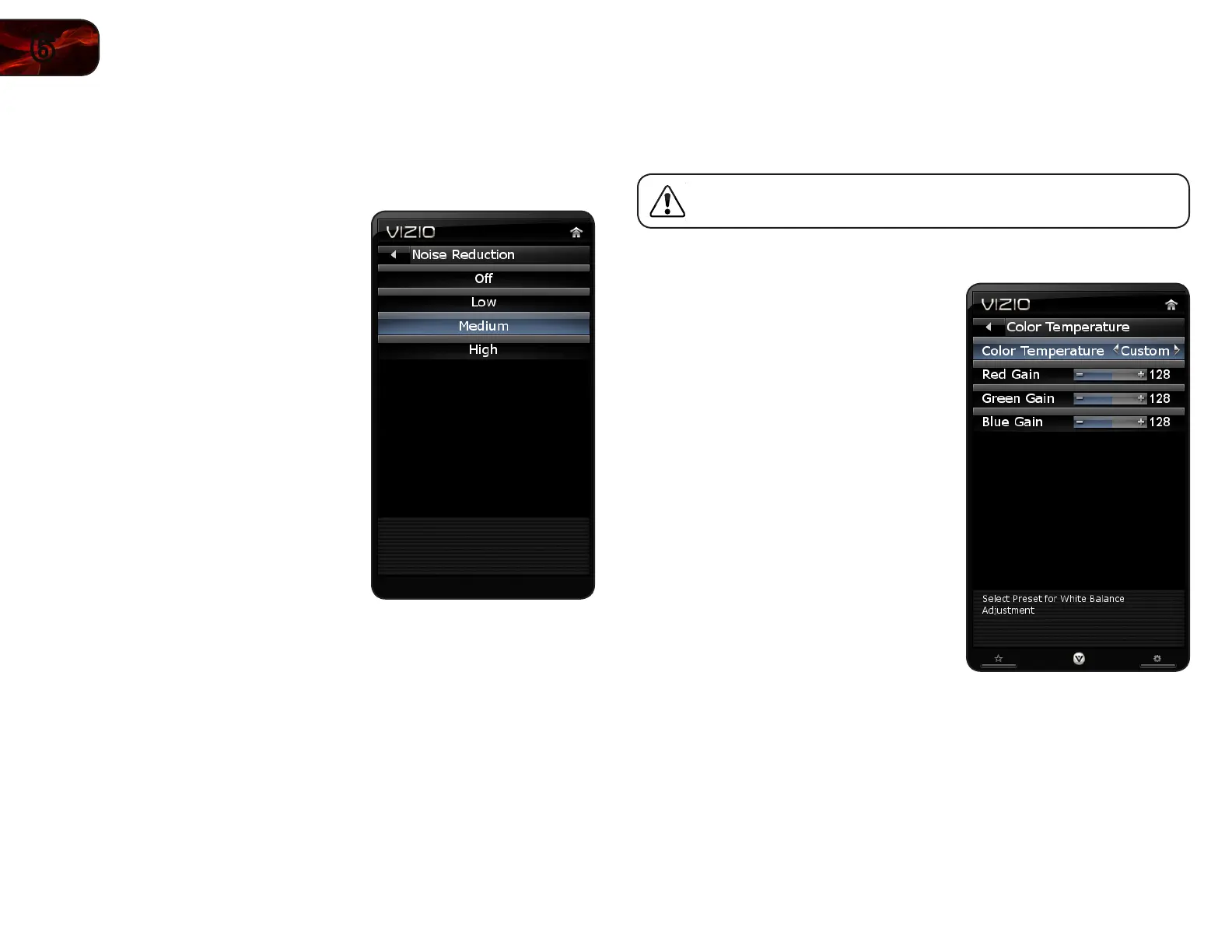
Adjusting the Noise Reduction Setting
Noise reduction diminishes artifacts such as “blockiness” or “pixellation”. When
activated, the resulting picture usually has softer edges.
To adjust the noise reduction setting:
1. Press the OK button on the remote.
The on-screen menu is displayed.
2. Use the Arrow buttons to highlight
Picture and press OK.
3. Use the Arrow buttons to highlight
Noise Reduction and press
OK.
4. Use the Arrow buttons to highlight Off,
Low, Medium, or High, then press
OK.
5. Press EXIT.
Adjusting the Color Temperature
Color temperature changes the “warmness” or “coolness” of the white areas of
the picture.
To adjust this setting, Picture Mode must be set to Custom.
To adjust the color temperature setting:
1. Press the OK button on the remote.
The on-screen menu is displayed.
2. Use the Arrow buttons to highlight
Picture and press OK.
3. Use the Arrow buttons to highlight
More and press OK.
4. Use the Arrow buttons to highlight
Color Temperature and select
Normal, Cool, Warm, or Custom.
If you choose Custom, you can
change the individual Red, Blue, and
Green gain settings.
5. When you are nished, press EXIT.
Bekijk gratis de handleiding van Vizio E420ME, stel vragen en lees de antwoorden op veelvoorkomende problemen, of gebruik onze assistent om sneller informatie in de handleiding te vinden of uitleg te krijgen over specifieke functies.
Productinformatie
| Merk | Vizio |
| Model | E420ME |
| Categorie | Televisie |
| Taal | Nederlands |
| Grootte | 16914 MB |


