
Handleiding
Je bekijkt pagina 14 van 79
1
14
REAR PANEL
14
RE
RE
AR P
AN
AN
ELEL
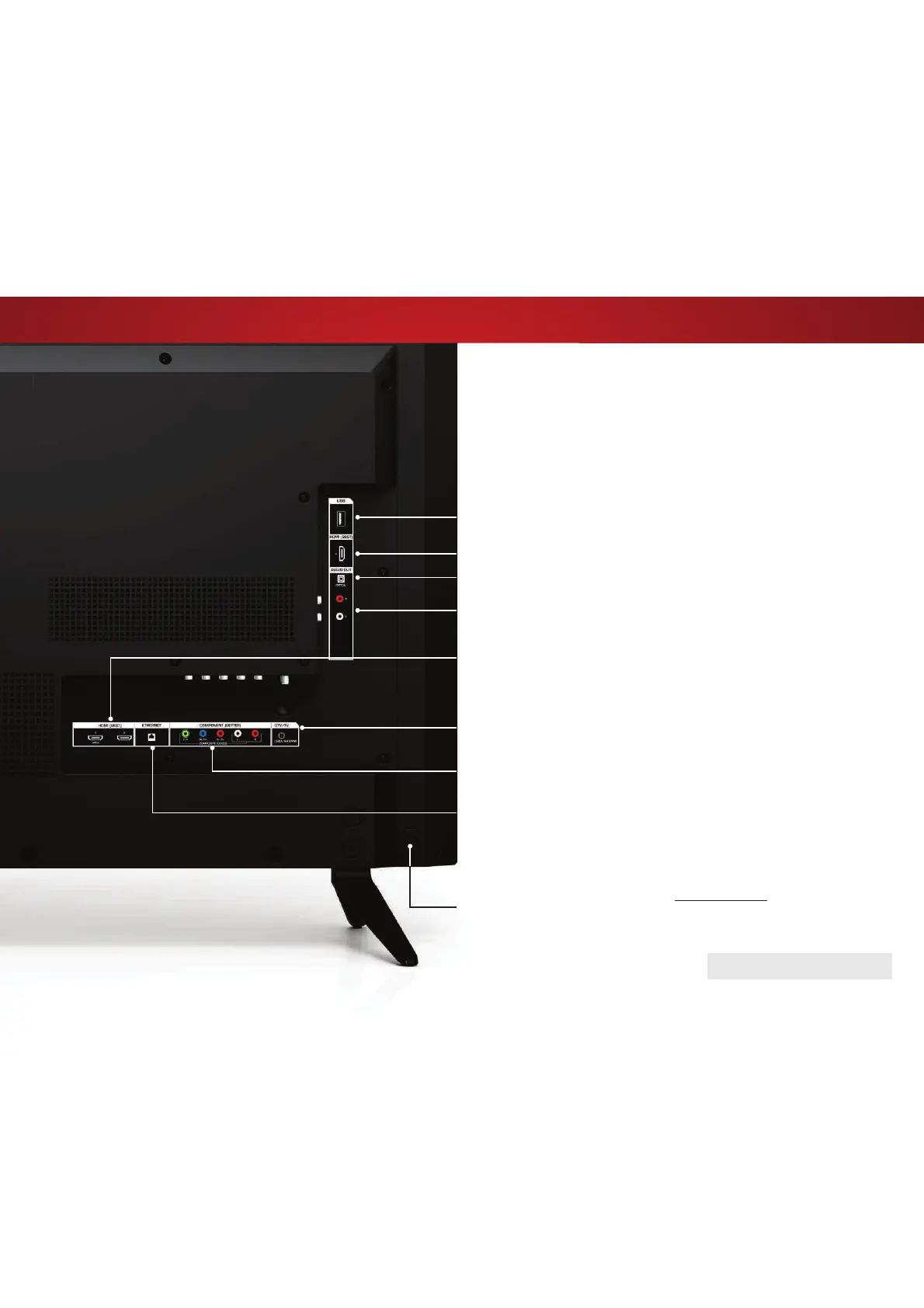
Stereo Audio Out - Connect an RCA audio device, such as
sound bar.
DTV/TV (Coaxial) - Connect a coaxial cable from a cable or satellite
box, or from an antenna.
REAR PANEL
HDMI - Connect an HDMI device.
USB - Connect a USB thumb drive to play photos, music, or video.
HDMI - Connect an HDMI device.
Ethernet - Connect an Ethernet cable from a home network.
Component/Composite - Connect a component or composite
device.
Optical Audio Out - Connect an optical/SPDIF audio device, such
as home audio receiver.
POWER - Press to turn the TV on. Press and holdWRWXUQWKH79R
INPUT - Press to change the input source.
Note:b7KHLPDJHVKRZQKHUHLVIRULOOXVWUDWLYHSXUSRVHVRQO\DQGPD\EHVXEMHFWWRFKDQJHb
The actual number of ports and their locations may vary, depending on the model.
Bekijk gratis de handleiding van Vizio E40x-C2, stel vragen en lees de antwoorden op veelvoorkomende problemen, of gebruik onze assistent om sneller informatie in de handleiding te vinden of uitleg te krijgen over specifieke functies.
Productinformatie
| Merk | Vizio |
| Model | E40x-C2 |
| Categorie | Televisie |
| Taal | Nederlands |
| Grootte | 12737 MB |


