
Handleiding
Je bekijkt pagina 20 van 75
3
14
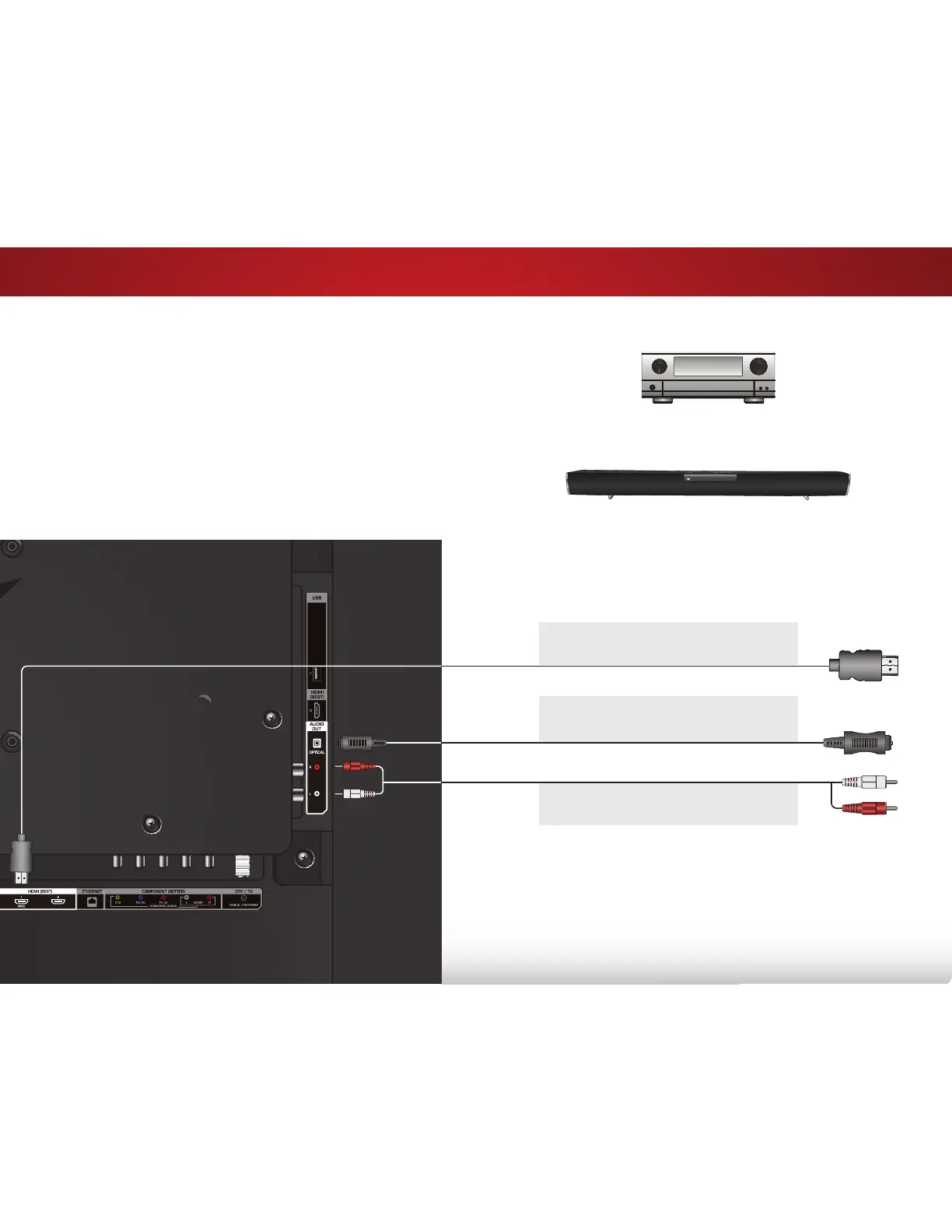
CONNECTING AN AUDIO DEVICE
Home Audio Receiver
VIZIO Sound Bar
Your TV can output sound to an audio device, such as a receiver
or sound bar.
1. Verify that your device has an audio port that matches an
available port on the TV (HDMI or RCA).
2. Turn the TV and your audio device off.
3. Connect the appropriate cable (not included) to the TV and
the device.
4. Turn the TV and your device on.
BEST
HDMI CABLE
• CEC 2-WAY COMMUNICATION
• 2.0-5.1 DIGIT
AL AUDIO
• PCM, DTS, DOLBY DIGITAL
GOOD
RCA CABLE
• ANALOG STEREO CONNECTION
• 2.0 CHANNEL
BACK OF TV
BETTER
OPTICAL/SPDIF CABLE
• PCM STREAM
• DOLBY DIGITAL 5.1 CHANNEL
• DTS 5.1 CHANNEL
Bekijk gratis de handleiding van Vizio E390i-B0, stel vragen en lees de antwoorden op veelvoorkomende problemen, of gebruik onze assistent om sneller informatie in de handleiding te vinden of uitleg te krijgen over specifieke functies.
Productinformatie
| Merk | Vizio |
| Model | E390i-B0 |
| Categorie | Televisie |
| Taal | Nederlands |
| Grootte | 12007 MB |


