
Handleiding
Je bekijkt pagina 46 van 62
VIZIO 120HZ E SERIES User Manual
Version 3/17/2010 46
www.VIZIO.com
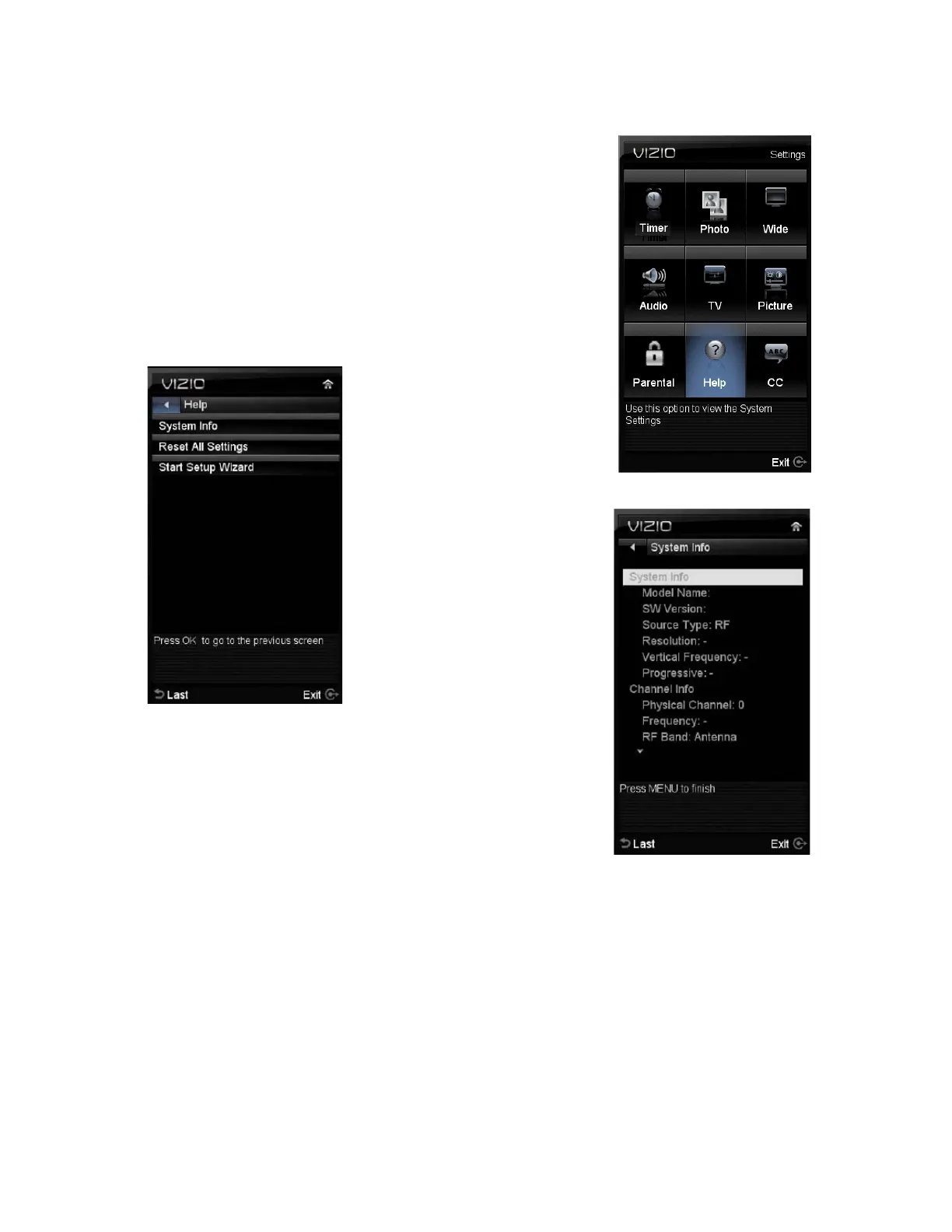
Adjustments on the Help Menu
The Help settings menu allows seeing the up to date information
regarding your HDTV as well as the option to reset all values of
the TV parameters and features to defaults (factory) settings.
The following options are available in the System menu:
1. System Info – The display shows information or content
regarding your HDTV.
2. Reset All Settings – Settings are reset to factory
defaults.
Note: This does NOT reset the Parental Control Password, and the previously scanned channels
are not removed.
3. Start Setup Wizard – Select this option to return to the Initial Setup when your HDTV
was used for the first time.
Note: This will reset the Parental Control Password, and the previously scanned channels will be
removed.
Bekijk gratis de handleiding van Vizio E371VA, stel vragen en lees de antwoorden op veelvoorkomende problemen, of gebruik onze assistent om sneller informatie in de handleiding te vinden of uitleg te krijgen over specifieke functies.
Productinformatie
| Merk | Vizio |
| Model | E371VA |
| Categorie | Televisie |
| Taal | Nederlands |
| Grootte | 11414 MB |
Caratteristiche Prodotto
| Kleur van het product | Zwart |
| Kinderslot | Ja |
| Afstandsbediening | VUR11 |
| Beeldschermdiagonaal | 37 " |
| Resolutie | 1920 x 1080 Pixels |


