
Handleiding
Je bekijkt pagina 26 van 62
VIZIO 120HZ E SERIES User Manual
Version 3/17/2010 26
www.VIZIO.com
Chapter 4 Setting Up to Watch Television
Basic LCD HDTV Start Up
1. Connect Audio and Video Cables
Connect audio and video cables
from the desired components to
your HDTV as described in
“Connecting Devices.”
2. Connecting the Power Cable
Connect one end of the power cord
to the power cord connector on the
back of your HDTV. Then connect
the other end into a power outlet.
3. Turning Power On
Press
on the remote control to
turn on your HDTV.
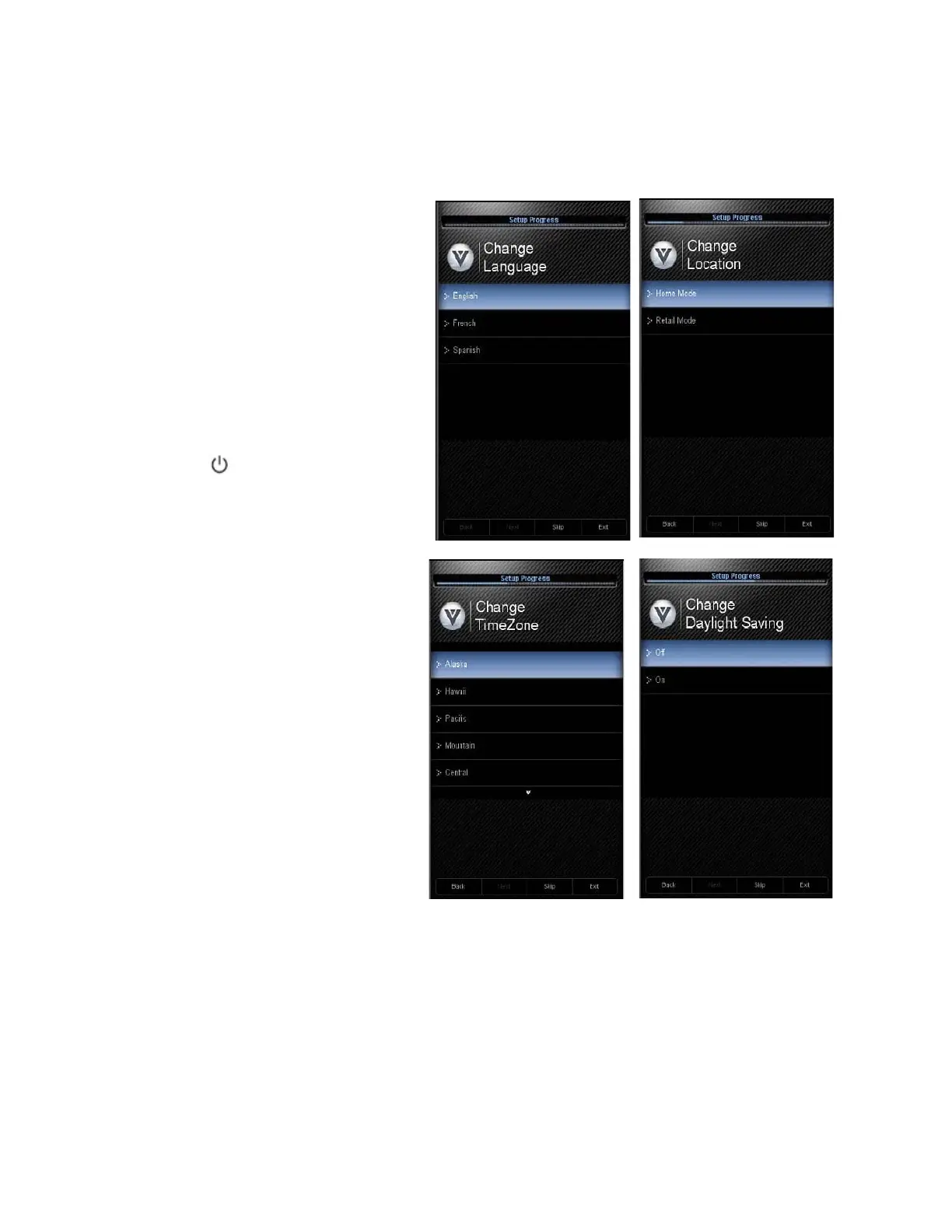
4. Initial Setup
The Welcome Screen showing the
Language screen option. Press ▲
or ▼ to highlight your language,
and then press MENU/OK key to
select it.
5. The Mode Setting screen opens.
Select between Home Mode and
Retail Mode, selecting Home
Mode will give you an opportunity
to save energy. Press the
MENU/OK button. If Retail Mode is
selected by mistake; the next
option will allow you to switch your
selection back to Home Mode.
6. Press the MENU/OK button to
confirm your choice.
7. Next screen will provide you the option to select your Time Zone, press ▲ or ▼ to select your
choice. Press MENU/OK to confirm the selection.
Bekijk gratis de handleiding van Vizio E371VA, stel vragen en lees de antwoorden op veelvoorkomende problemen, of gebruik onze assistent om sneller informatie in de handleiding te vinden of uitleg te krijgen over specifieke functies.
Productinformatie
| Merk | Vizio |
| Model | E371VA |
| Categorie | Televisie |
| Taal | Nederlands |
| Grootte | 11414 MB |
Caratteristiche Prodotto
| Kleur van het product | Zwart |
| Kinderslot | Ja |
| Afstandsbediening | VUR11 |
| Beeldschermdiagonaal | 37 " |
| Resolutie | 1920 x 1080 Pixels |


