
Handleiding
Je bekijkt pagina 7 van 76
1
7
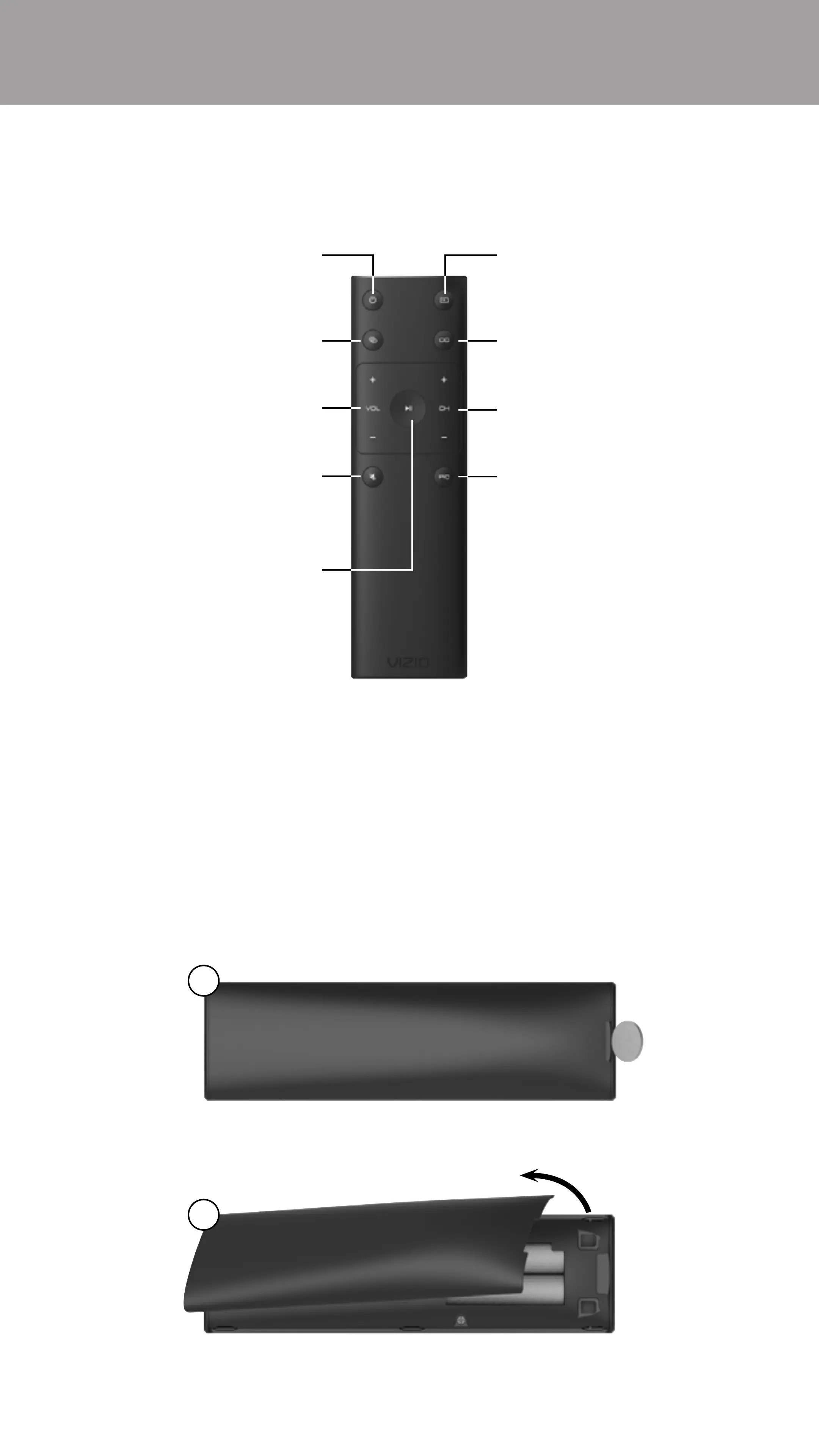
Use the Basic Remote to control the basic functions of the E-Series TV.
Input
Change the currently
displayed input.
Closed Caption
Turn Closed Captions on
or o.
Channel Up/Down
Change the channel.
Picture Mode
Cycle through the dierent
picture modes.
Power
Turn the TV on or o.
Link
Activate pairing mode.
(Between TV and your device)
Volume Up/Down
Increase/decrease the
loudness of the audio.
Mute
Turn the audio on or o.
BASIC REMOTE
Two AAA batteries are included for you to use with the basic remote control.
To insert/replace the batteries:
1. Find the notch on the back of the remote. Insert a coin and pry open the
back cover.
2. Remove the back cover and insert two AAA batteries (included). Be sure to
align the + and − symbols on the batteries and remote.
Inserting and replacing batteries
1
2
Overview
Play/Pause
Play or pause content.
Bekijk gratis de handleiding van Vizio E32H-D1, stel vragen en lees de antwoorden op veelvoorkomende problemen, of gebruik onze assistent om sneller informatie in de handleiding te vinden of uitleg te krijgen over specifieke functies.
Productinformatie
| Merk | Vizio |
| Model | E32H-D1 |
| Categorie | Televisie |
| Taal | Nederlands |
| Grootte | 77325 MB |
Caratteristiche Prodotto
| Kleur van het product | Zwart |
| Gewicht verpakking | 6300 g |
| Breedte verpakking | 830.07 mm |
| Diepte verpakking | 151.89 mm |
| Hoogte verpakking | 540 mm |


