
Handleiding
Je bekijkt pagina 40 van 76
3
40
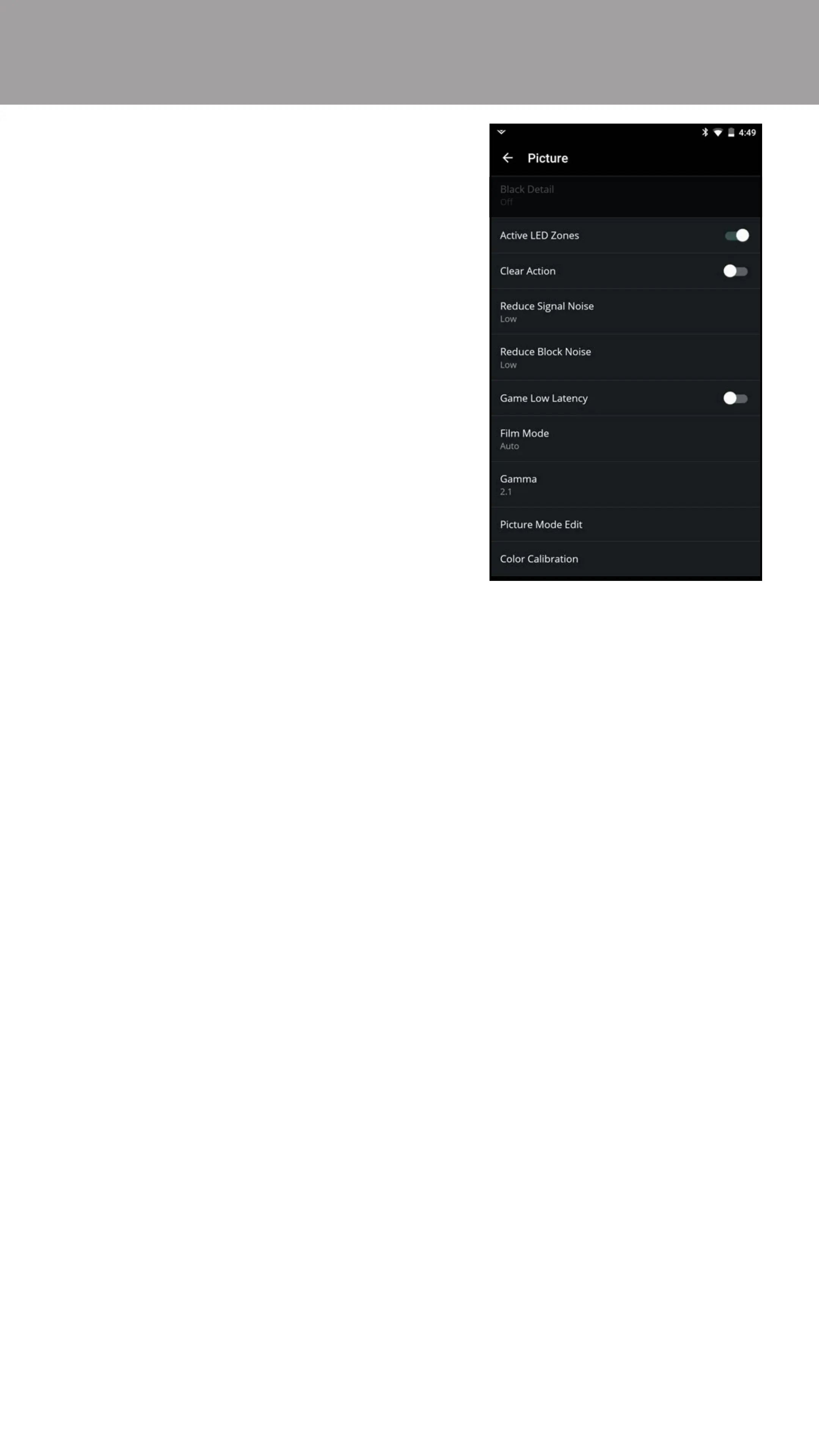
• Active LED Zones
†
• Dynamically improves the
contrast ratio of the picture
by adjusting the backlight. The
adjustment is controlled by the
content on the screen. Swipe left
to Disable and right to Enable.
• Clear Action
• When enabled, reduces blur in
scenes with fast action. Some
sensitive viewers may notice
ickering. Swipe left to Disable
and right to Enable.
• Reduce Signal Noise
*
• Diminishes artifacts in the image
caused by digitizing of image
motion content. Select O, Low,
Medium, or High.
• Reduce Block Noise
*
• Reduces pixelation and distortion for mpeg les. Select O, Low,
Medium, or High.
• Game Low Latency
• Reduces video delay (lag) when gaming. Swipe left to Disable and
right to Enable.
• Film Mode
• Optimizes the picture for watching lm. Select O or Auto.
• Gamma
• Set the shape of the Gamma curve. Use lower Gamma values for bright
room conditions and higher values for dark room conditions.
* Only available on HDMI inputs.
† Feature available on select models.
Bekijk gratis de handleiding van Vizio E32-D1, stel vragen en lees de antwoorden op veelvoorkomende problemen, of gebruik onze assistent om sneller informatie in de handleiding te vinden of uitleg te krijgen over specifieke functies.
Productinformatie
| Merk | Vizio |
| Model | E32-D1 |
| Categorie | Televisie |
| Taal | Nederlands |
| Grootte | 77325 MB |
Caratteristiche Prodotto
| Kleur van het product | Zwart |
| Gewicht verpakking | 6300 g |
| Breedte verpakking | 830.07 mm |
| Diepte verpakking | 151.89 mm |
| Hoogte verpakking | 540 mm |


