
Handleiding
Je bekijkt pagina 63 van 77
7
57
USING THE FULLSCREEN V.I.A. PLUS APPS WINDOW
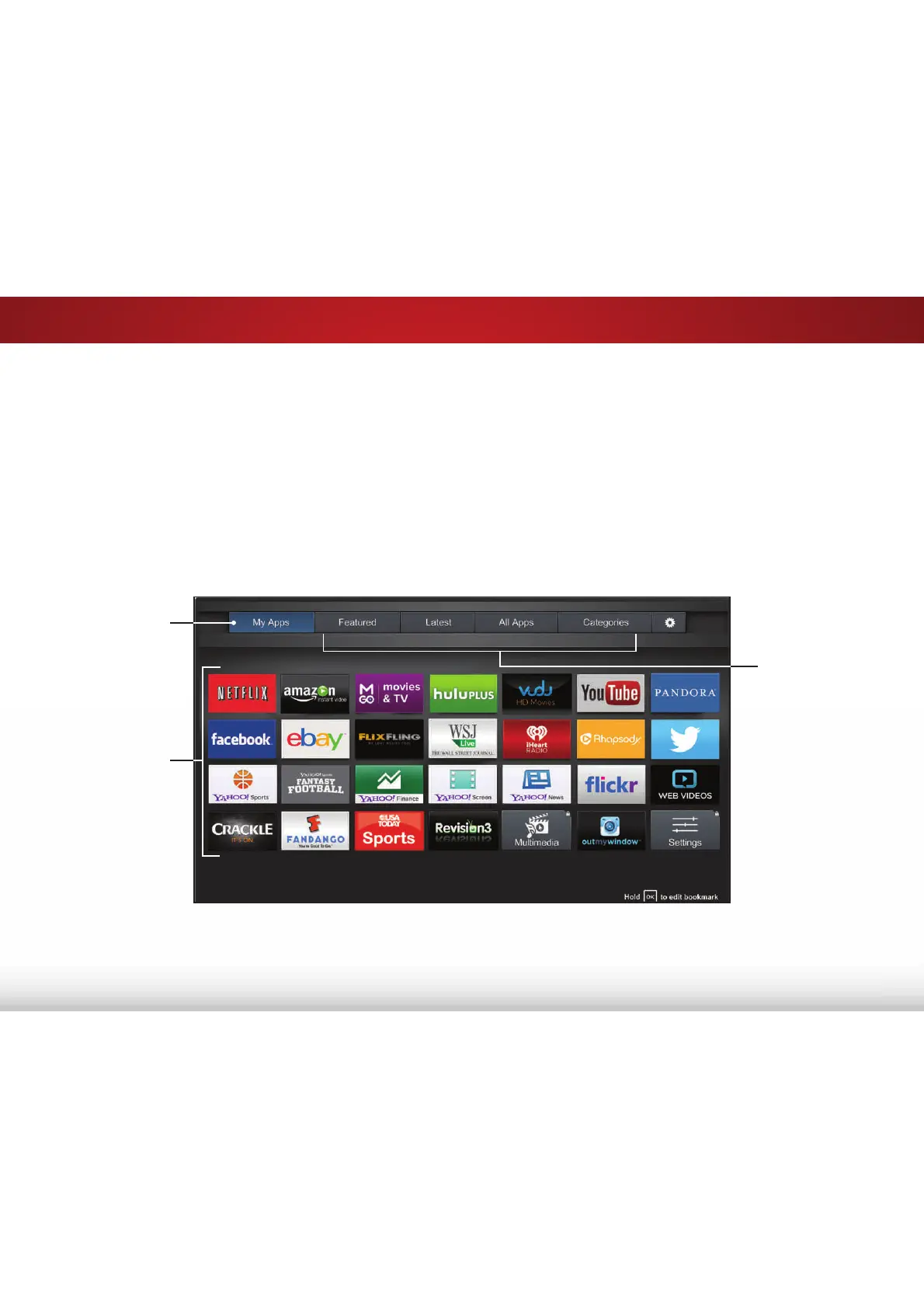
The Fullscreen V.I.A. Plus Apps Window allows you to add and
store Apps. The Apps on the first page are displayed in the Dock
and Apps on additional pages can be moved to the Dock.
To open the Fullscreen V.I.A. Plus Apps Window:
1. Press the V Button on the remote twice.
2. Highlight an App by using the Arrow buttons on the remote.
3. Press the OK button on the remote to launch the App.
My Apps
Features the Apps
installed on your TV.
App Tabs
Browse through
Apps on these tabs
and add them to
your My Apps tab.
Installed Apps
The Apps displayed
here are also
available in the V.I.A.
Plus App Dock.
4. To exit from an open App or to close the App Dock, press the
Exit button on the remote.
Note: App location, appearance, and availability subject to change without notice.
Bekijk gratis de handleiding van Vizio E24-C1, stel vragen en lees de antwoorden op veelvoorkomende problemen, of gebruik onze assistent om sneller informatie in de handleiding te vinden of uitleg te krijgen over specifieke functies.
Productinformatie
| Merk | Vizio |
| Model | E24-C1 |
| Categorie | Televisie |
| Taal | Nederlands |
| Grootte | 11420 MB |
Caratteristiche Prodotto
| Kleur van het product | Zwart |
| Jaarlijks energieverbruik | 51 kWu |
| Gewicht verpakking | 4500 g |
| Breedte verpakking | 24.53 mm |
| Diepte verpakking | 4.25 mm |


