
Handleiding
Je bekijkt pagina 37 van 77
5
31
Renaming a Custom Picture Mode
Automatically-created custom picture modes are given generic
names, beginning with "Custom 1," but you can rename custom
picture modes to make them easy to remember.
To rename a custom picture mode:
1. Set the Picture Mode to an
existing custom setting. See
Adjusting the Picture Settings
on page 25.
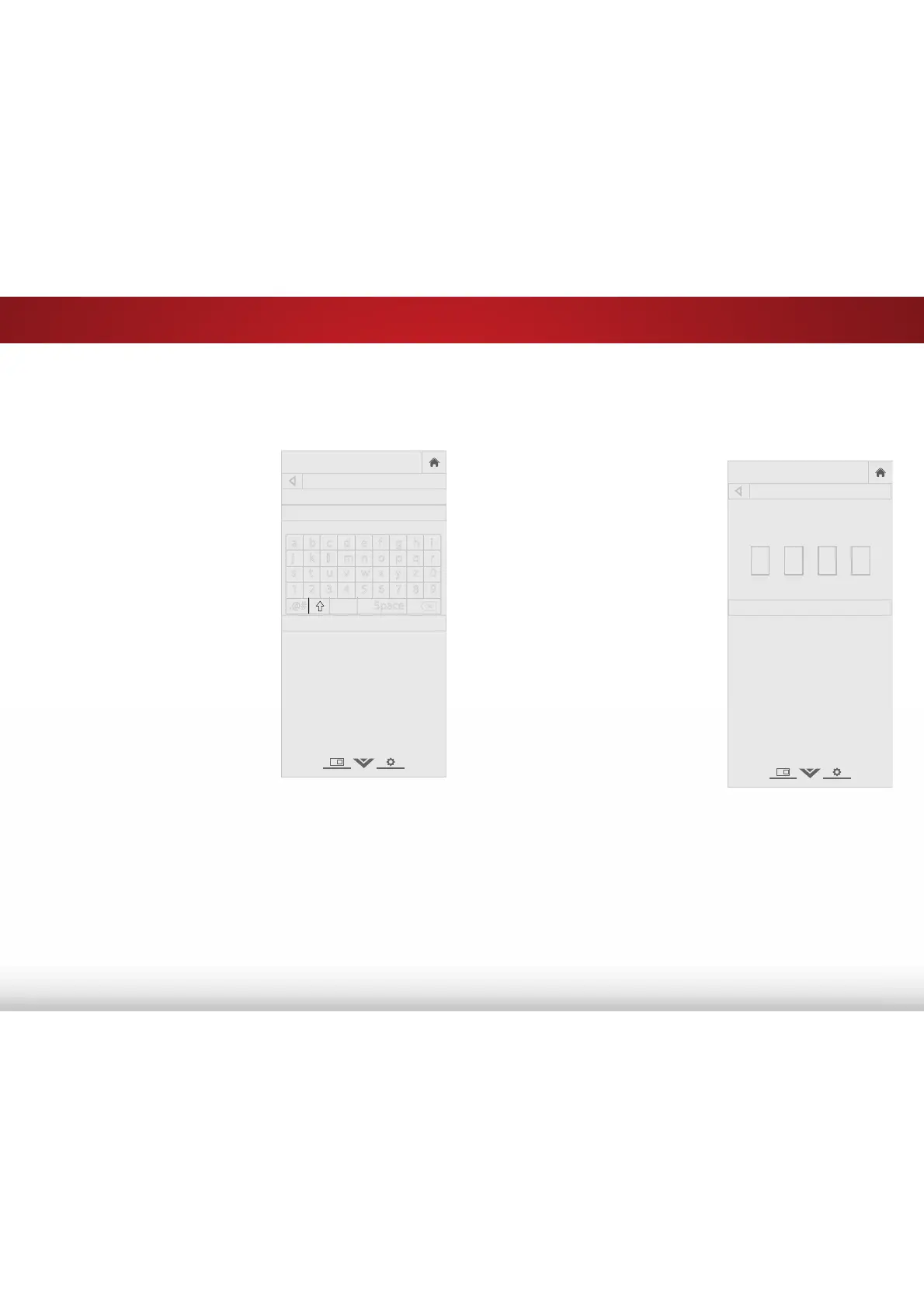
2. From the PROFESSIONAL
PICTURE menu, use the Arrow
buttons to highlight Rename
Picture Mode, and then press
OK. The RENAME PICTURE MODE
menu is displayed.
3. Use the Arrow buttons to enter
a custom name using the
on-screen keyboard.
4. Highlight Done and press OK.
5. Press the EXIT button to exit the
menu screens.
Locking a Custom Picture Mode
Custom picture modes can be locked with a unique passcode
to prevent accidental changes to their settings.
To lock all custom picture modes:
1. From the PROFESSIONAL
PICTURE menu, use the Arrow
buttons to highlight Lock
Picture Mode, and then press
OK. The LOCK PICTURE MODE
menu is displayed.
2. Use the Number Pad on your
remote to enter a unique
4-digit passcode.
3. Press the EXIT button to exit the
menu screens.
To unlock all custom picture modes:
1. From the PROFESSIONAL
PICTURE menu, use the Arrow
buttons to highlight Unlock
Picture Mode, and then press
OK. The UNLOCK PICTURE MODE
menu is displayed.
2. Use the Number Pad on your
remote to enter your 4-digit
passcode.
3. Make any desired changes to the picture modes.
4. Relock the picture modes, if desired. You must create a new
4-digit passcode.
5. Press the EXIT button to exit the menu screens.
VIZIO
RENAME PICTURE MODE
Custom 1_
Done
a b c d e f g h i
j k l m n o p q r
s t u v w x y z 0
1 2 3 4 5 6 7 8 9
.@# .com Space
VIZIO
LOCK PICTURE MODE
Enter the Picture Control PIN to
prevent changes.
Save
Create a 4 digit passcode using the num-
ber keys on the remote.
Bekijk gratis de handleiding van Vizio E24-C1, stel vragen en lees de antwoorden op veelvoorkomende problemen, of gebruik onze assistent om sneller informatie in de handleiding te vinden of uitleg te krijgen over specifieke functies.
Productinformatie
| Merk | Vizio |
| Model | E24-C1 |
| Categorie | Televisie |
| Taal | Nederlands |
| Grootte | 11420 MB |
Caratteristiche Prodotto
| Kleur van het product | Zwart |
| Jaarlijks energieverbruik | 51 kWu |
| Gewicht verpakking | 4500 g |
| Breedte verpakking | 24.53 mm |
| Diepte verpakking | 4.25 mm |


