
Handleiding
Je bekijkt pagina 37 van 53
5
30
6. Perform a channel scan. See
Scanning for Channels
on
page 30.
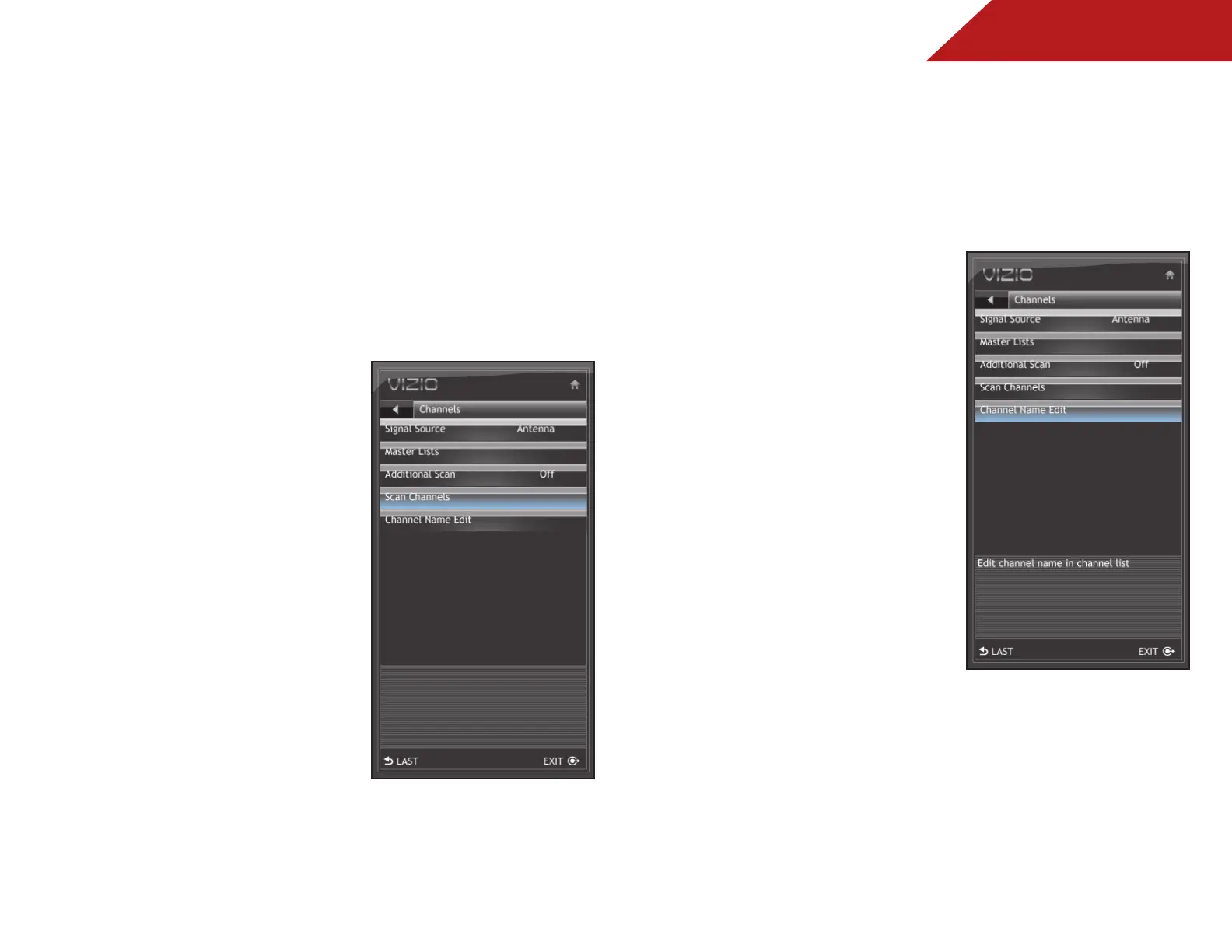
Scanning for Channels
Before the TV can detect and display channels and their
associated information, you must scan for channels. A channel
scan may also be necessary when the TV has been moved to an
area where different free-to-air broadcast television channels are
available.
To scan for channels:
1. Press the MENU button on the
remote. The on-screen menu is
displayed.
2. Use the Arrow buttons on the
remote to highlight the TV icon
and press MENU/OK. The TV
Settings menu is displayed.
3. Use the Arrow buttons to
highlight Channels and press
MENU/OK.
4. Use the Arrow buttons to
highlight Channel Scan and
press MENU/OK.
5. Use the Arrow buttons to
highlight On and press MENU/
OK.
The channel scan begins.
6. Wait for the channel scan to
reach 100%, then press EXIT.
Customizing Channel Names
Your TV features the ability to customize channel names, making
them easy to identify. (Custom names have a 10-character limit.)
For example,
KBOT-DT
could be renamed as
Favorite
.
To customize a channel name:
1. Press the MENU button on the
remote. The on-screen menu is
displayed.
2. Use the Arrow buttons on the
remote to highlight the TV icon
and press MENU/OK. The TV
Settings menu is displayed.
3. Use the Arrow buttons to
highlight Channels and press
MENU/OK.
4. Use the Arrow buttons to
highlight Channel Name Edit
and press MENU/OK.
5. Highlight the name of the
channel you want to customize
and press MENU/OK.
The on-screen keyboard is
displayed.
6. Use the Arrow and MENU/OK buttons to spell the custom
channel name.
When you are finished, highlight OK and press MENU/OK.
7. Press EXIT.
Bekijk gratis de handleiding van Vizio E191VA, stel vragen en lees de antwoorden op veelvoorkomende problemen, of gebruik onze assistent om sneller informatie in de handleiding te vinden of uitleg te krijgen over specifieke functies.
Productinformatie
| Merk | Vizio |
| Model | E191VA |
| Categorie | Televisie |
| Taal | Nederlands |
| Grootte | 8379 MB |
Caratteristiche Prodotto
| Kleur van het product | Zwart |
| Gebruikershandleiding | Ja |
| Aan/uitschakelaar | Ja |
| Beeldschermdiagonaal | 19 " |
| Resolutie | 1366 x 768 Pixels |


