
Handleiding
Je bekijkt pagina 33 van 53
5
26
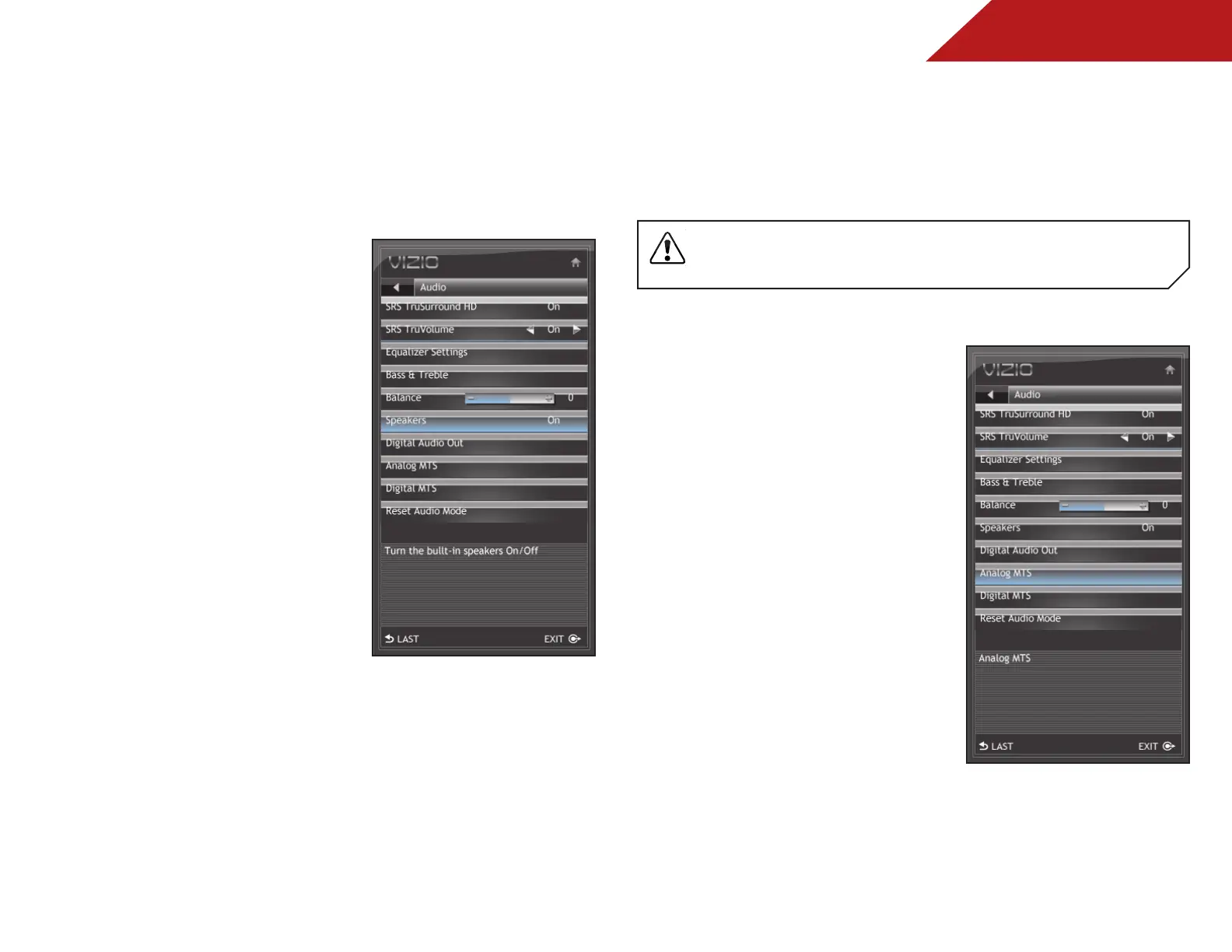
Enabling or Disabling the Built-In Speakers
Using this menu option, you can turn the built-in speakers on or
off. This is often used when the TV is connected to a home audio
system.
To enable or disable the built-in speakers:
1. Press the MENU/OK button
on the remote. The on-screen
menu is displayed.
2. Use the Arrow buttons to
highlight Audio and press
MENU/OK.
3. Use the Arrow buttons to
highlight Speakers and press
MENU/OK.
4. Press the Right/Left Arrow
buttons to select On or Off and
press EXIT.
Changing the Audio Language
Some digital free-to-air and cable channels broadcast programs
in more than one language. The TV’s MTS (Multichannel Television
Sound) feature allows you to listen to audio in your preferred
language.
Not all programs are broadcast in multiple languages. The MTS
feature only works when the program being viewed is being
broadcast in the language you select.
To change the MTS language:
1. Press the MENU/OK button
on the remote. The on-screen
menu is displayed.
2. Use the Arrow buttons to
highlight Audio and press
MENU/OK.
3. Use the Arrow buttons to
highlight Analog MTS or Digital
MTS and press
MENU/OK.
Bekijk gratis de handleiding van Vizio E191VA, stel vragen en lees de antwoorden op veelvoorkomende problemen, of gebruik onze assistent om sneller informatie in de handleiding te vinden of uitleg te krijgen over specifieke functies.
Productinformatie
| Merk | Vizio |
| Model | E191VA |
| Categorie | Televisie |
| Taal | Nederlands |
| Grootte | 8379 MB |
Caratteristiche Prodotto
| Kleur van het product | Zwart |
| Gebruikershandleiding | Ja |
| Aan/uitschakelaar | Ja |
| Beeldschermdiagonaal | 19 " |
| Resolutie | 1366 x 768 Pixels |


