
Handleiding
Je bekijkt pagina 19 van 68
3Completing The First-Time Setup
The first time you turn on the TV, the Setup App will guide
you through each of the steps necessary to get your TV
ready for use.
Before you begin the first-time setup:
• Your TV should be installed and the power cord
should be connected to an electrical outlet.
• Your devices should be connected.
• If you have a wireless network, have the network
password ready.
• If you are connecting to your network with an
Ethernet cable, connect it to the Ethernet port on
the TV.
Choose your mode.
Select Store Demo for in-store display.
Select Home Use for in-home use.
Seleccione "Home Use" para Modo de Casa o "Store Demo" para Demostración en la Tienda.
Choisissez "Home Use" pour le Mode Domicile ou "Store Demo" pour la Démo en Magasin.
Store Demo Home Use
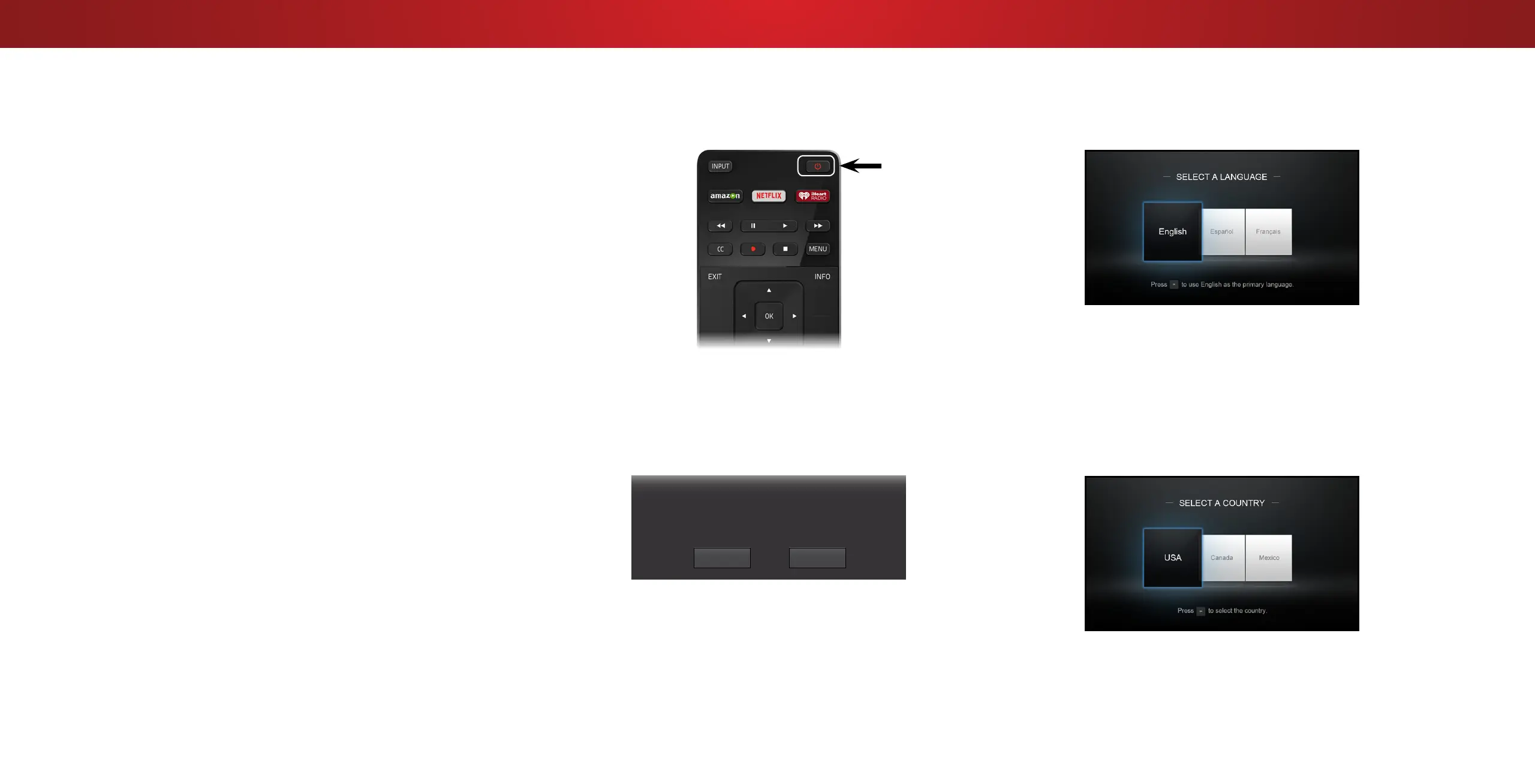
Press the Power button on the remote. The TV
powers on and the Setup App starts.
1
2
Use the Arrow buttons on the remote to
highlight Home Use and press OK.
To complete the first-time setup:
Use the Arrow buttons on the remote to highlight
your language of preference and press OK.
3
4
Use the Arrow buttons on the remote to
highlight your country, and then press OK.
19
Bekijk gratis de handleiding van Vizio D65U-D2, stel vragen en lees de antwoorden op veelvoorkomende problemen, of gebruik onze assistent om sneller informatie in de handleiding te vinden of uitleg te krijgen over specifieke functies.
Productinformatie
| Merk | Vizio |
| Model | D65U-D2 |
| Categorie | Televisie |
| Taal | Nederlands |
| Grootte | 18054 MB |
Caratteristiche Prodotto
| Kleur van het product | Zwart |
| Gewicht verpakking | 28500 g |
| Breedte verpakking | 1648 mm |
| Diepte verpakking | 170 mm |
| Hoogte verpakking | 950 mm |


