
Handleiding
Je bekijkt pagina 18 van 71
2
CONNECTING TO YOUR NETWORK
Your TV is Internet-ready. It can be connected to your home network
with a Wired or Wireless connection.
Connecting to a Wired Network (Best)
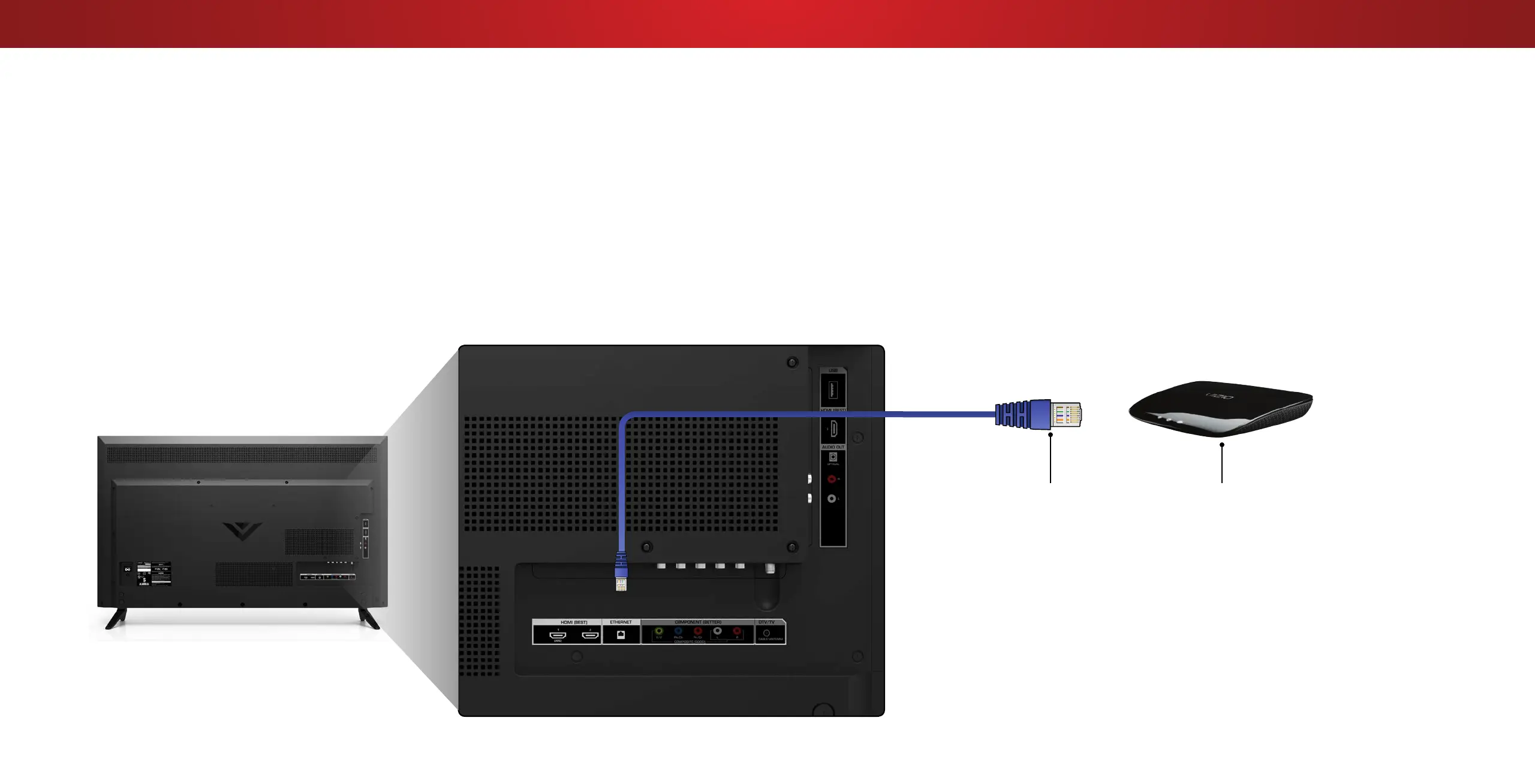
1. Connect an Ethernet cable to your router and to the Ethernet
port on the back of the TV. See below.
2. Use the Guided Network Setup to congure the TV. See
Using
Guided Setup on page 48
.
Connecting to a Wireless Network
1. Ensure you have a router or modem broadcasting as
high-speed wireless signal (802.11n recommended).
2. Use the Guided Network Setup to congure the TV. See
Using
Guided Setup on page 48.
Router / ModemEthernet Cable
Note:
The image shown here is for illustrative purposes only and may be subject to change.
The actual number of ports and their locations may vary, depending on the model.
18
Bekijk gratis de handleiding van Vizio D65-D2, stel vragen en lees de antwoorden op veelvoorkomende problemen, of gebruik onze assistent om sneller informatie in de handleiding te vinden of uitleg te krijgen over specifieke functies.
Productinformatie
| Merk | Vizio |
| Model | D65-D2 |
| Categorie | Televisie |
| Taal | Nederlands |
| Grootte | 18583 MB |
Caratteristiche Prodotto
| Kleur van het product | Zwart |
| Gewicht verpakking | 32473 g |
| Breedte verpakking | 1648.97 mm |
| Diepte verpakking | 170.94 mm |
| Hoogte verpakking | 949.96 mm |


