
Handleiding
Je bekijkt pagina 9 van 68
1
Installing the TV on a Wall
To mount your TV on a wall, you will need a wall mount. Consult the
information below to nd the appropriate mount for your TV model:
Be sure the mount you choose is capable of supporting the weight of
the TV. After you have determined that you have the correct mount
for your TV, you can begin the installation.
To install your TV on a wall:
1. Disconnect any cables connected to your TV.
2. Place the TV face-down on a clean, at, stable surface. Be sure
the surface is clear of debris that can scratch or damage the TV.
3. Remove the stands by loosening and removing
the screws.
4. Attach your TV and wall mount to the wall, carefully following the
instructions that came with your mount. Use only with a UL-listed
wall mount bracket rated for the weight/load of this TV.
For some wall mounts, you may want to use cables
with right-angle connectors. This allows the TV to rest
closer to the wall.
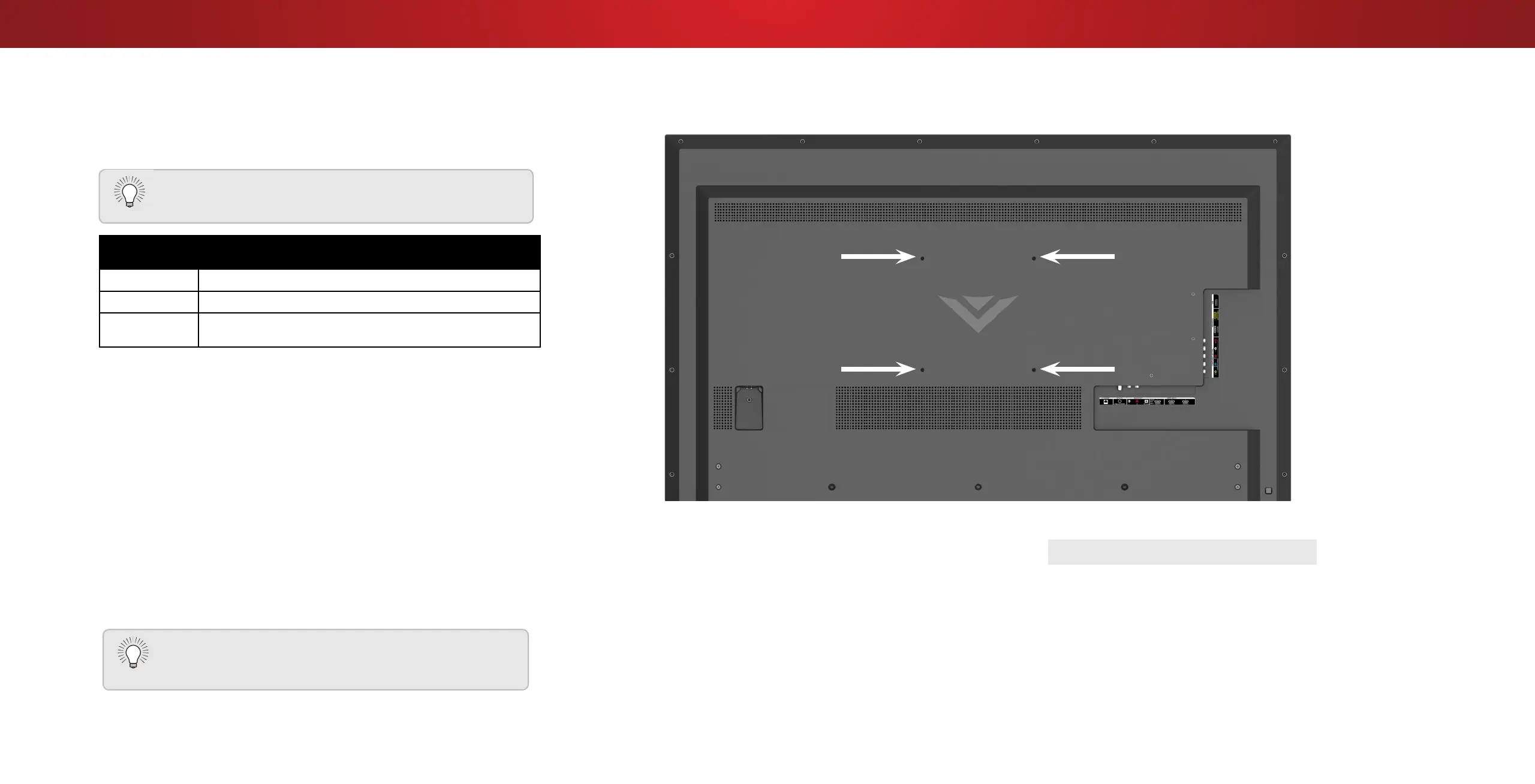
WALL-MOUNT SCREW LOCATIONS
D58u-C3
Screw Size: M6
Hole Pattern: 400mm (V) x 400mm (H)
Weight w/o
Stand:
47.40 lbs
Installing a TV on a wall requires lifting. To prevent
injury or damage to the TV, ask someone to help you.
9
Bekijk gratis de handleiding van Vizio D58u-D3, stel vragen en lees de antwoorden op veelvoorkomende problemen, of gebruik onze assistent om sneller informatie in de handleiding te vinden of uitleg te krijgen over specifieke functies.
Productinformatie
| Merk | Vizio |
| Model | D58u-D3 |
| Categorie | Televisie |
| Taal | Nederlands |
| Grootte | 18002 MB |
Caratteristiche Prodotto
| Kleur van het product | Zwart |
| Gewicht verpakking | 24660 g |
| Breedte verpakking | 1392 mm |
| Diepte verpakking | 183.9 mm |
| Hoogte verpakking | 879.1 mm |


