
Handleiding
Je bekijkt pagina 55 van 70
6
FULLSCREEN V.I.A. PLUS APPS WINDOW
OVERVIEW
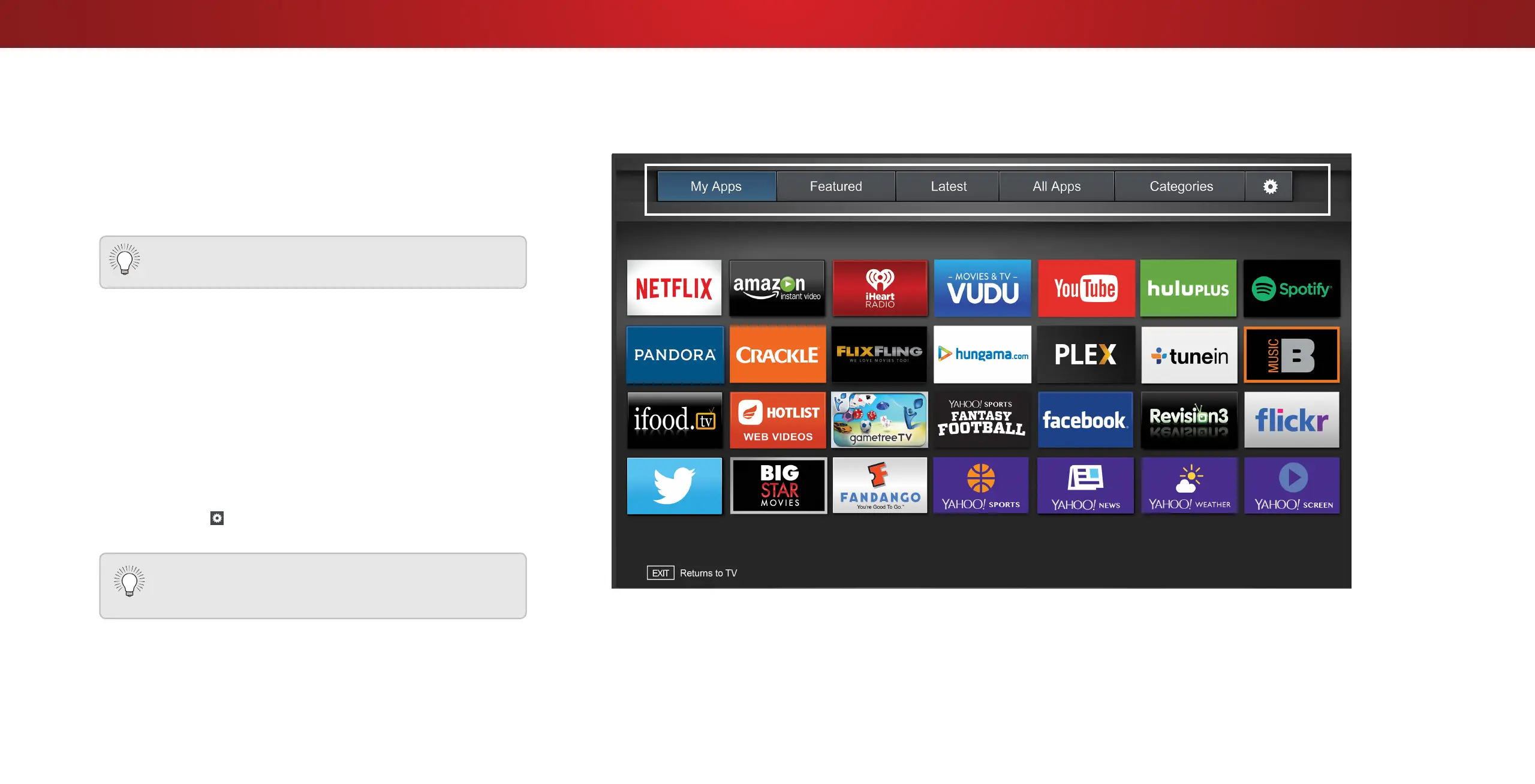
The Fullscreen V.I.A. Plus Apps Window allows you to add, delete
and organize your Apps. The My Apps tab displays Apps that
are already installed on your TV. The Apps on the rst page are
displayed in the V.I.A. Plus App Dock.
The following tabs are located at the top of your Fullscreen V.I.A.
Plus Apps Window:
• My Apps: Displays apps that are installed on your TV.
• Featured: Displays apps that are recommended by Yahoo!
• Latest: Displays apps that were most recently added to the
library of apps.
• All Apps: Displays every app that is available for download.
• Categories: Displays apps sorted into categories: Spotlight,
Yahoo!, Weather, News and Finance, Movies and TV, Photos
and Video, Sports, Music, Social, Information, Fun and
Games, Shopping, and Local TV.
• Settings ( ): Displays App software information and
development settings.
Apps with a small lock icon in the right-hand corner
cannot be deleted.
You can also preview Apps without installing them.
Simply highlight the App you wish to preview and press
OK to open it.
Note: App location, appearance, and availability subject to change without notice.
55
Bekijk gratis de handleiding van Vizio D40-D1, stel vragen en lees de antwoorden op veelvoorkomende problemen, of gebruik onze assistent om sneller informatie in de handleiding te vinden of uitleg te krijgen over specifieke functies.
Productinformatie
| Merk | Vizio |
| Model | D40-D1 |
| Categorie | Televisie |
| Taal | Nederlands |
| Grootte | 16783 MB |
Caratteristiche Prodotto
| Kleur van het product | Zwart |
| Gewicht verpakking | 10500 g |
| Breedte verpakking | 1024.89 mm |
| Diepte verpakking | 151.89 mm |
| Hoogte verpakking | 644.91 mm |


