
Handleiding
Je bekijkt pagina 11 van 70
1
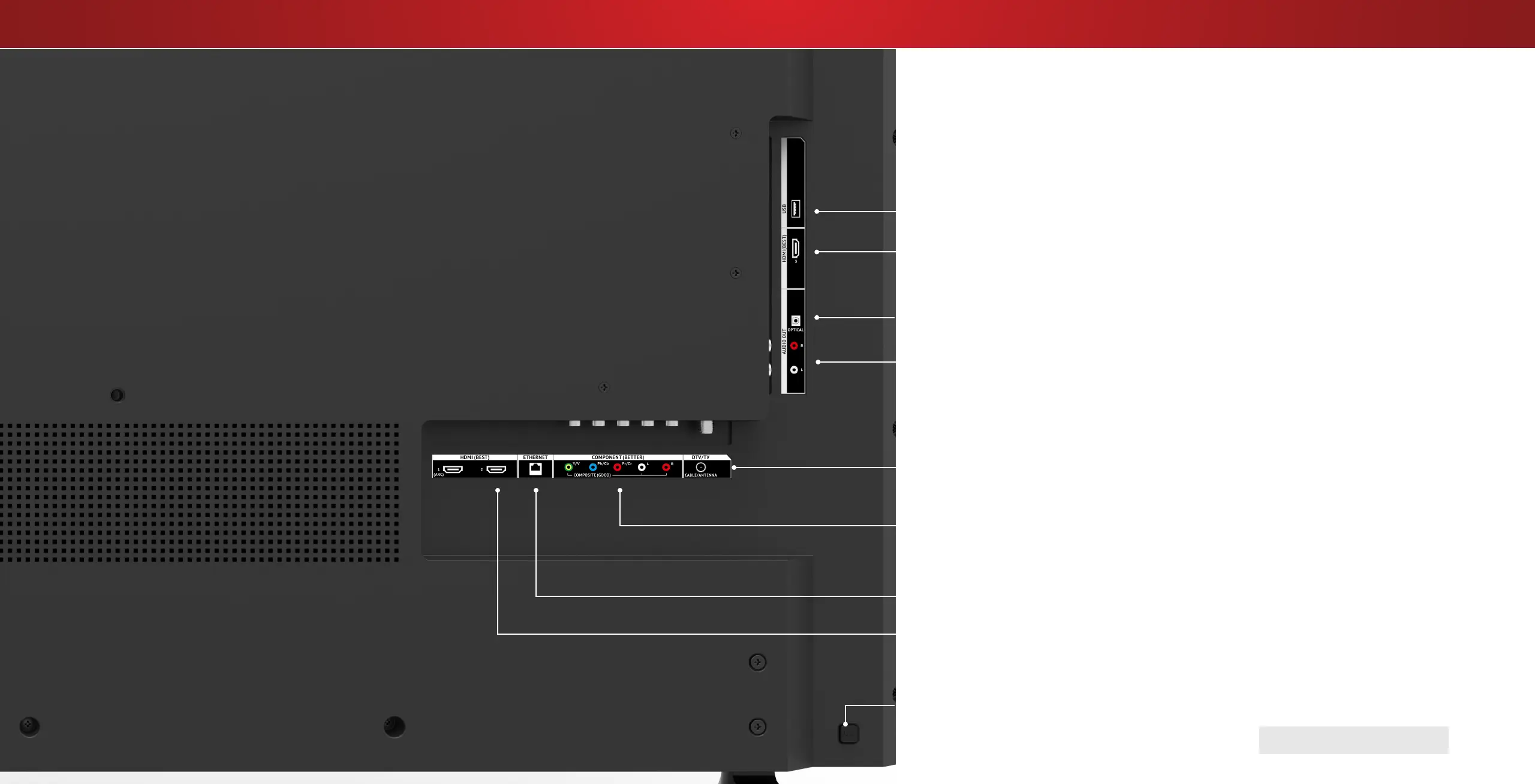
REAR PANEL
Ethernet - Connect an Ethernet cable from home network.
Coaxial - Connect a coaxial cable from cable, satellite, or antenna.
Optical Audio Out - Connect an optical/SPDIF audio device, such as home audio receiver.
Stereo Audio Out - Connect an RCA audio device, such as sound bar.
Component/Composite - Connect a component or composite device.
USB - Connect a USB thumb drive to play photo, music, or video.
HDMI - Connect an HDMI device.
HDMI - Connect an HDMI device.
Power - Press to turn on the TV. Press and hold to turn the TV o.
Input - Press once to access the input menu.
Note: The image shown here is for illustrative purposes only and may be subject to change.
The actual number of ports and their locations may vary, depending on the model.
HDMI-3 only available on model D50-D1.
11
Bekijk gratis de handleiding van Vizio D40-D1, stel vragen en lees de antwoorden op veelvoorkomende problemen, of gebruik onze assistent om sneller informatie in de handleiding te vinden of uitleg te krijgen over specifieke functies.
Productinformatie
| Merk | Vizio |
| Model | D40-D1 |
| Categorie | Televisie |
| Taal | Nederlands |
| Grootte | 16783 MB |
Caratteristiche Prodotto
| Kleur van het product | Zwart |
| Gewicht verpakking | 10500 g |
| Breedte verpakking | 1024.89 mm |
| Diepte verpakking | 151.89 mm |
| Hoogte verpakking | 644.91 mm |


