
Handleiding
Je bekijkt pagina 13 van 59
1
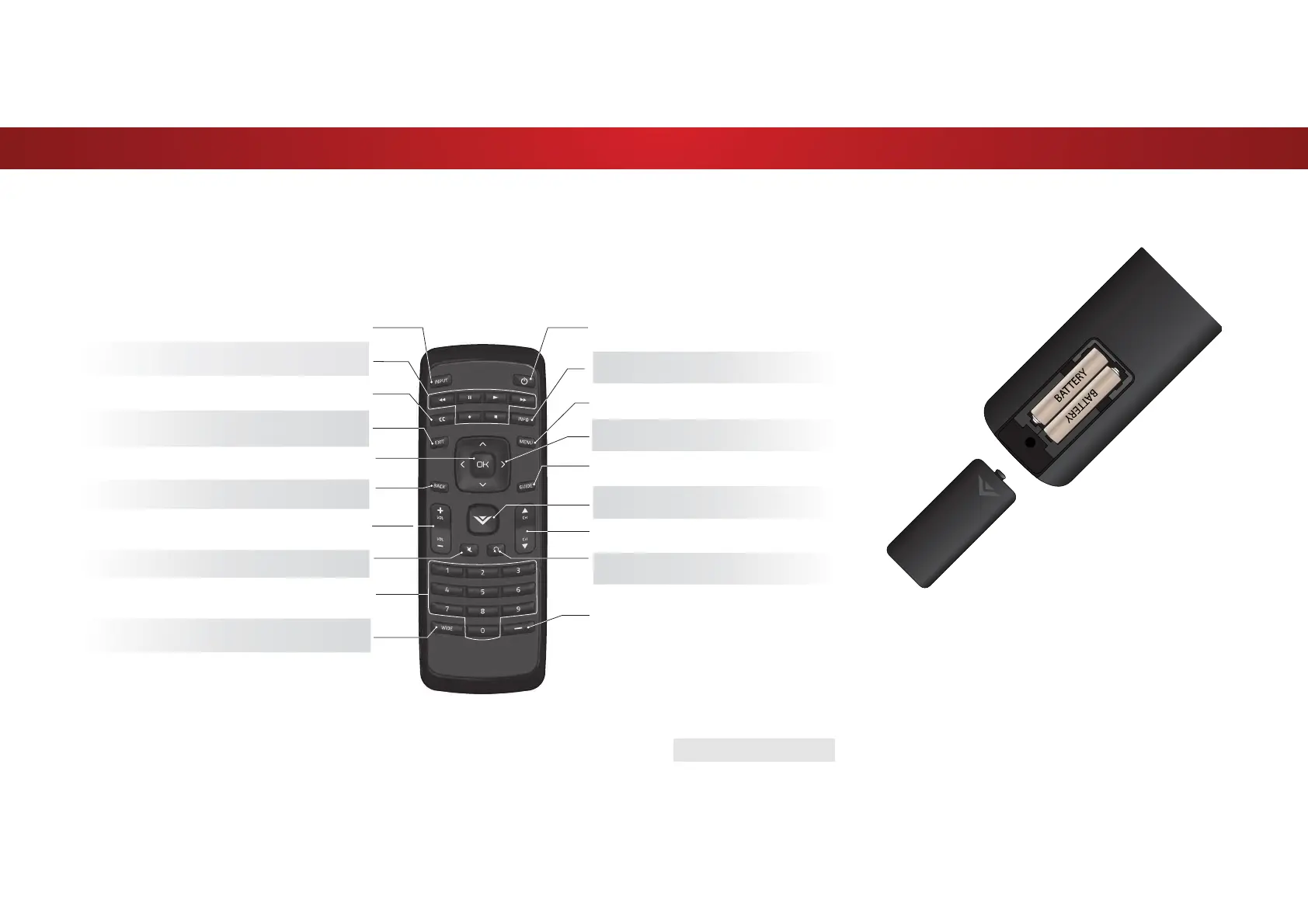
USING THE REMOTE
INPUT
Change the currently-displayed input.
ARROW
Navigate the on-screen menu.
EXIT
Close the on-screen menu.
CLOSED CAPTIONS
Open the closed caption menu.
A/V CONTROLS
Control USB photo player.
WIDE
Switch the display mode.
MUTE
7XUQWKHDXGLRRRURQ
BACK
Go to the previous on-screen menu.
POWER
7XUQWKH79RQRUR
MENU
Display the on-screen menu.
INFO
Display the info window.
DASH
Use with number pad to manually
enter a digital sub-channel.
(For example, 18-4 or 18-5.)
CHANNEL UP/DOWN
Change the channel.
GUIDE
Display the info window.
LAST
Return to the channel last viewed.
NUMBER PAD
Manually enter a channel.
VOLUME UP/DOWN
Increase or decrease loudness of
the audio.
OK
Select the highlighted menu option.
V BUTTON
Open the USB media player.
REMOTE CONTROL
Replacing the Batteries
1. Remove the battery cover by pressing down on the arrow
markings and sliding out.
2. Insert two batteries into the remote control. Make sure that
the (+) and (-) symbols on the batteries match the (+) and (-)
symbols inside the battery compartment.
3. Replace the battery cover.
13
Bekijk gratis de handleiding van Vizio D39HN-E0, stel vragen en lees de antwoorden op veelvoorkomende problemen, of gebruik onze assistent om sneller informatie in de handleiding te vinden of uitleg te krijgen over specifieke functies.
Productinformatie
| Merk | Vizio |
| Model | D39HN-E0 |
| Categorie | Televisie |
| Taal | Nederlands |
| Grootte | 9341 MB |
Caratteristiche Prodotto
| Kleur van het product | Zwart |
| Gewicht verpakking | 9198 g |
| Breedte verpakking | 975 mm |
| Diepte verpakking | 127 mm |
| Hoogte verpakking | 615 mm |


