Vestfrost VW-FD4A1400EU handleiding
Handleiding
Je bekijkt pagina 78 van 180
78
5.11 If you want to pause/cancel a running program or add laundry
5.12 Program End
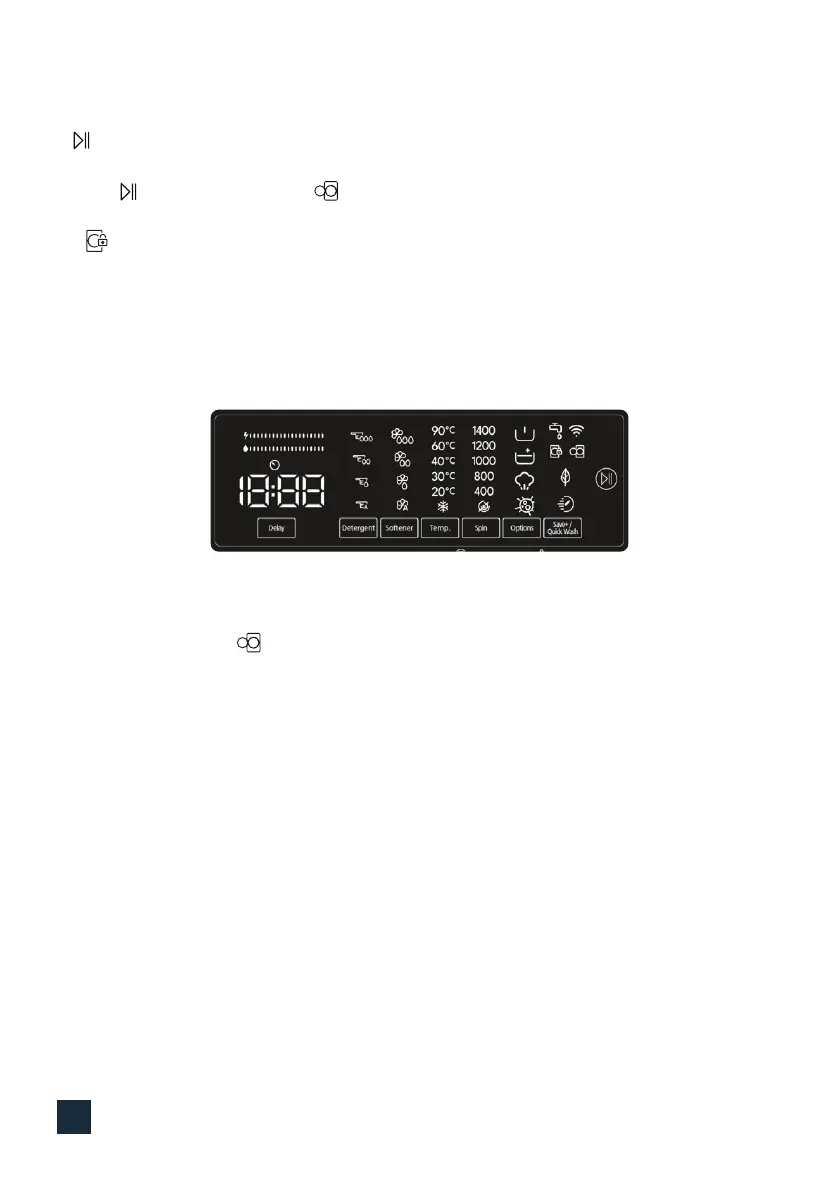
• symbol key allows you to pause or restart the selected program. When you want to add laundry,
you can use this function.
• Touch symbol button for this. If s displayed on the screen, you can open the loading door and
add laundry.
• If is displayed on the screen, the step where you can add laundry has passed.
• If you want to cancel a running program, turn the program knob to “CANCEL” position. Your machine
will stop washing process and the program will be cancelled. To drain the water in the machine,
turn the program knob to any program position. Your machine will drain the water and cancel the
program. You can select a new program and start the machine.
Your machine will automatically stop when the selected program ends.
• “End” will appear on the electronic display.
• You can open the door and take out the laundry. After taking out the laundry, leave the door
open so that the inside of the machine can dry.
• Turn the program knob to CANCEL position.
• Unplug the machine.
• Turn o the water tap.
Bekijk gratis de handleiding van Vestfrost VW-FD4A1400EU, stel vragen en lees de antwoorden op veelvoorkomende problemen, of gebruik onze assistent om sneller informatie in de handleiding te vinden of uitleg te krijgen over specifieke functies.
Productinformatie
| Merk | Vestfrost |
| Model | VW-FD4A1400EU |
| Categorie | Wasmachine |
| Taal | Nederlands |
| Grootte | 22882 MB |