Valberg WF 1114 A W566C2 handleiding
Handleiding
Je bekijkt pagina 28 van 120
26
EN
Cleaning and maintenance
C
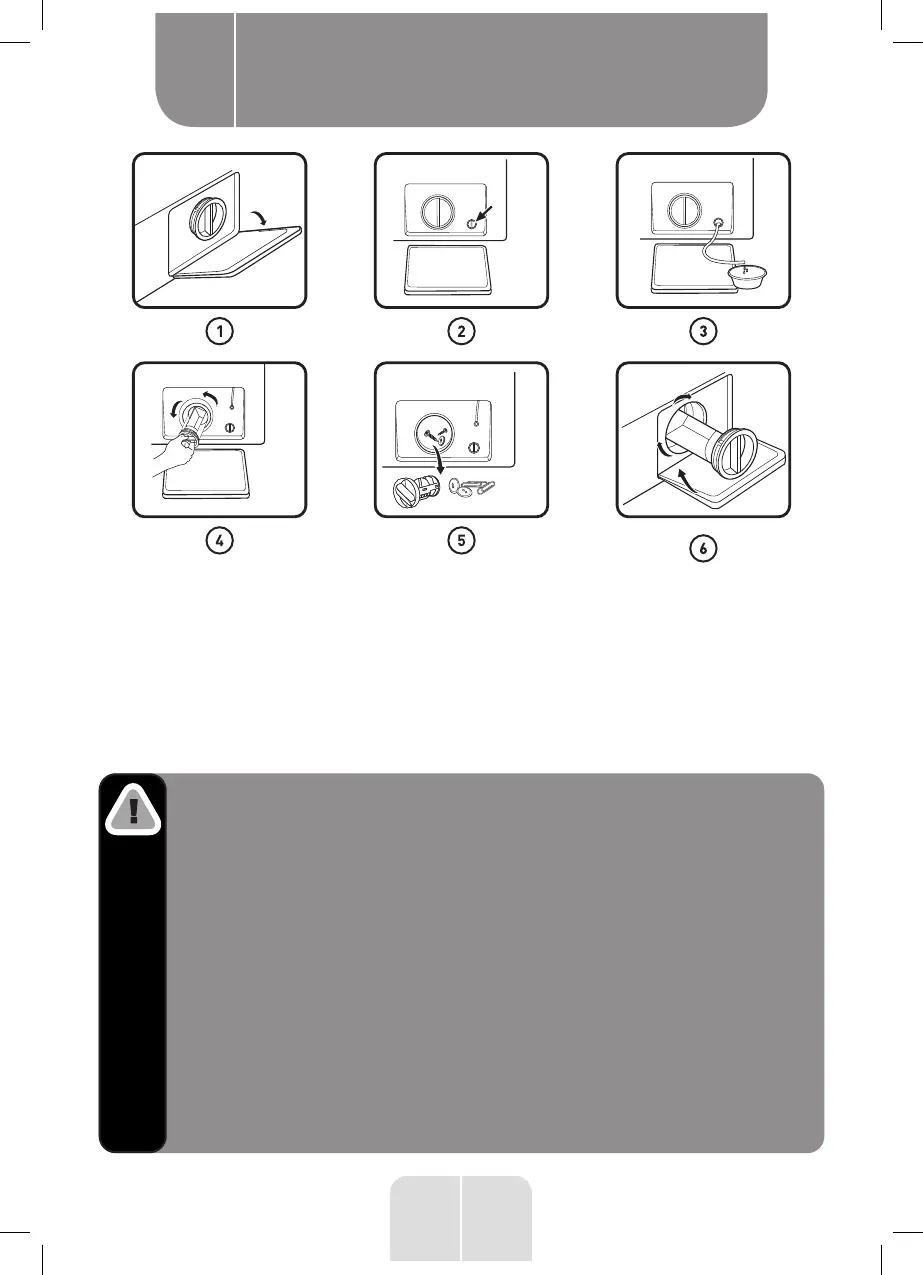
1. Open the lower cover cap.
2.
Rotate 90° and pull out the emergency drain hose, and take
off the hose cap.
3. After water runs out, reset the drain hose.
4. Open the filter by turning to the counter clockwise.
5. Remove extraneous matter.
6. Close the lower cover cap.
Caution!
•
Make sure that valve cap and emergency drain hose
are reinstalled properly, cap plates should be inserted
aligning to hole plates otherwise water may leak.
• Some machines don’t have emergency drain hose, so
step 2 and step 3 can be skipped. Rotate lower cover
cap directly to make water run into basin.
•
When the appliance is in use and depending on the
programme selected there can be hot water in the
pump. Never remove the pump cover during a wash
cycle, always wait until the appliance has finished the
cycle, and is empty. When replacing the cover, ensure
it is securely re-tightened.
Bekijk gratis de handleiding van Valberg WF 1114 A W566C2, stel vragen en lees de antwoorden op veelvoorkomende problemen, of gebruik onze assistent om sneller informatie in de handleiding te vinden of uitleg te krijgen over specifieke functies.
Productinformatie
| Merk | Valberg |
| Model | WF 1114 A W566C2 |
| Categorie | Wasmachine |
| Taal | Nederlands |
| Grootte | 9585 MB |