Toa NX-100S handleiding
Handleiding
Je bekijkt pagina 32 van 117
3-6
Chapter 3: SYSTEM SETTINGS (NX-100 SETUP PROGRAM)
4. STARTUP OF INSTALLATION SETTING PROGRAM
Step 1. Either double-click on the Installation Setting Program icon that was created on the desktop during
installation or directly double-click on the application [nx100_util.jar] installed in the Software folder.
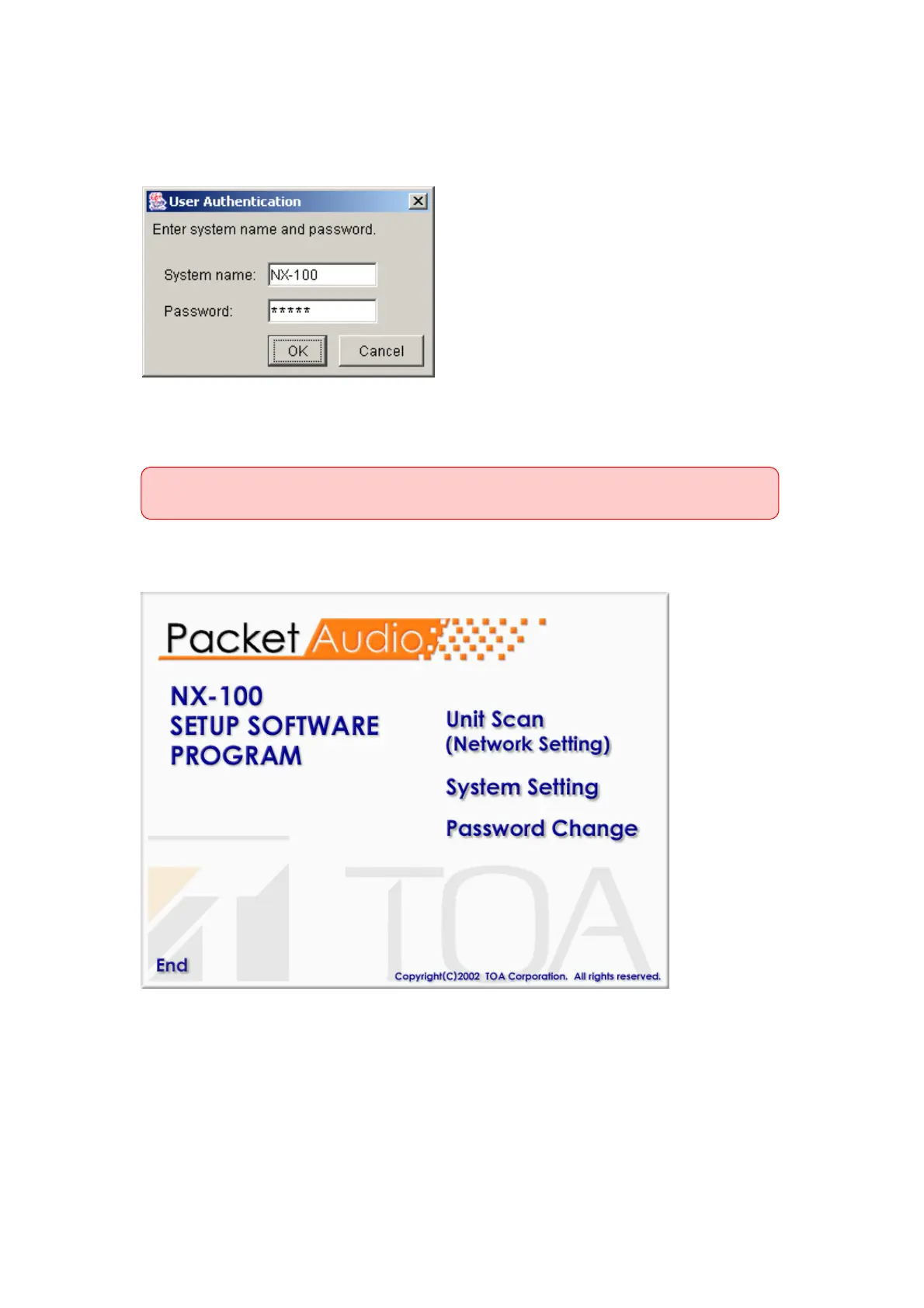
The User Authentication dialog will be displayed.
Step 2. Enter the system name and password, then press the OK button.
Note: Both the system name and password are case-sensitive.
The default system name is factory-preset to "NX-100" and the password to "guest."
To change them, refer to p. 3-31.
When the system name and password are entered correctly, the initial Installation Setting Program
screen is displayed.
Tip
At startup, the Setup program automatically loads data related to unit setting from the data folder.
Step 3. When scanning the unit, click on [Unit Scan (Network Setting)].
Tip
When the settings are saved, a unit setting file is automatically created for each individual IP address
and saved in the data folder. If a unit setting file of the same name already exists in the data folder, it
is overwritten.
Bekijk gratis de handleiding van Toa NX-100S, stel vragen en lees de antwoorden op veelvoorkomende problemen, of gebruik onze assistent om sneller informatie in de handleiding te vinden of uitleg te krijgen over specifieke functies.
Productinformatie
| Merk | Toa |
| Model | NX-100S |
| Categorie | Niet gecategoriseerd |
| Taal | Nederlands |
| Grootte | 12668 MB |
Caratteristiche Prodotto
| Kleur van het product | Zwart |
| Gewicht | 1200 g |
| Breedte | 210 mm |
| Diepte | 188 mm |
| Hoogte | 44.7 mm |