Speed Queen FV6010WN handleiding
Handleiding
Je bekijkt pagina 21 van 119
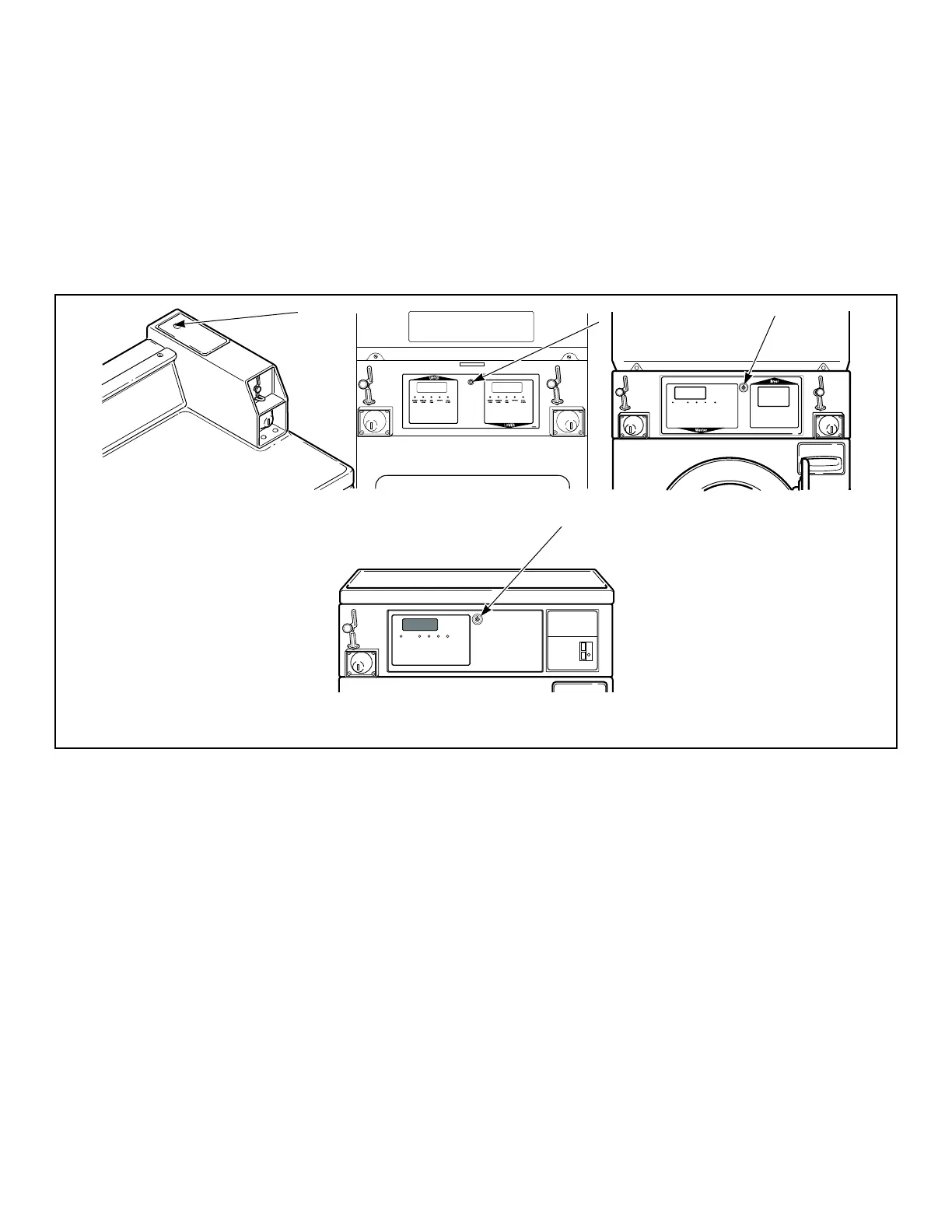
Opening the Service Door
Stacked Washers and Dryers, Stacked
Dryers, Front Control Dryers, and Coin
Rear Control Dryers
Manual programming requires the user to unplug the bullet con-
nector located between the “white/black” and “red/blue” wires.
Reconnect the connector for normal operation.
After unplugging the bullet connector, the programmer has 5 mi-
nutes to begin programming.
Refer to Figure 2 for locating the service door.
W521I_SVG
1
DRY579R_SVG
1
DOOR
LOCKED
SPINRINSEWASHINSERT
COIN / CARD
505617
DRY578R_SVG
1
3
2
1
OPERATING INSTRUCTIONS
Select Wash Temperature
HOT, WARM, COLD.
Select Fabric Type
NORMAL, PERM PRESS, DELICATE.
Load Supply Dispenser (See Instructions Below).
Load Clothes.
Insert Coin(s) / Card.
To Start Washer-Close Door and Push Start.
1.
2.
3.
4.
5.
6.
Open Dispenser Door.
Load Supplies in Proper
Compartment (as Indicated).
Close Dispenser Door.
1.
2.
3.
Detergent
Liquid Bleach
Fabric Softener
1.
2.
3.
DISPENSER INSTRUCTIONS
685942
DRY580R_SVG
INSERT
COIN / CARD
DOOR
LOCKED
WASH
RINSE SPIN
1
1. Service Door
Figure 2
Rear Control Washers with Card Reader
Manual programming requires the user to remove the control
panel and unplug the bullet connector located between the
“white/black” and “red/blue” wires. This will allow the user to
access various programming options, diagnostics, and audit capa-
bilities. Refer to Figure 3 .
Opening the Service Door
©
Copyright, Alliance Laundry Systems LLC -
DO NOT COPY or TRANSMIT
21 Part No. 807870ENR4
Bekijk gratis de handleiding van Speed Queen FV6010WN, stel vragen en lees de antwoorden op veelvoorkomende problemen, of gebruik onze assistent om sneller informatie in de handleiding te vinden of uitleg te krijgen over specifieke functies.
Productinformatie
| Merk | Speed Queen |
| Model | FV6010WN |
| Categorie | Wasmachine |
| Taal | Nederlands |
| Grootte | 14039 MB |