Sharp ES-HFM6103WD-PL handleiding
Handleiding
Je bekijkt pagina 18 van 32
EN - 15
less water and energy.
(*) Model Dependant
5.7 Additional Functions
Beforestartingaprogramme,youcan
selectanadditionalfunction.
• Press the button on the Control Panel
belowthesymboloftheadditional
functionyouwishtoselect.
• Ifthesymboloftheadditionalfunction
flashescontinuously,thefunctionhas
beenactivated.
• Ifthesymboloftheadditionalfunction
blinks,thefunctionhasnotbeen
selected.
Reason for non-activation:
• The additional function is not
compatible with the selected washing
programme.
• Your machine has progressed too far
into the selected programme for the
additional function to be possible.
• The additional function you have
chosen is not compatible with
another additional function you have
already selected.
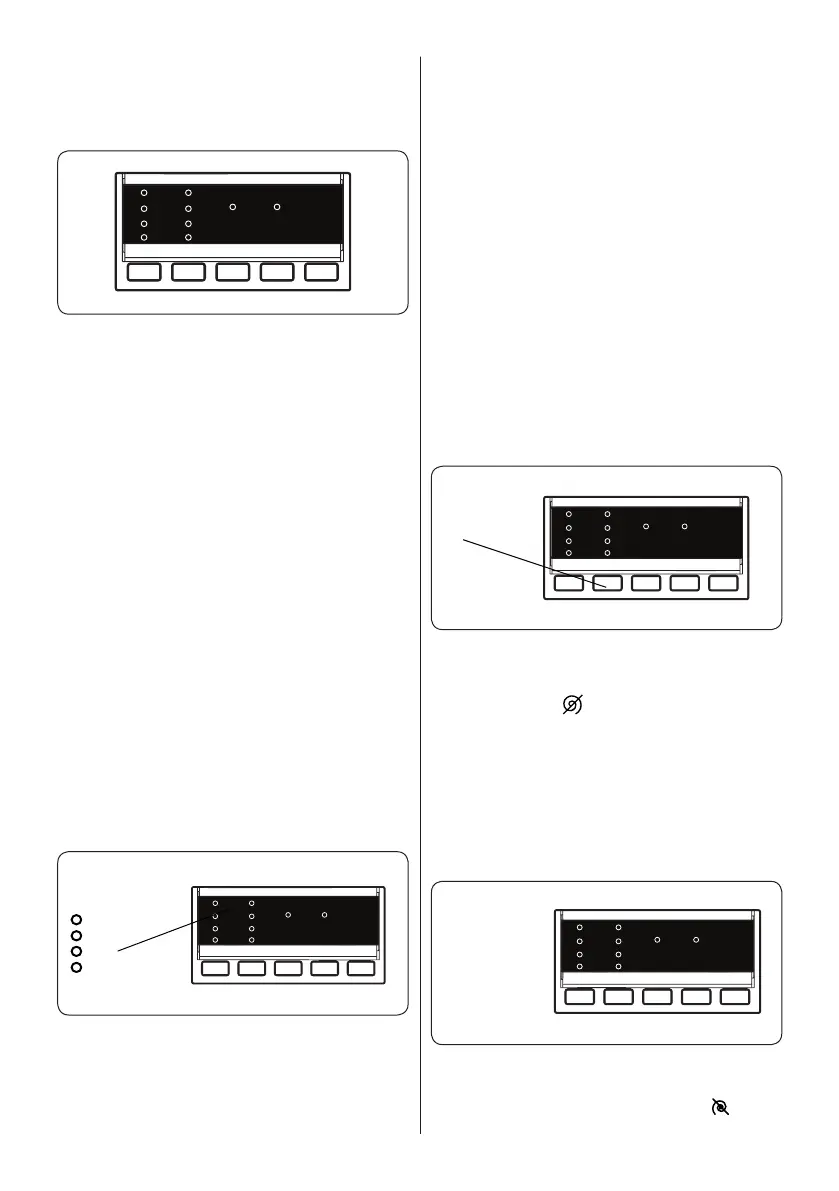
1. Delay Timer
3h
6h
9h
12h
• Press the Delay button once.
• The“3h”LEDindicatorislit.
• PresstheDelaybuttonuntilthedesired
delayperiodLEDislit.
• Ifyouhaveskippedthedelaytimeyou
wantedtoset,keeppressingtheDelay
buttonuntilthedesireddelaytimeis
displayedagain.
• Forthedelaytimerfunctiontowork,you
must press Start/Pause button.
• Toactivatethetimedelay,press“Start/
Pause” button.
• Tocancelthetimedelayonceithas
been set, press the Delay button once.
TheLEDindicatorwillnolongerflashon
theelectronicdisplay.
• Inordertoadd/removelaundrywhile
delaytimerfunctionisworking,you
must press Start/Pause button. After
adding/removinglaundry,youmust
pressStart/Pausebuttonagainto
activatedelaytimerfunction.
2. Spin Speed Selection
Spin
Speed
When you select a programme, the
maximum spin speed is automatically
selected. To adjust the spin speed, press
the Spin button ( ) until the desired speed
is displayed.
When the spin speed selection reaches
the lowest speed setting, pressing the Spin
button returns to the highest speed setting.
If you miss the spin speed you want to set,
keep pressing the Spin button until you
reach the option you want.
3. No Spin(*)
Auxiliary
function
button 3 or 4
NoSpin
If you don’t want your laundry to be spun at
the end of the selected wash programme,
press the No Spin button when the
symbol is displayed.
Bekijk gratis de handleiding van Sharp ES-HFM6103WD-PL, stel vragen en lees de antwoorden op veelvoorkomende problemen, of gebruik onze assistent om sneller informatie in de handleiding te vinden of uitleg te krijgen over specifieke functies.
Productinformatie
| Merk | Sharp |
| Model | ES-HFM6103WD-PL |
| Categorie | Wasmachine |
| Taal | Nederlands |
| Grootte | 2952 MB |