Samsung WD90DG6G94BB handleiding
Handleiding
Je bekijkt pagina 39 van 80
English 39
Operations
NOTE
The cycle and function names that appeared in this manual may differ from your product.
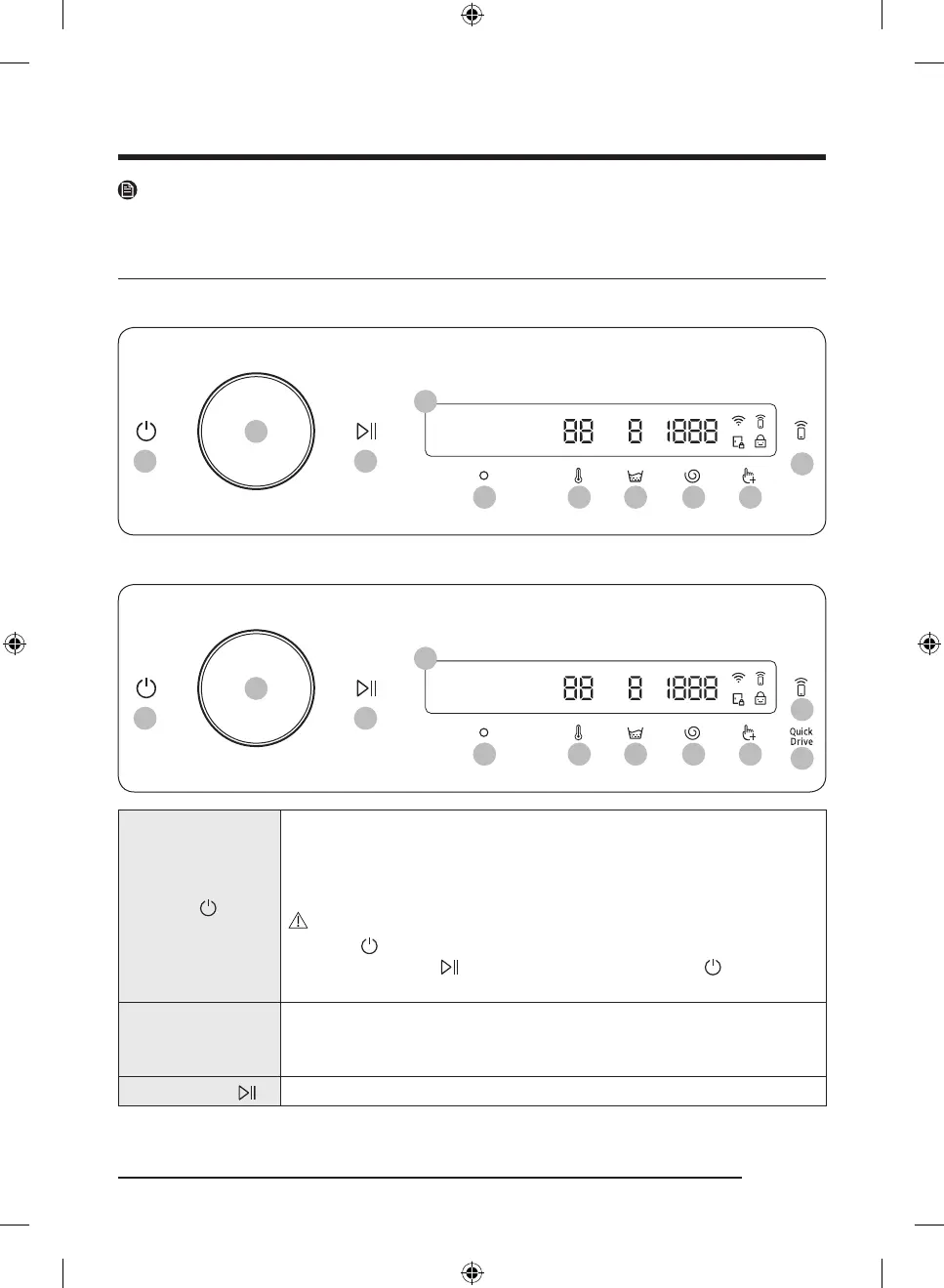
Control panel
WD**DB7*****, WD**DG6*****, WD**DG5*****
01 03
02
04
10
05 06 07 08 09
WD**DB8*****
01 03
02
04
10
11
05 06 07 08 09
01 Power
Tap to turn the washing machine on or off.
• If you do not manipulate the control panel for 10 minutes after the washing
machine is turned on, the washing machine automatically turns off.
• The washing machine automatically turns off when the cycle completes.
CAUTION
Do not tap to turn the washing machine off while the wash cycle is in
progress. Tap and hold to pause the cycle first, and then tap to turn the
washing machine off.
02 Navigation dial
Turn the navigation dial left or right to navigate through cycles and functions.
When you turn the navigation dial, LCD displays your selection (such as cycle,
option, and setting).
03 Start/Pause
Tap and hold to start or pause an operation.
Untitled-3 39 2024-05-22() 12:09:41
Bekijk gratis de handleiding van Samsung WD90DG6G94BB, stel vragen en lees de antwoorden op veelvoorkomende problemen, of gebruik onze assistent om sneller informatie in de handleiding te vinden of uitleg te krijgen over specifieke functies.
Productinformatie
| Merk | Samsung |
| Model | WD90DG6G94BB |
| Categorie | Wasmachine |
| Taal | Nederlands |
| Grootte | 6878 MB |