Rigol MHO2034 handleiding
Handleiding
Je bekijkt pagina 291 van 332
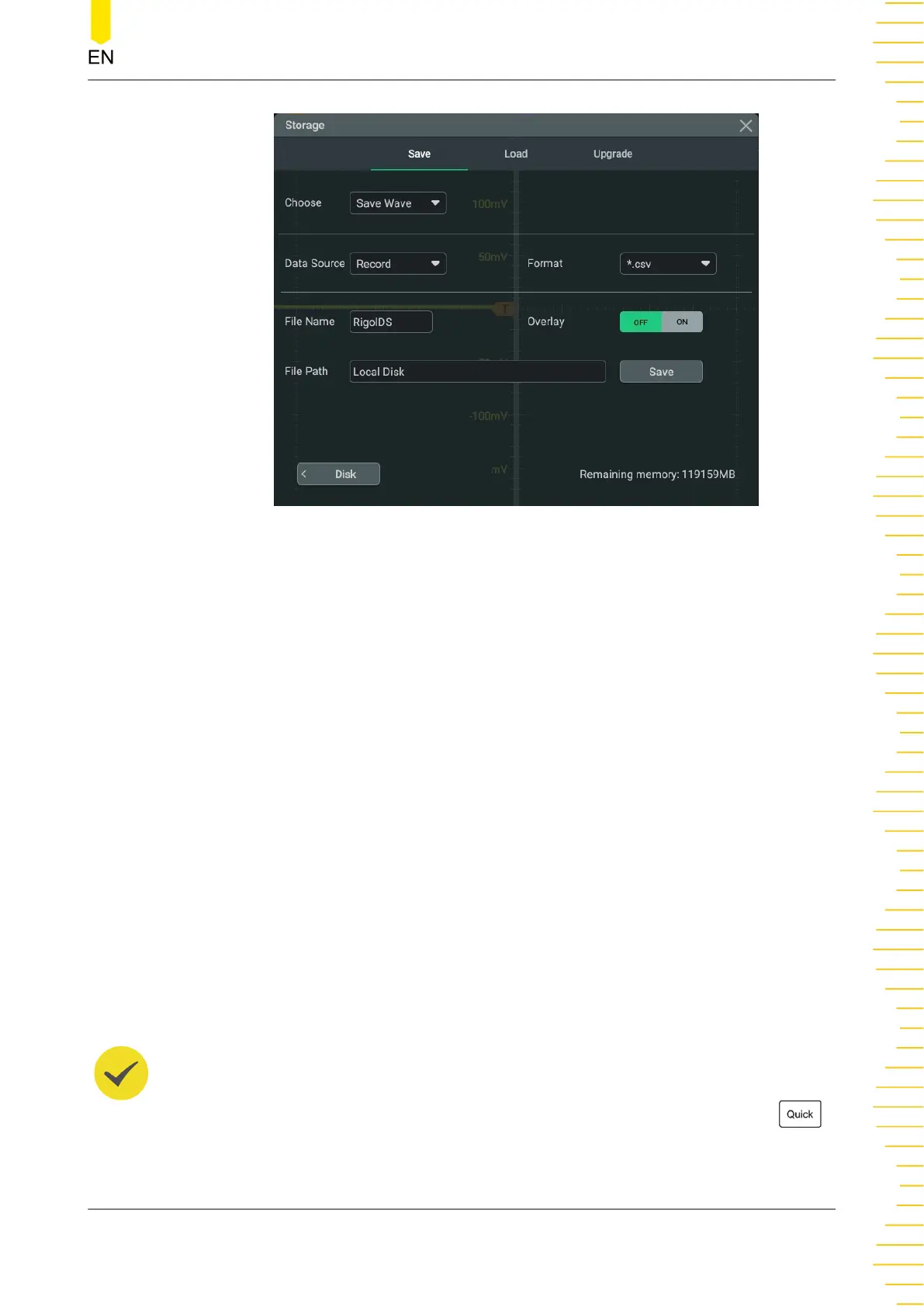
Figure 24.2 Waveform Saving Setting Menu
Set the Source of the Waveform Data
The available sources of the waveform data are as follows:
• Screen: waveforms displayed on the screen.
• Memory: waveforms from the memory.
• Record: waveforms that have been recorded. For details about the recorded
waveforms, refer to
Waveform Recording and Playing
.
Set the Waveform Format
The available formats of the waveform data are as follows:
• When the data source is "Screen", the available formats are "*.bin" and "*.csv".
• When the data source is "Memory", the available formats are "*.bin", "*.csv",
and "*wfm".
• When the data source is "Record", the available format is "*.csv".
TIP
Refer to
Quick Operation
. When the quick operation type is set to "Save Wave", or set to "Save
Group" with "Save Wave" being selected, pressing the front-panel quick operation key
can quickly save the waveform file.
To Store and Load
Copyright ©RIGOL TECHNOLOGIES CO., LTD. All rights reserved. MHO2000 User Guide
273
Bekijk gratis de handleiding van Rigol MHO2034, stel vragen en lees de antwoorden op veelvoorkomende problemen, of gebruik onze assistent om sneller informatie in de handleiding te vinden of uitleg te krijgen over specifieke functies.
Productinformatie
| Merk | Rigol |
| Model | MHO2034 |
| Categorie | Niet gecategoriseerd |
| Taal | Nederlands |
| Grootte | 47982 MB |