Philco PLDI 148 ASTW handleiding
Handleiding
Je bekijkt pagina 27 van 53
Copyright © 2024, Fast ČR, a. s. Revision 06/2024
EN - 25
To cancel the delay function:
t *GZPVEJEOPUQSFTTUIF4UBSU1BVTFLFZLFFQUPVDIJOHUIFEFMBZLFZVOUJMUIFFMFDUSPOJDEJTQMBZTIPXTUIF
duration of the program you have selected.
Once you see the program time on the electronic display, this means that the delay has been cancelled.
t *GZPVIBWFQSFTTFEUIF4UBSU1BVTFLFZUPTUBSUUIFNBDIJOFZPVKVTUOFFEUPUPVDIUIFEFMBZLFZPODF
will go o on the electronic display, press “Start/Pause” key to start the washing cycle.
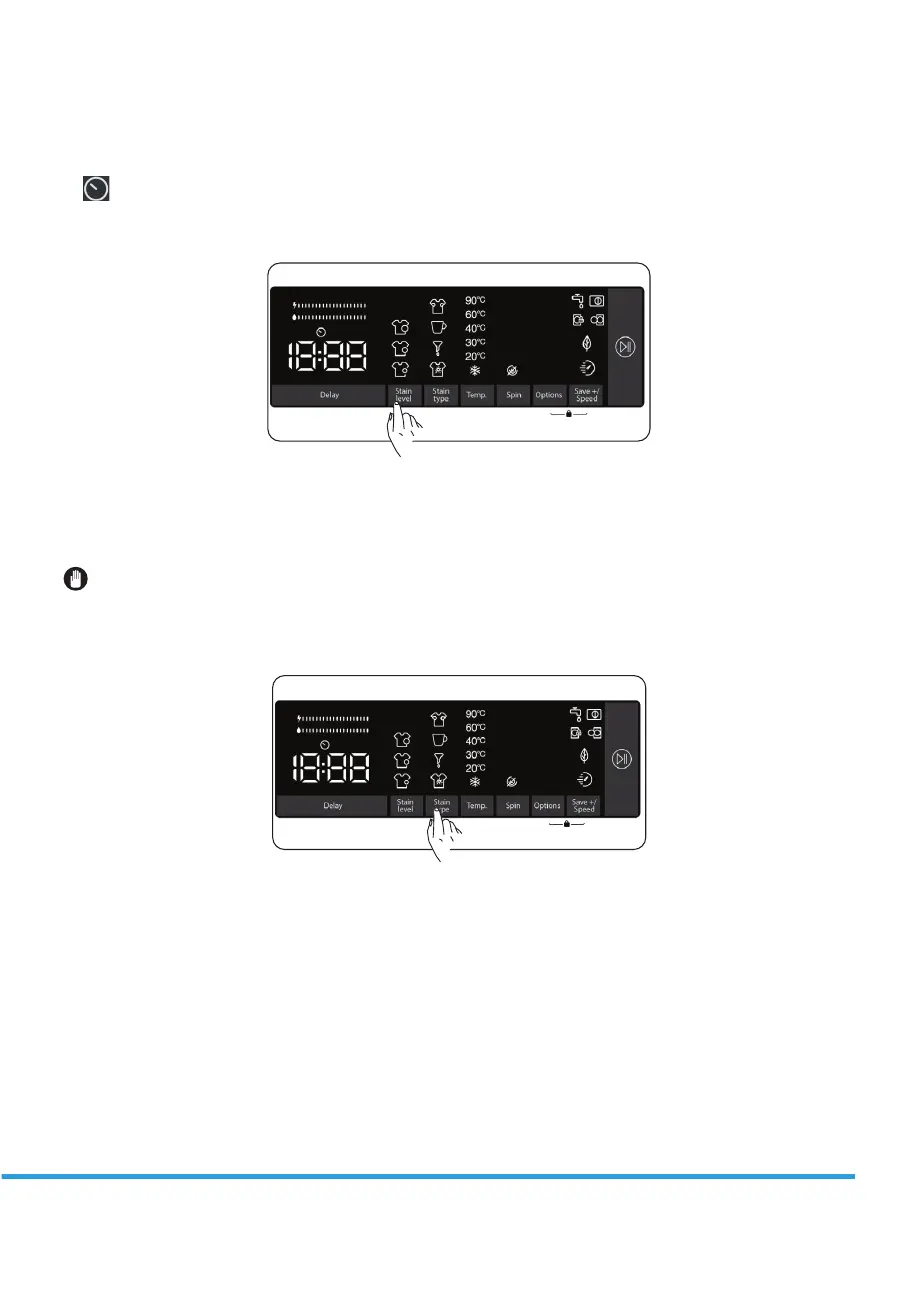
2. Selecting the level of soiling
You can wash your laundries in shorter or longer durations, at lower or higher temperatures by selecting a
soiling level depending on the soiling level on your laundries.
Soiling levels are automatically set in some programs. You can make changes at your discretion.
NOTE: If there are no changes in the level when you touch the soiling level key, it means there is no
soiling level selection in the program you have selected.
3. Stain selection
You can make use of these auxiliary functions on washing depending on the types of stains.
Warning: Do not let the stains on your laundries to get dry and stuck in order for the auxiliary function
dedicated for soiling level selection to fully perform its functions. Clean the solids beforehand.
Warning: Press on the newly formed stains on your laundries with a piece of cloth before starting to
wash them in your product. Do not scrub!
Your washing machine adjusts the washing temperature, drum rotation, and number and duration of rinse
automatically according to the type of stain.
Bekijk gratis de handleiding van Philco PLDI 148 ASTW, stel vragen en lees de antwoorden op veelvoorkomende problemen, of gebruik onze assistent om sneller informatie in de handleiding te vinden of uitleg te krijgen over specifieke functies.
Productinformatie
| Merk | Philco |
| Model | PLDI 148 ASTW |
| Categorie | Wasmachine |
| Taal | Nederlands |
| Grootte | 4625 MB |