Panasonic NA-F150A5 handleiding
Handleiding
Je bekijkt pagina 14 van 32
14
Washing
1
After loading laundry
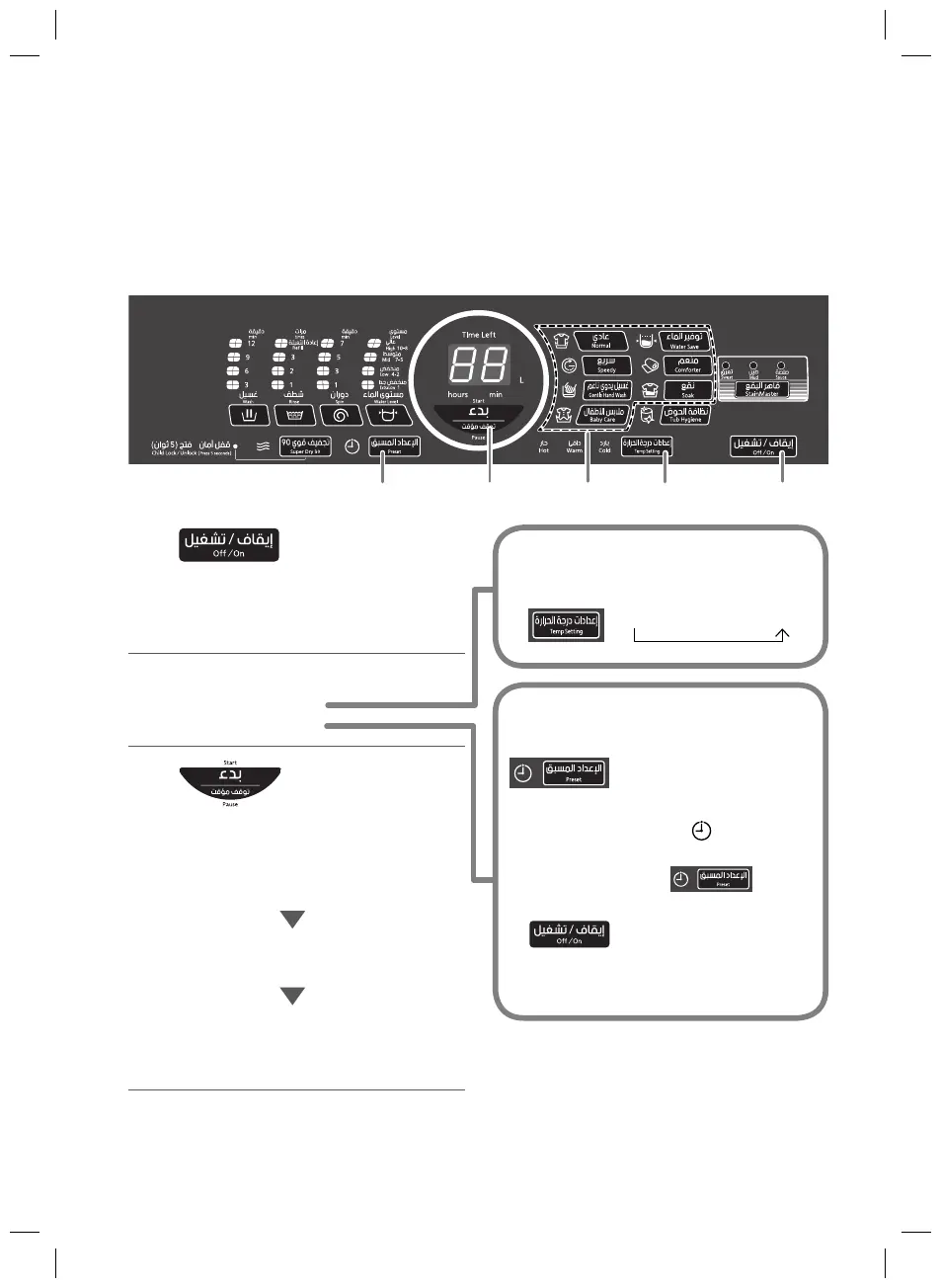
Turn the power on.
The “Normal” program is
selected when the power is
turned on.
2
Select a program. (P. 10)
Temp Setting
Timer preset
3
Start.
The pulsator moves without
water and measures the
amount of laundry
(approx. 5 seconds).
Water amount indication
(approx. 5 seconds)
Remaining time indication
To check the water amount
→ Press “W
ater Level”.
Preparation:
Check if the washing machine is properly installed.
(P. 24)
Turn on the water faucet.
When using Temp Setting, turn on both hot and cold water faucets.
T
imer preset Temp Setting
32 1
Set how many hours later
to finish operation. (P. 8)
2 minutes after start, all
indications except turn off.
To confirm after the timer has
been set, press
.
To cancel or change, press
.
The hours that can be set differ
depending on the program.
Press to select Hot/Warm/
Cold for washing. (P. 9)
Hot ← Warm ← Cold
AWW9901D2X03_EN.indd 14AWW9901D2X03_EN.indd 14 7/2/20 2:18 PM7/2/20 2:18 PM
Bekijk gratis de handleiding van Panasonic NA-F150A5, stel vragen en lees de antwoorden op veelvoorkomende problemen, of gebruik onze assistent om sneller informatie in de handleiding te vinden of uitleg te krijgen over specifieke functies.
Productinformatie
| Merk | Panasonic |
| Model | NA-F150A5 |
| Categorie | Wasmachine |
| Taal | Nederlands |
| Grootte | 4097 MB |