NutriBullet Flip handleiding
Handleiding
Je bekijkt pagina 20 van 36
19
LED indicators
The nutribullet
®
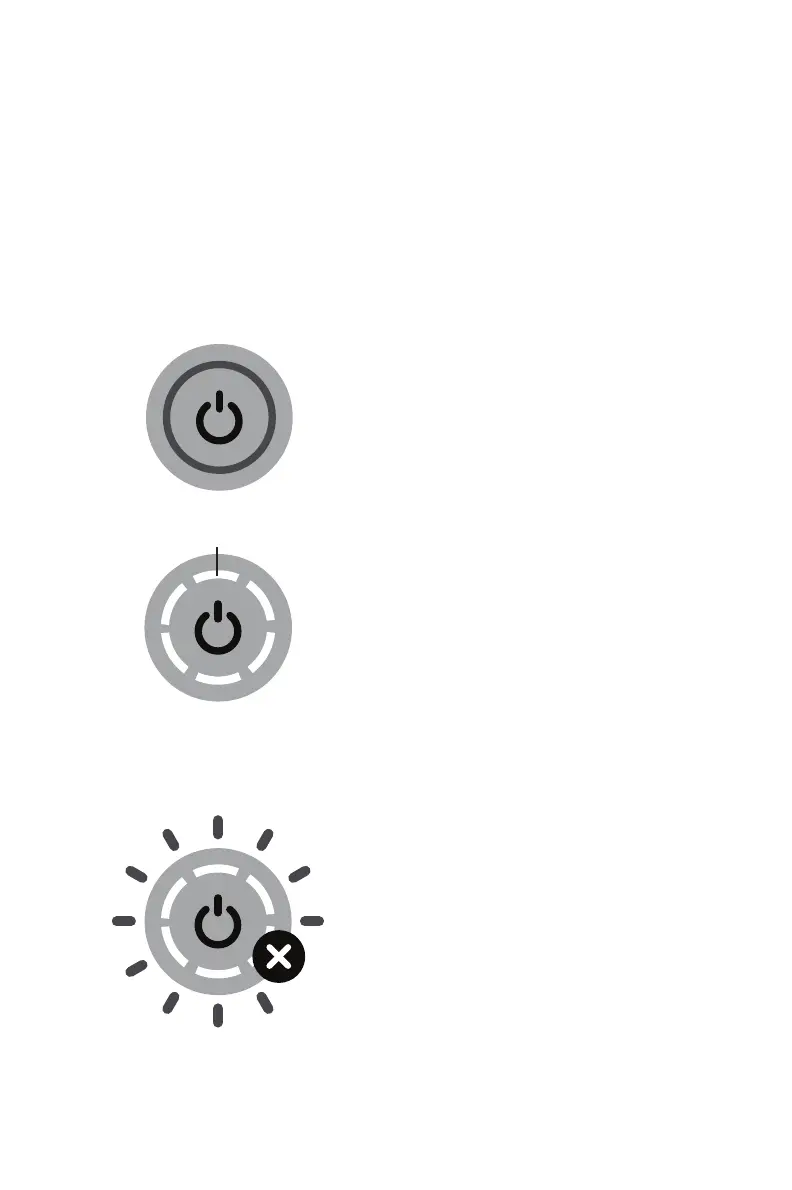
Flip Portable Blender’s indicator has six LED light
bars that appear white, yellow, red, or green according to the unit’s
operational status. The meaning of each display is detailed below.
LED Control Panel - Sleep Mode
NO POWER:
All LEDs off.
CHARGE STATUS:
When plugged in to charge, the
color of LED indicates charge
status.
SOLID GREEN: full charge.
FLASHING GREEN: ready for
normal use.
FLASHING YELLOW: low charge,
can run several cycles.
FLASHING RED: needs charging,
do not use to blend.
Charging
LED light bars
LED Control Panel - Error
ERROR:
Flashing YELLOW lights indicate
a use error. Refer to the
troubleshooting guide on page
26 to diagnose the issue.
Flashing RED lights indicate a
functional error. If these occur,
immediately stop use, power
off the blender, and refer to the
troubleshooting guide on page
26 for details.
Bekijk gratis de handleiding van NutriBullet Flip, stel vragen en lees de antwoorden op veelvoorkomende problemen, of gebruik onze assistent om sneller informatie in de handleiding te vinden of uitleg te krijgen over specifieke functies.
Productinformatie
| Merk | NutriBullet |
| Model | Flip |
| Categorie | Blender |
| Taal | Nederlands |
| Grootte | 2547 MB |