
Nevir NVR-WMFL2060INA-SD handleiding
Handleiding
Je bekijkt pagina 15 van 68
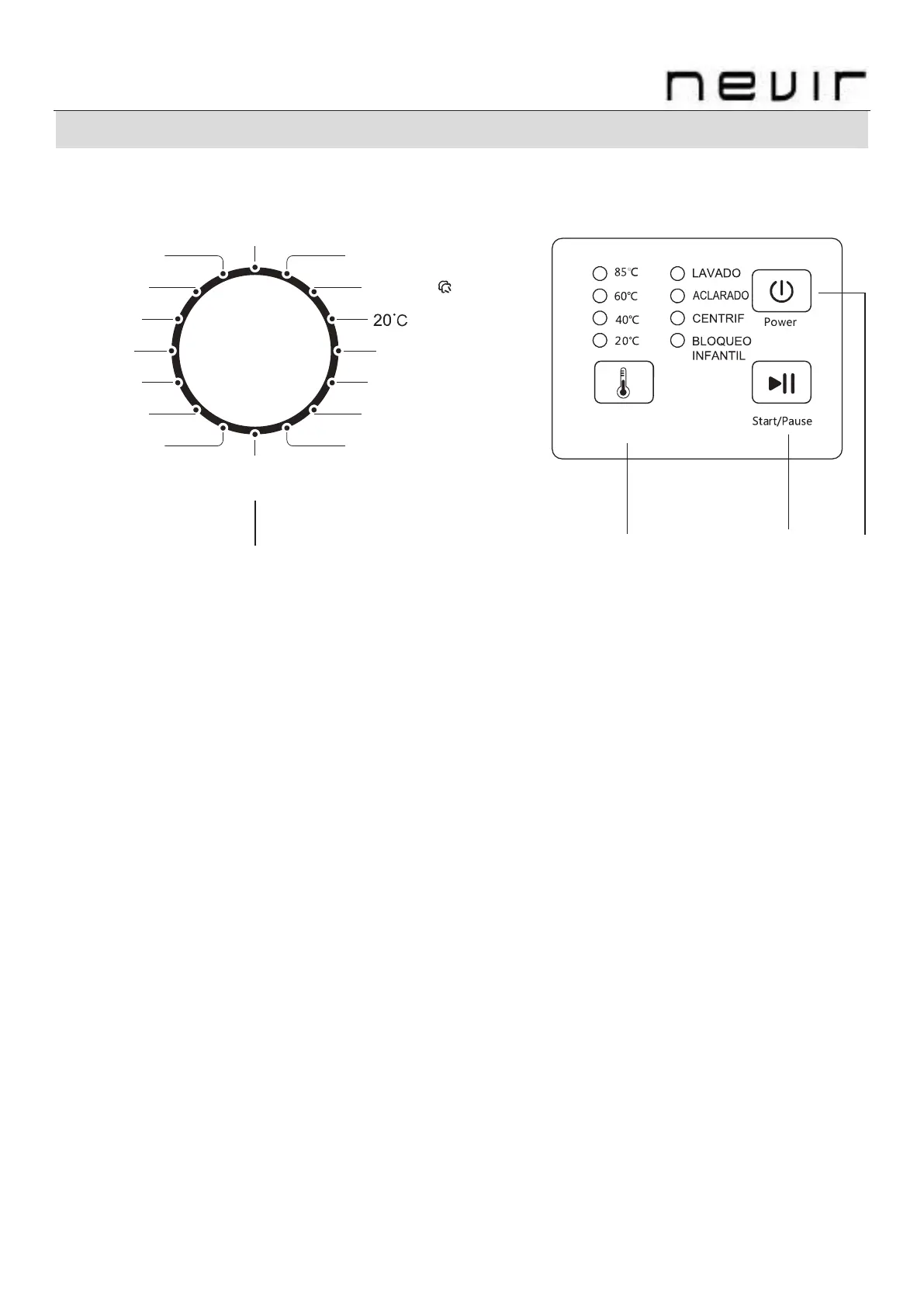
FUNCTIONAL DESCRIPTION CONTROL PANEL
Models:NVR-WMFL2060INA-SD
1. PROGRAM KNOB
Select the appropriate procedure according to the type of washing clothes and the degree of
stains.
2. “TEMP” BUTTON
Select the water temperature by the kinds of clothes and degree of staining.
The range of water temperature varies with programs. In some programs, water temperature
cannot be selected.
Press and hold this button for more than 2 seconds to turn the child lock on/off. After setting
the child lock, all buttons will not respond except the Power button.
3.- “START/PAUSE” BUTTON
Press this button to start or stop the washing procedure.
During operations, press this button to stop a program temporarily, and press it again to restore
this program.
Press and hold down this button for 2 seconds to open the door temporarily for adding clothes
during operation. As the door lock of the machine has a protection function, it takes ab
out two
minutes to open the door.
Mix
Eco 40-60
Delicados
Lana
Sintéticos
Deporte/
Antibacterias
Limpieza
Tambor
Aclarado &
Centrifugado
Centrifugado
Ropa bebé
Camisas
Higiene
Rápido 30'
Rápido 15'
Algodón / Vapor
Pulse 2 seg
Bloqueo Infantil
1 2 3 4
Bekijk gratis de handleiding van Nevir NVR-WMFL2060INA-SD, stel vragen en lees de antwoorden op veelvoorkomende problemen, of gebruik onze assistent om sneller informatie in de handleiding te vinden of uitleg te krijgen over specifieke functies.
Productinformatie
| Merk | Nevir |
| Model | NVR-WMFL2060INA-SD |
| Categorie | Wasmachine |
| Taal | Nederlands |
| Grootte | 10178 MB |