Midea WBMF310 handleiding
Handleiding
Je bekijkt pagina 44 van 67
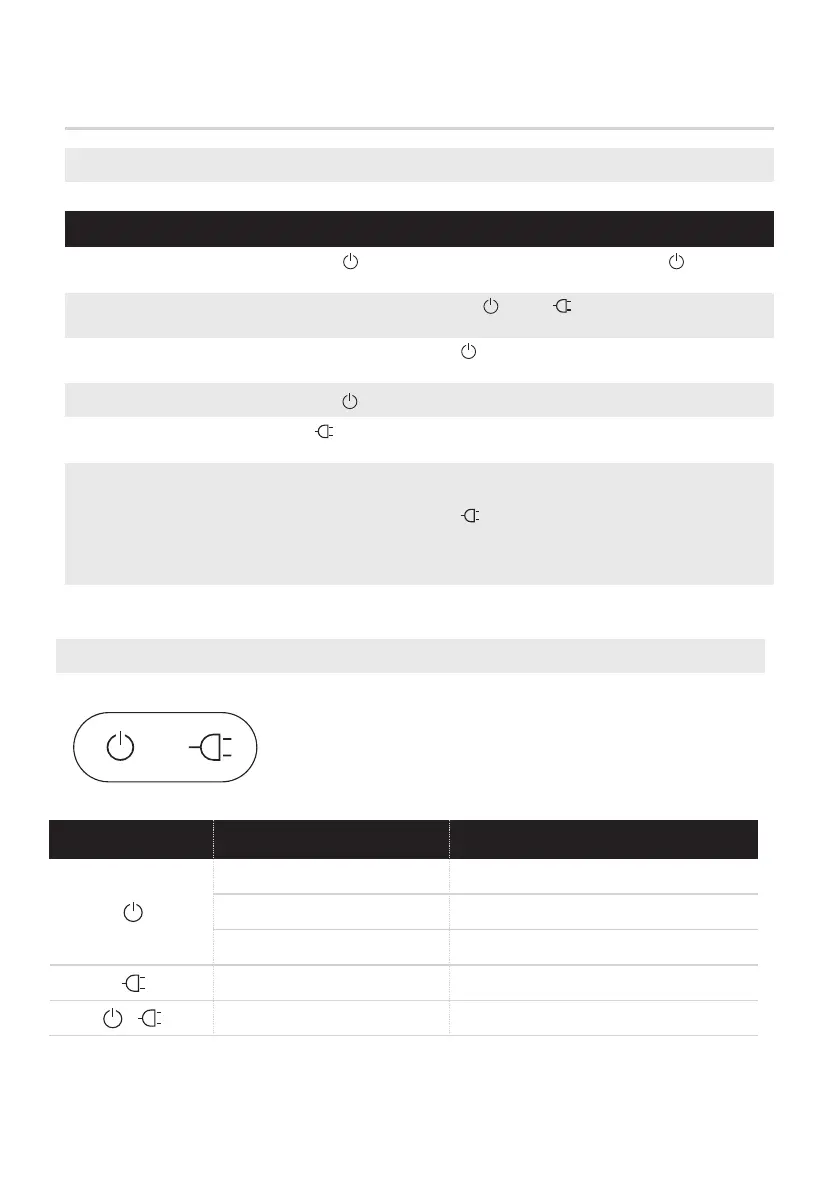
Description of robot buttons
ROBOT OPERATION INSTRUCTIONS
Start work
When the robot is working, short press “ ” or “ ” on the robot panel to
pause working.
When the robot is paused, press the “ ” button to continue to work.
Press and hold the “ ” button for three seconds to shut down the robot.
Press and hold the “ ” button to start the robot, and press the “ ” button
to start cleaning.
Short press the “ ” button of the robot, and the robot will return to the base
station from its current position for charging.
Functions
Functional description
Pause work
Continue to
work
Shutdown
Back to
charge
Factory reset
Description of robot light effect
43
Light effect
Meaning
Indicator
When the button does not work or the robot cannot be turned off, please try to
restore factory settings.Press and hold the network connection button and
recharging button on the robot time “ ” at the same until you hear "ding". The
robot will be restored to the factory state and restarted.
You can also touch "More"→ "Robot Settings"→ "Factory Reset" in sequence on the
App.
White light always on Standby, vacuuming, cruising
White indicator flashing
Charging
The red indicator flashes
Fault in progress
Red indicator always on
Recharging in case of low battery
White indicator always on
Recharging
Bekijk gratis de handleiding van Midea WBMF310, stel vragen en lees de antwoorden op veelvoorkomende problemen, of gebruik onze assistent om sneller informatie in de handleiding te vinden of uitleg te krijgen over specifieke functies.
Productinformatie
| Merk | Midea |
| Model | WBMF310 |
| Categorie | Wasmachine |
| Taal | Nederlands |
| Grootte | 6329 MB |