LG LDTH5554D handleiding
Handleiding
Je bekijkt pagina 26 van 57
26 OPERATION
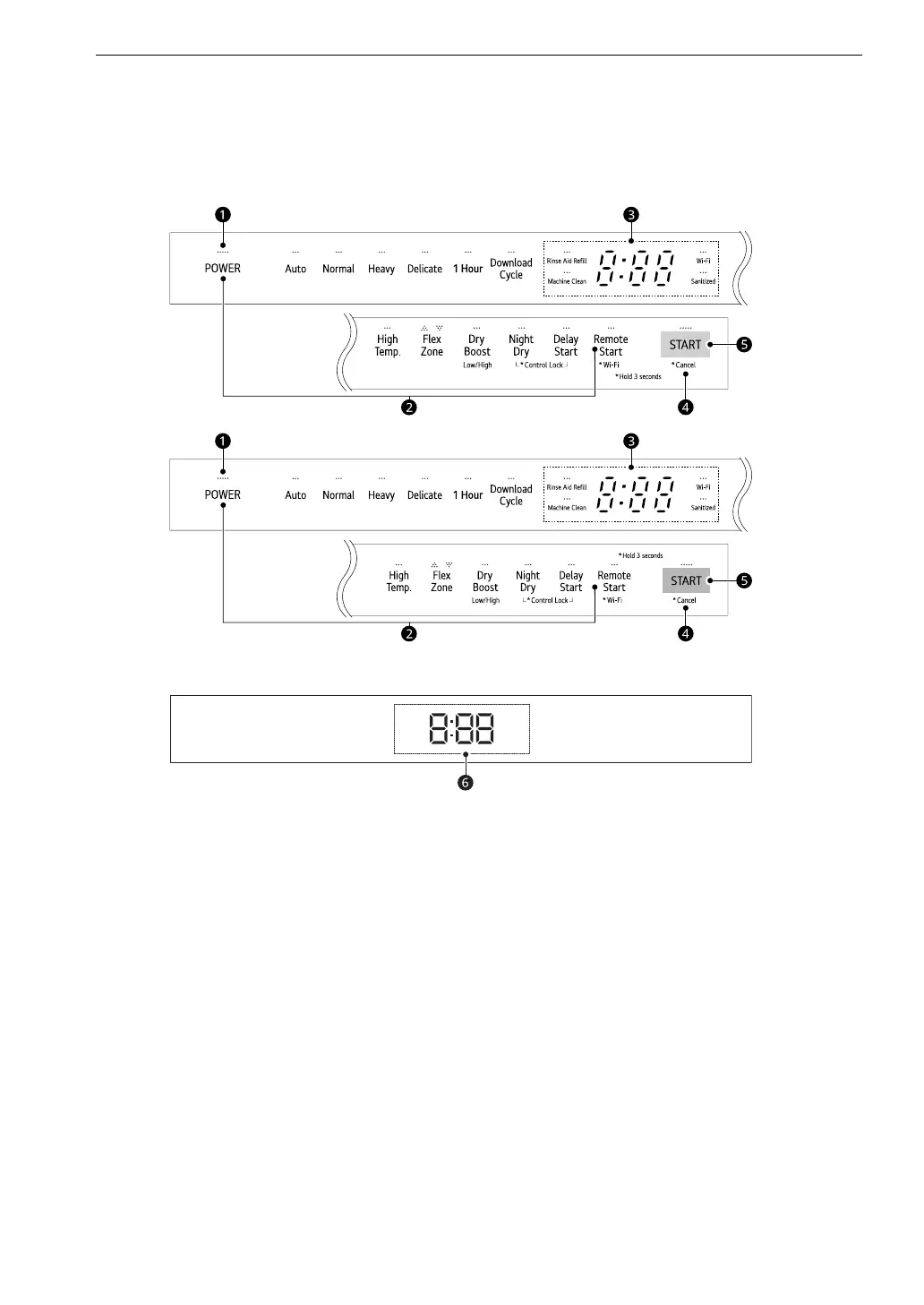
Control Panel
Control Panel Features
Top view
Front view
a POWER On/Off Button
• Press this button to turn the washer on or off.
• After the cycle is complete, the power automatically turns off for purposes of safety and economy.
• If there is a power surge, power outage, or disruption of any kind, power is automatically turned off
for safety.
• When power is connected again, the dishwasher will turn on automatically and resume the cycle.
b Option Setting Mode
• You can set various options by using the Option Setting Mode.
• While the appliance is off, press POWER and Remote Start simultaneously to enter the Option
Setting Mode.
• Refer to the Using the Option Setting Mode topic for each function of the Option Setting Mode.
c Display
• Rinse Aid Refill
- This LED illuminates when the rinse aid level is low. The LED automatically shuts off when the rinse
aid is refilled or the level is set to 0.
- To adjust the rinse aid level, refer to the Using the Option Setting Mode topic.
en-us_main.book.book Page 26 Monday, January 29, 2024 10:56 AM
Bekijk gratis de handleiding van LG LDTH5554D, stel vragen en lees de antwoorden op veelvoorkomende problemen, of gebruik onze assistent om sneller informatie in de handleiding te vinden of uitleg te krijgen over specifieke functies.
Productinformatie
| Merk | LG |
| Model | LDTH5554D |
| Categorie | Wasmachine |
| Taal | Nederlands |
| Grootte | 6246 MB |