
Kuppersbusch W6810.0W handleiding
Handleiding
Je bekijkt pagina 25 van 101
OPERATION
Spin Speed
When needed, the spinning speed can be adjusted pressing the Speed button in the
following steps: 1500: 0-400-600-800-1000-1200-1400-1500
Speed
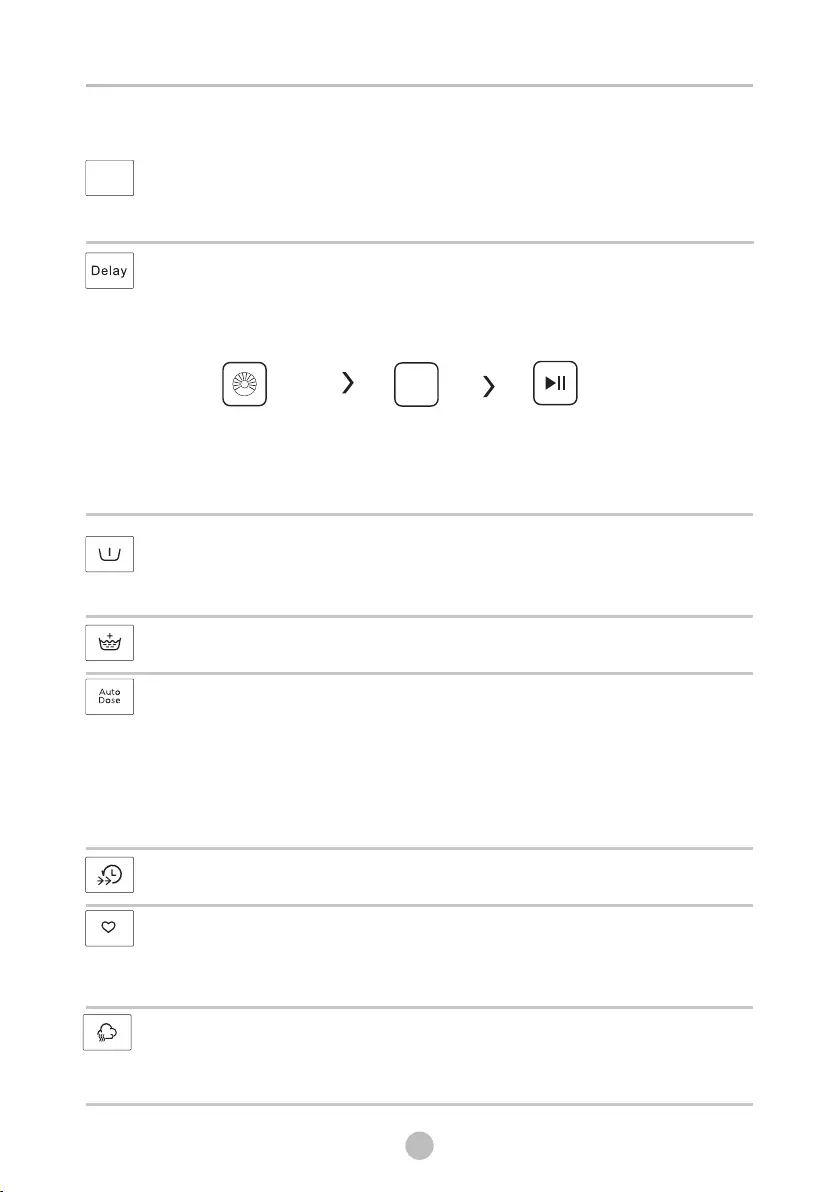
Delay
2.Press the Delay button to choose the delaying time 0-24h
3.Press [Start/Pause] to start the delay operation
1. Select a programme
Choose programme
Start
Setting time
Delay
To cancel the Delay function, press the “Delay” button before starting the program
until the display shows 0 h. If the program has already started, switch the appliance
off and afterwards on and select a new programme.
Pre Wash
Extra washing function before the main washing cycle starts to increase the washing
performance.
Note: Detergent needs to be added to the compartment I.
Extra Rinse
The laundry will undergo an extra rinse after selecting this function.
AUTO DOSE
When press the power button to start the product,the screen will show”soft” or
“dete” icon. When the light is flashing, it means that the softener is scarce and
you need to add it!
Open the detergent box cover add the detergent and softener.
Filling amount does not exceed maximum line.
Press the[ AUTO DOSE ] button, the AUTO DOSE function will be turned off.
Speed Wash
The function can decrease the washing time.
Favorite
After choosing the programme and setting the options, press [Spin] 3 sec. before
start to wash.The default setting course is Cotton.
To memory the frequently used programme.
Steam function can be selected by choose “Cotton”,“Mix“”Bed Linen” and
“Baby Care”.
The customers can see the steam in the drum when operate SpaCare function.
Steam
24
Bekijk gratis de handleiding van Kuppersbusch W6810.0W, stel vragen en lees de antwoorden op veelvoorkomende problemen, of gebruik onze assistent om sneller informatie in de handleiding te vinden of uitleg te krijgen over specifieke functies.
Productinformatie
| Merk | Kuppersbusch |
| Model | W6810.0W |
| Categorie | Wasmachine |
| Taal | Nederlands |
| Grootte | 8564 MB |
