Handleiding
Je bekijkt pagina 1 van 20

EN
Quick guide
SLIDING RUNNERS AND SHELF GUIDES
Before using the oven remove the protective tape [a] and then
remove the protective foil [b] from the sliding runners.
REMOVING THE SLIDING RUNNERS [c]
Pull the lower part of the sliding runner to uncouple the lower
hooks (1) and pull the the sliding runners upwards, removing
them from the upper hooks (2).
REFITTING THE SLIDING RUNNERS [d]
Hook the upper hooks on the shelf guides (1) then press the
lower part of the sliding runners against the shelf guides, until
the lower hooks are clicking (2).
1
2
1
2
[c] [d]
REMOVING AND REFITTING THE SHELF GUIDES
1. To remove the shelf guides, rmly grip the external part of the
guide, and pull it towards you to extract the support and the
two internal pins from the lodging.
2. To reposition the shelf guides, position them near the cavity
and initially insert the two pins into their lodgings. Next,
position the external part near its lodging, insert the support,
and rmly press towards the wall of the cavity to make sure the
shelf guide is properly secured.
FIRST TIME USE
1. SETTING THE TIME
You will need to set the time when you switch on the appliance
for the rst time: Press until the icon and the two digits
for the hour start ashing on the display.
Use or to set the hour and press to conrm. The two
digits for the minutes will start ashing. Use o to set the
minutes and press to conrm.
Please note: When the
icon is flashing, for example following
lengthy power outages, you will need to reset the time.
2. HEAT THE OVEN
A new oven may release odors that have been left behind
during manufacturing: this is completely normal. Before starting
to cook food, we therefore recommend heating the oven with it
empty in order to remove any possible odors.
Remove any protective cardboard or transparent lm from the
oven and remove any accessories from inside it.
Heat the oven to 250 °C for about one hour. The oven must be
empty during this time.
Please note: It is advisable to air the room after using the appliance
for the first time.
THANK YOU FOR BUYING A HOTPOINT-
ARISTON PRODUCT
In order to receive a more complete
assistance, please register your product on
ww w . hotpoint . eu/register
Before using the appliance carefully read the Safety
Instruction.
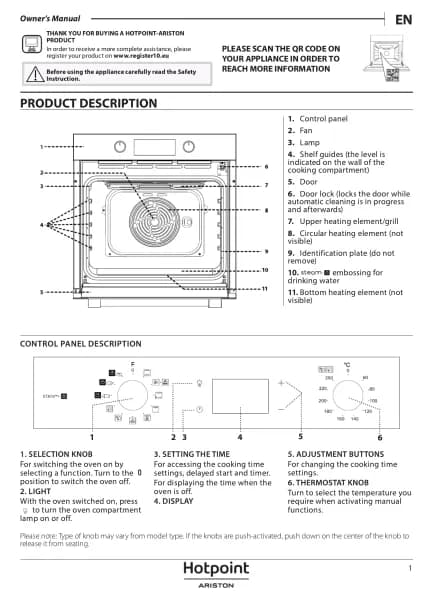
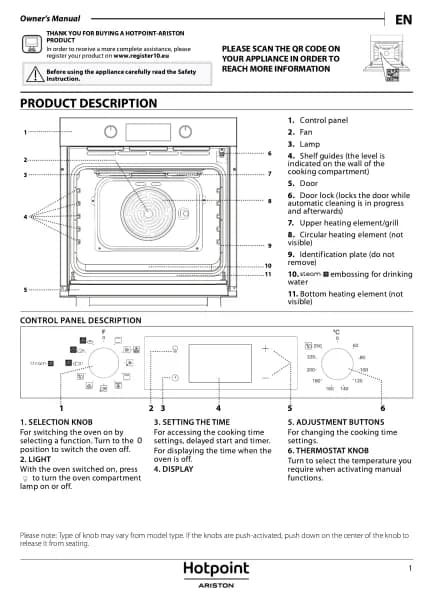
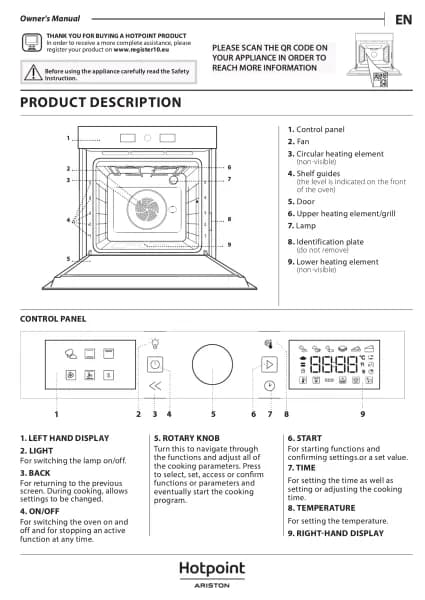
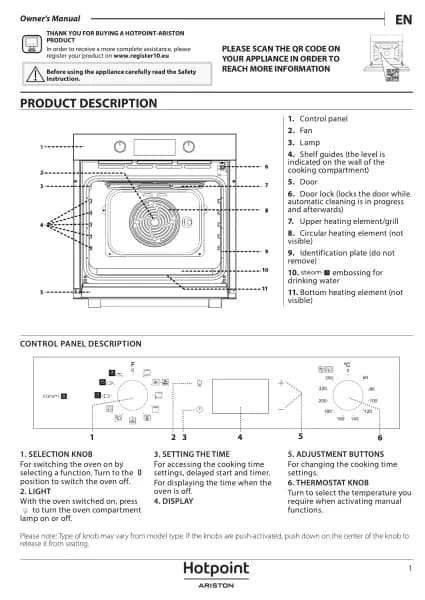
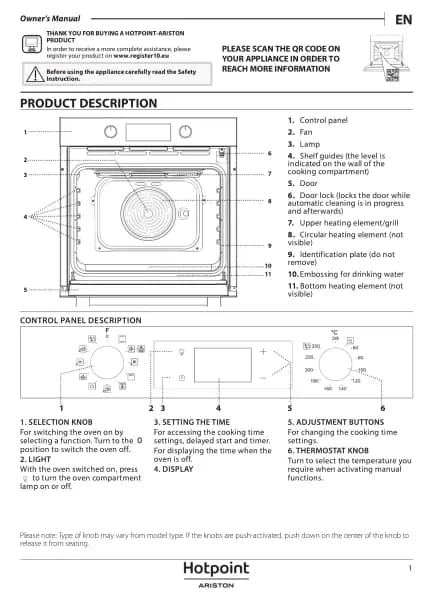
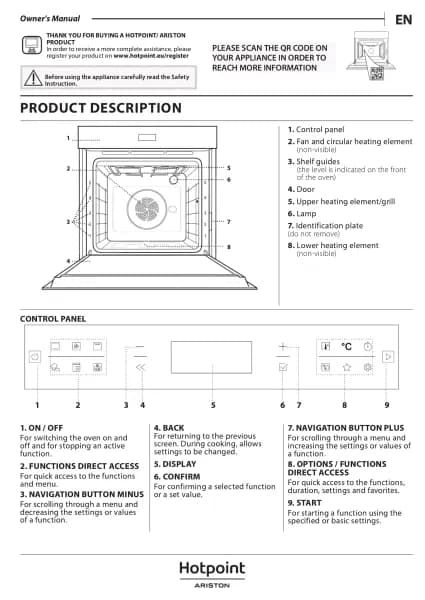
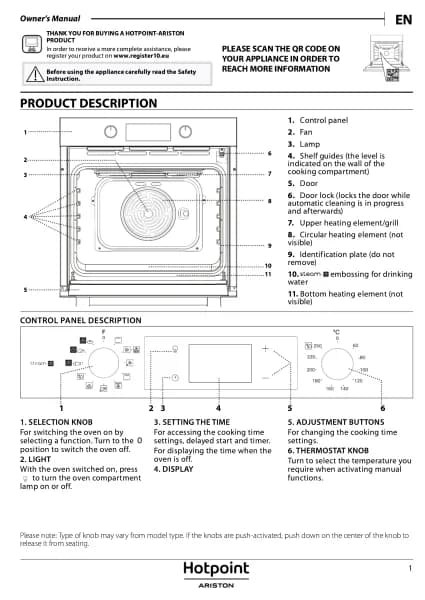
CONTROL PANEL DESCRIPTION
1 32 4 5 6
1. SELECTION KNOB
For switching the oven on by selecting a
function.
Turn to the position to switch the oven
o.
2. LIGHT
With the oven switched on, press to turn
the oven compartment lamp on or o.
3. SETTING THE TIME
For accessing the cooking time settings,
delayed start and timer.
For displaying the time when the oven is
o.
4. DISPLAY
5. ADJUSTMENT BUTTONS
For changing the cooking time settings
6. THERMOSTAT KNOB
Turn to select the temperature you
require when activating manual
functions.
For automatic functions keep on
/A.
Bekijk gratis de handleiding van Hotpoint FA3 841 C IX HA, stel vragen en lees de antwoorden op veelvoorkomende problemen, of gebruik onze assistent om sneller informatie in de handleiding te vinden of uitleg te krijgen over specifieke functies.
Productinformatie
| Merk | Hotpoint |
| Model | FA3 841 C IX HA |
| Categorie | Oven |
| Taal | Nederlands |
| Grootte | 4047 MB |