Hanseatic HWMT31014A handleiding
Handleiding
Je bekijkt pagina 69 van 85
Additional functions Page EN-25
When you select a programme, the max-
imum spin speed of the selected pro-
gramme is displayed in the spin speed dis-
play.
– To adjust the spin speed, press the spin
speed button until the desired spin
speed is displayed.
The deactivation of the spin is indicated by
the symbol .
If you have skipped the desired spin speed,
press the spin speed button repeatedly un-
til the desired spin speed is displayed
again.
Start time pre-selection
You can delay the start time of the washing
programme by 1 to 23 hours with this addi-
tional feature.
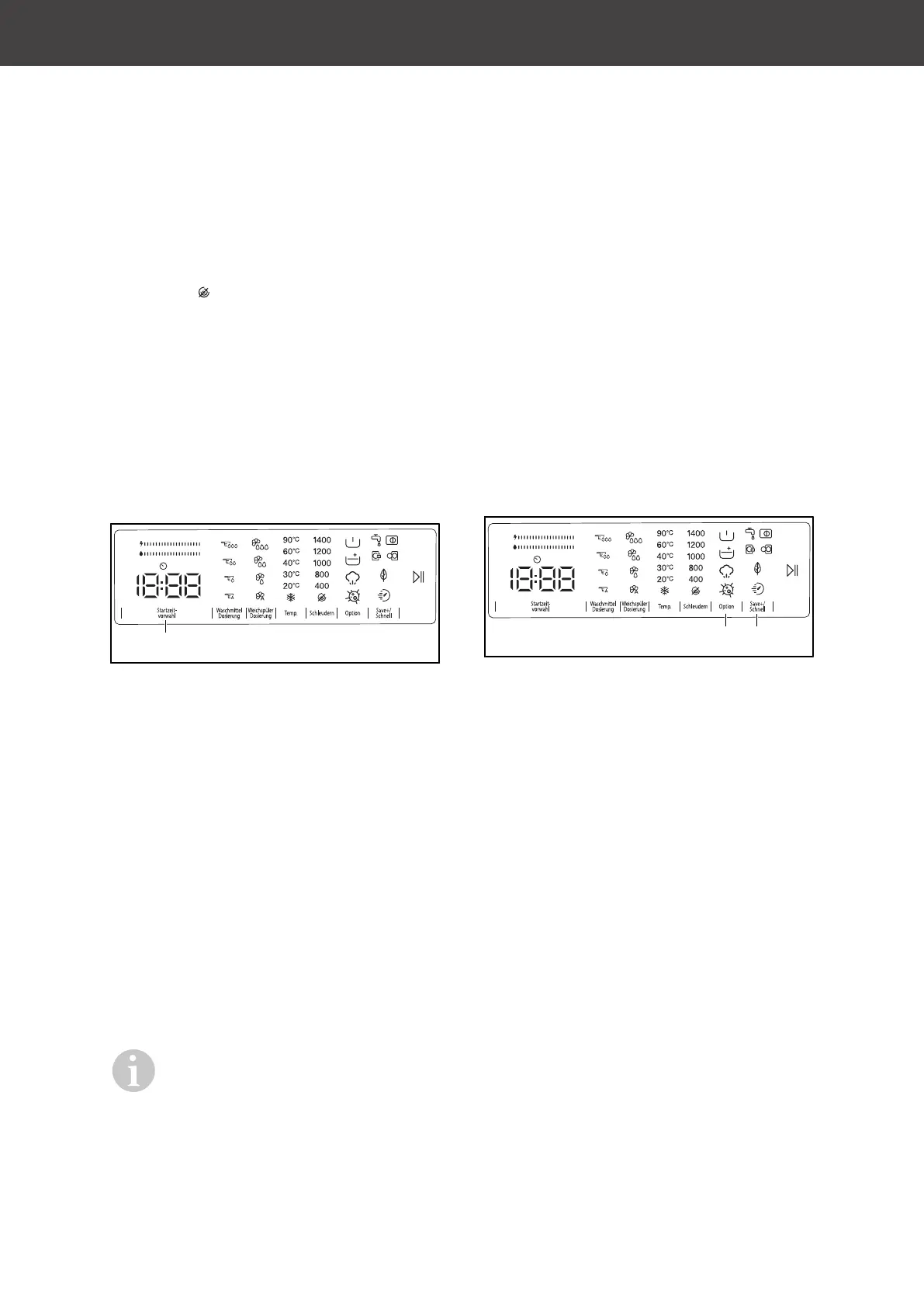
(12)
1. To activate the start time preset, press
the start time preset button (12).
"1h" is displayed in the display.
2. Press the start time preset button until
the desired number of hours after which
the washing programme should start is
displayed.
3. If you have skipped the desired number
of hours, press the start time preset but-
ton until the desired number of hours
appears.
4. To apply the start time preset, press the
Start/Pause button (5).
The device starts the washing pro-
gramme after the time has elapsed.
After activating the start time preset,
you can select further additional
functions. You can then use the
Start/Pause button to apply the start
time preset.
To disable the start time preset:
– If you did not press the Start/Pause but-
ton, press the start time preset button
until the display shows the duration of
the programme you selected.
Once you see the programme time in
the display, this means that the start
time preset has been disabled.
– If you have already pressed the Start/
Pause button, press the start time preset
button. The start time preset in the dis-
play turns off. You can then start the
washing programme with the Start/
Pause button.
Key lock (child lock)
The key lock allows you to lock the buttons
to prevent accidental changes to the selec-
ted washing programme.
(7)
(6)
– To activate the key lock, press and hold
the Save+/Quick Laundry button (6) and
the Options button (7) simultaneously for
approximately 3 seconds.
When the key lock is enabled, "CL"
flashes for 2 seconds in the display.
When a button is pressed while the key
lock is active, or when the selected pro-
gramme is changed via the cycle se-
lector (2), the "CL" symbol flashes for 2
seconds in the display.
When the key lock is active and a pro-
gramme is running, when you turn the
cycle selector to the "Off" position and
select another programme, the previ-
ously selected programme will resume
at the point where it was stopped.
– To deactivate the key lock, press and
hold the Save+/Quick Laundry button (6)
and the Options button (7) simultan-
eously for approximately 3 seconds.
"CL" disappears from the display.
The appliance door (13) remains unlocked
when the key lock is active and the current
is switched off.
Bekijk gratis de handleiding van Hanseatic HWMT31014A, stel vragen en lees de antwoorden op veelvoorkomende problemen, of gebruik onze assistent om sneller informatie in de handleiding te vinden of uitleg te krijgen over specifieke functies.
Productinformatie
| Merk | Hanseatic |
| Model | HWMT31014A |
| Categorie | Wasmachine |
| Taal | Nederlands |
| Grootte | 9587 MB |