
Grundig GW9I91041A handleiding
Handleiding
Je bekijkt pagina 39 van 48
EN / 39
1. Download HomeWhiz Application on the
new smart device you want to use.
2. Create a new account and log in to this
account on the HomeWhiz app.
3. Follow the steps described in Home-
Whiz Setup Setup and proceed with the
setup procedure.
Given that your product's Home-
Whiz Feature and Remote Control
functionality operate via either
Bluetooth or Wi-Fi technology, de-
pending on your product model, it's
important to note that only one
HomeWhiz application can control
your product at any given moment.
6.17.3 Deleting the HomeWhiz Ac-
count Match
Follow the following steps in order to delete
a washing machine previously matched
with someone else’s account.
1. Turn on your machine by using the On/
Off button.
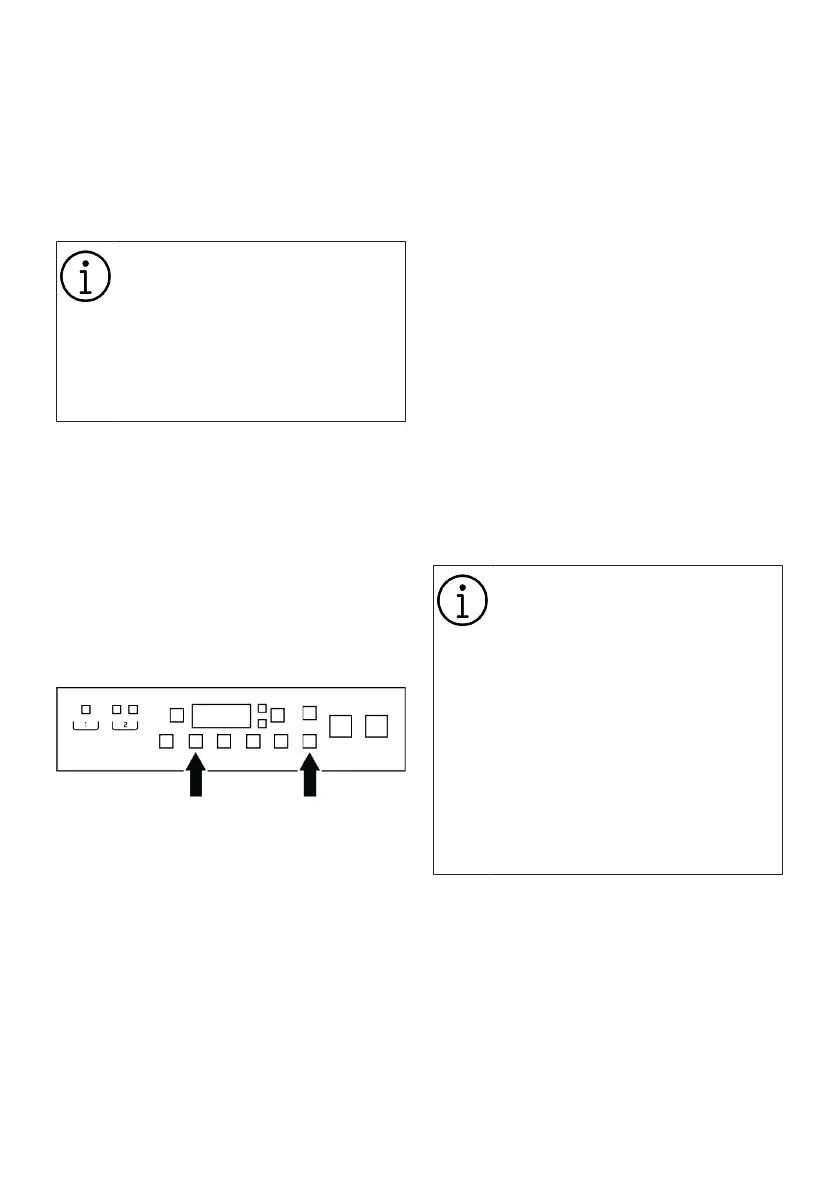
2. While the machine is on, press and hold
the Remote Control and Temperature
Adjustment button for 5 seconds.
3. You will hear warning sound from the
product to notify your request after the
countdown on the screen. Deleting the
match will take a few seconds.
After this operation, you cannot use the
HomeWhiz function of your washing ma-
chine until you do another setup.
Your product does not need to be connec-
ted to the internet in order to delete an ac-
count matching. Your request will be re-
ceived. This matching will be automatically
deleted when the product is first connected
to the internet.
6.17.4 Remote Control Function and
Its Use
After HomeWhiz setup, Wifi will automatic-
ally turn on. To activate or deactivate the
Wifi connection, please see "Wireless Con-
nection".
If you turn off and on your machine while
wireless connection is active, it will auto-
matically reconnect. In cases of changing
your network password or turning the mo-
dem off, the wireless connection will auto-
matically turn off. For this reason, you will
need to turn on the wireless connection
again if you want to use the Remote Con-
trol function.
You can check the wireless connection
symbol on the display to track your connec-
tion status. If the symbol is continuously
on, it means you have internet connection.
If the symbol is blinking, it means the ma-
chine is trying to connect. If the symbol is
off, you have no connection.
When the wireless connection is on
in your product, Remote Control
function will be selectable.
If the Remote Control function can-
not be selected, check the connec-
tion status. If the connection can-
not be established, repeat the initial
setup settings on the appliance.
The Remote Control symbol will
turn blue when enabled and will
turn on partially when disabled.
If the door is opened while the Re-
mote Control function is enabled,
Remote Control will be cancelled.
If you want to control your washing ma-
chine remotely, you must activate the re-
mote control function by pressing the Re-
mote Control button on the control panel.
While Remote Control is enabled, you can
use the keys on the washing machine. And
all functions except child lock can be man-
aged through the application.
You can follow whether the Remote Control
function is on or off through the function in-
dicator on the display.
Bekijk gratis de handleiding van Grundig GW9I91041A, stel vragen en lees de antwoorden op veelvoorkomende problemen, of gebruik onze assistent om sneller informatie in de handleiding te vinden of uitleg te krijgen over specifieke functies.
Productinformatie
| Merk | Grundig |
| Model | GW9I91041A |
| Categorie | Wasmachine |
| Taal | Nederlands |
| Grootte | 4348 MB |





