
Grundig GW9I91041A handleiding
Handleiding
Je bekijkt pagina 36 van 48
EN / 36
6.13 Changing the Selections After
Programme has Started
Adding laundry after the programme has
started:
If the water level in the machine is suitable
when you press Start/Pause button, the
door lock will be deactivated and the door
will open, allowing you to add garments.
After adding garments, close the door and
press Start/Pause button once again to re-
sume the washing cycle.
If the water level in the machine is not suit-
able when you press Start/Pause button,
the door lock cannot be deactivated.
If the temperature of the water in-
side the machine is above 50°C,
you cannot deactivate the door lock
for safety reasons, even if the water
level is suitable.
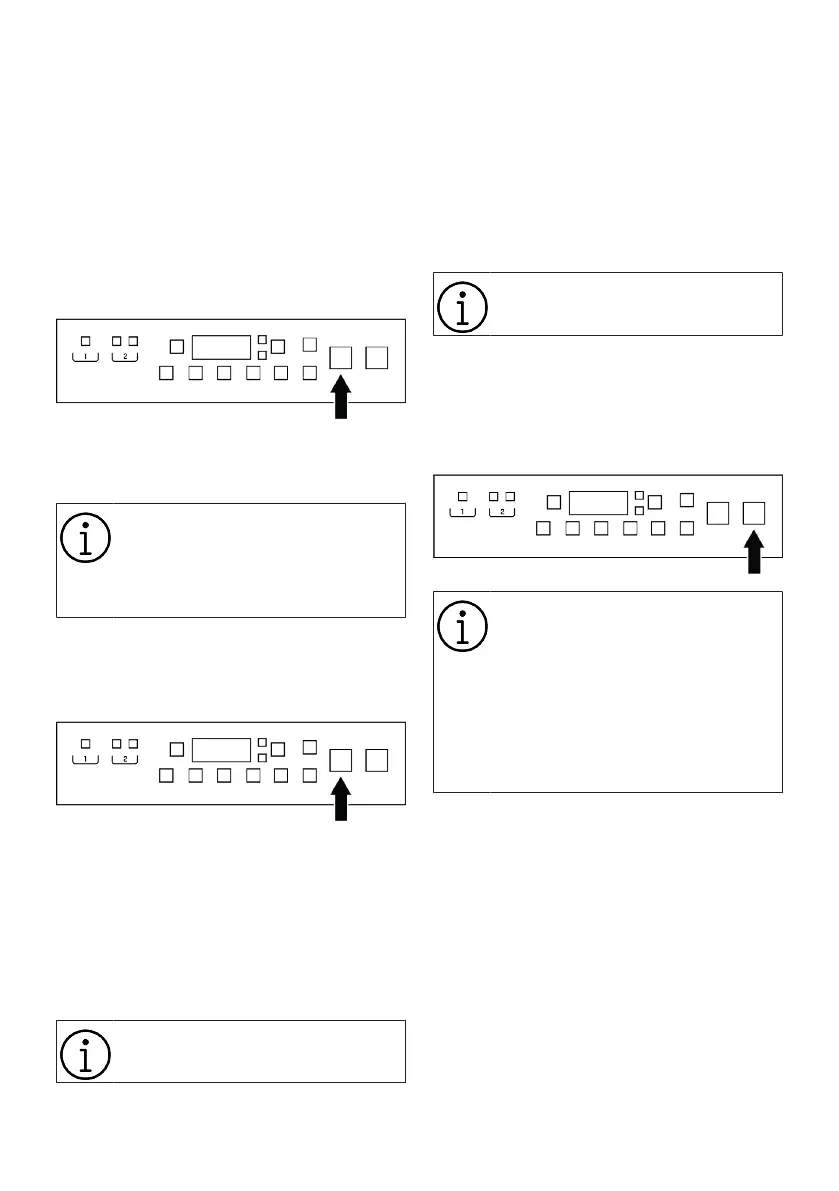
Switching the machine to pause mode:
Press the Start/Pause button to switch the
machine to pause mode. Pause symbol will
flash on the display.
Changing the programme selection after
programme has started:
Programme cannot be changed when a
programme is running. You need to pause
the operating programme if the Child Lock
is not active and select a new programme.
This action will cancel the current pro-
gramme.
The selected programme starts
anew.
Changing the auxiliary function, speed and
temperature:
Depending on the step the programme has
reached, you can cancel or activate the aux-
iliary functions. See "Auxiliary Function Se-
lection"
You can also change the speed and tem-
perature settings. See "Spin Speed Selec-
tion" and "Temperature Selection".
It gives out an audio warning if
change is not allowed.
6.14 Cancelling the Programme
When the machine is turn off and on, the
programme gets cancelled. Press and hold
On/Off button for 3 seconds. The display
will show a countdown "3- 2- 1".
If you want to open the loading
door after cancelling the program
but you cannot do so because the
water level in the machine is above
the door level, please activate Re-
mote Control and download the
Spin+Pump program from the Set-
tings menu, then run this program
to drain the water in the machine.
6.15 End of Programme
End warning appears on the display when
the programme is completed.
The product automatically shuts down if no
buttons are pressed for 10 minutes. Display
and all indicators are turned off.
When you press the On/Off button, the se-
lections made for the last washing cycle
will be displayed.
Bekijk gratis de handleiding van Grundig GW9I91041A, stel vragen en lees de antwoorden op veelvoorkomende problemen, of gebruik onze assistent om sneller informatie in de handleiding te vinden of uitleg te krijgen over specifieke functies.
Productinformatie
| Merk | Grundig |
| Model | GW9I91041A |
| Categorie | Wasmachine |
| Taal | Nederlands |
| Grootte | 4348 MB |





