
Grundig GW7P810418MB2 ES handleiding
Handleiding
Je bekijkt pagina 82 van 96
EN / 82
To be able to enable wireless con-
nection, machine setup should be
completed through HomeWhiz ap-
plication. After setup, wireless con-
nection will be enabled automatic-
ally if you press ”Remote Control”
button.
6.9 End Time
Time display
When the end time function is selected, the
remaining time until the programme starts
is shown in hours such as 1h, 2h, and the
remaining time to complete the programme
after your programme starts is shown in
hours and minutes as in the 01:30 example.
Programme duration may differ
from the values in section "Pro-
gramme and consumption table"
depending on the water pressure,
water hardness and temperature,
ambient temperature, amount and
the type of laundry, auxiliary func-
tions selected and the changes at
the mains voltage.
After a certain period when the end
time function is activated, the ma-
chine switches to stand-by mode
and some LEDs on the display are
turned off. LEDs are illuminated in
case of any user entry.
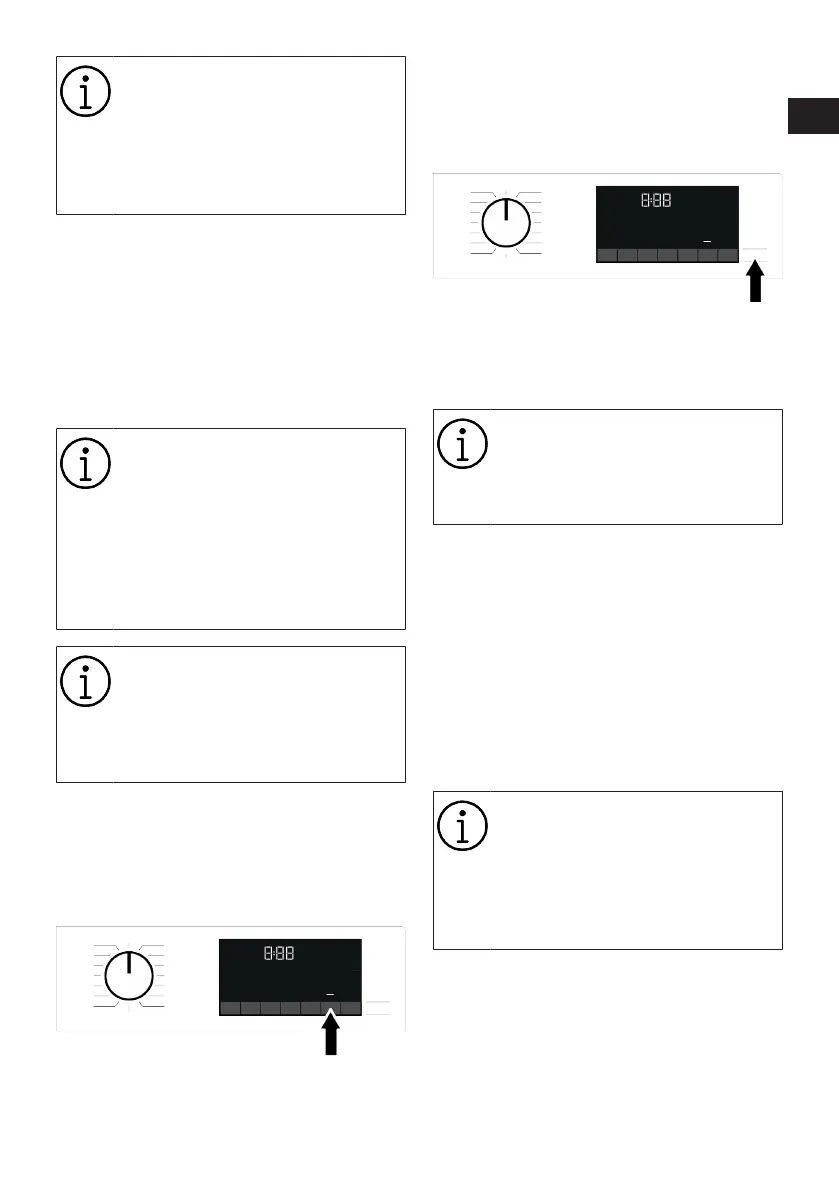
With the End Time function, the end time of
the programme may be set up to 24 hours.
After pressing End Time button, the pro-
gramme's estimated ending time is dis-
played. If the End Time is set, End Time in-
dicator is illuminated.
In order for the End Time function is activ-
ated and the programme is completed at
the end of the specified time, you must
press Start/Pause button after adjusting
the time.
If you want to cancel the End Time func-
tion, turn the machine off and on by turning
the program selection knob to the On/Off
position.
When you have activated the End
Time function, do not add liquid de-
tergent in the powder detergent
compartment no 2. There is the risk
of staining of the clothes
1. Open the loading door, place the laundry
and put detergent, etc.
2. Select the washing programme, temper-
ature, spin speed and, if required, the
auxiliary functions.
3. Set the End Time of your choice by
pressing the End Time button. End Time
indicator lights.
4. Press Start / Pause. Time countdown
starts.
Additional laundry can be added
into the machine during the End
Time countdown. At the end of the
countdown, End Time indicator
turns off, washing cycle starts and
the time of the selected pro-
gramme appears on the display.
6.10 Starting the Programme
1. Press Start / Pause button to start the
programme.
2. The Start / Pause button's light which
was off before starts to illuminate
steadily now, indicating that the pro-
gramme has started.
RO
EN
Bekijk gratis de handleiding van Grundig GW7P810418MB2 ES, stel vragen en lees de antwoorden op veelvoorkomende problemen, of gebruik onze assistent om sneller informatie in de handleiding te vinden of uitleg te krijgen over specifieke functies.
Productinformatie
| Merk | Grundig |
| Model | GW7P810418MB2 ES |
| Categorie | Wasmachine |
| Taal | Nederlands |
| Grootte | 9139 MB |




