Electrolux EFI974EY6S handleiding
Handleiding
Je bekijkt pagina 58 van 352
Clean detergent dispens‐
er and salt compartment
Twice a year
Clean drain pump filter Twice a year
Clean the inlet hose and
the valve filter
Twice a year
Regularly examine the drum to check for
limescale. We recommend to run a cycle with
empty drum and a descaling product
occasionally.
Removing foreign objects
Make sure that pockets are empty and all
loose elements are tied up before
running your cycle.
Remove any foreign objects (such as metal
clip, buttons, coins, etc) that you may find in
the door seal, the filters and the drum. If
necessary, please contact the Authorised
Service Centre.
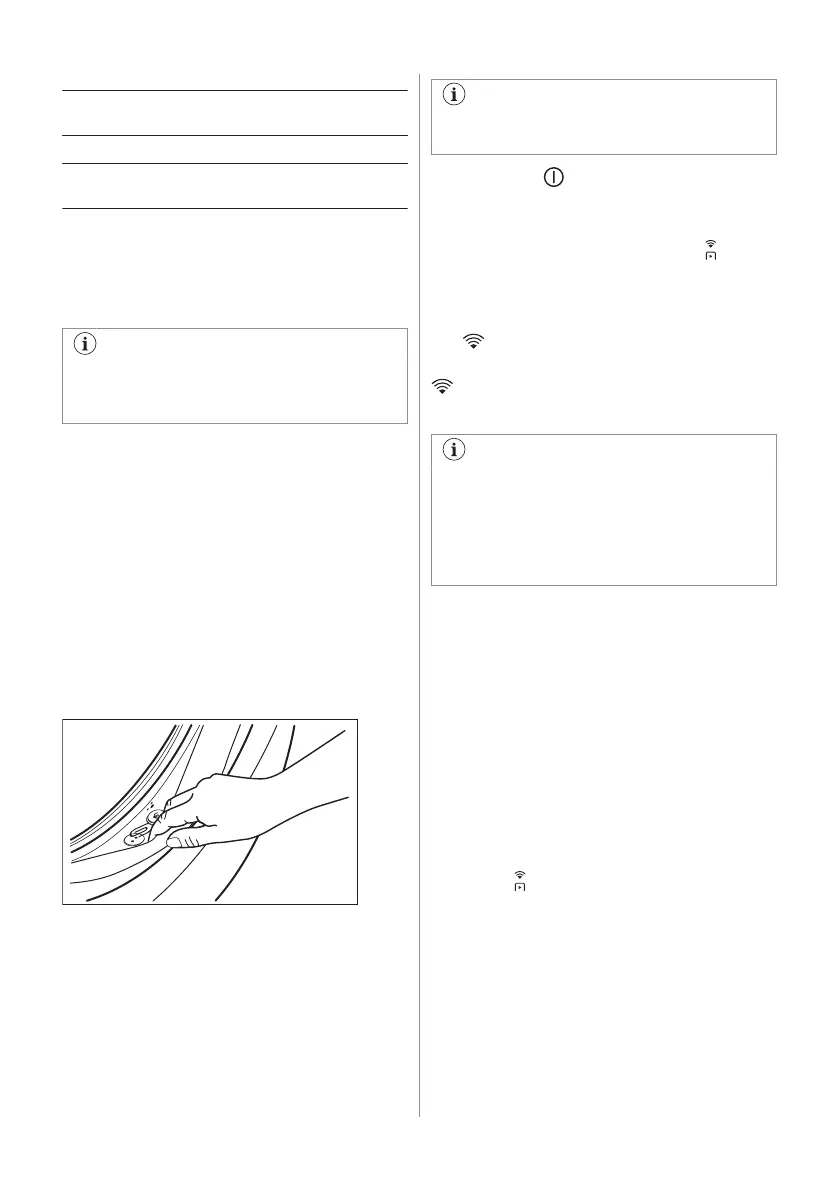
Door seal
This appliance is designed with a self
cleaning draining system, allowing light fluff
fibers that fall off the clothes to be drained out
with the water. Regularly examine the seal
and if necessary clean as described in the
following diagram. Coins, buttons, other small
items can be recovered at the end of the
cycle.
Clean it when needed, using ammonia cream
cleanser agent without scratching the seal
surface.
If it is necessary, remove fluff and objects
from the filter recess.
19.7 Wi-Fi appliance connection
Turning On Wi-Fi
As factory default, the Wi-Fi feature is
Off.
Tap the On/Off button for a few seconds to
activate the appliance.
To connect the appliance to a Wi-Fi network,
tap and hold the Remote Start Mode key
button for 5 seconds. It is also possible to
enable Wi-Fi from the settings menu.
During this phase, the display shows Wi-Fi
icon
and "Starting up..." message. After a
while Ready to connect" message and icon
appear.
Connecting your appliance
Before proceeding with next steps, be
sure that the App has been downloaded
and configured and you smart device
connected to your home network. Refer
to "Installing and configuring the App"
paragraph.
Open the App from your smart device and
follow the instruction displayed to add
your appliance.
During association phase, the App could
redirects to the smart device Wi-Fi settings to
select the home network and requires to
enter the Wi-Fi password to connect the
appliance.
After Connecting... phase, if successfully
concluded, "Connection successful"
message is shown. Otherwise, the message
"Can't connect" is displayed.
Once connected, tapping on the Remote
Start Mode
key button on will enable users
to be able to start cycles remotely on the App.
Auto connection to registered network
Once the appliance has been successfully
set-up and registered to the home network,
every time it is powered on, it will try to
connect to the network automatically. There
will not be any sound when Wi-Fi connection
is successful.
58 ENGLISH
Bekijk gratis de handleiding van Electrolux EFI974EY6S, stel vragen en lees de antwoorden op veelvoorkomende problemen, of gebruik onze assistent om sneller informatie in de handleiding te vinden of uitleg te krijgen over specifieke functies.
Productinformatie
| Merk | Electrolux |
| Model | EFI974EY6S |
| Categorie | Wasmachine |
| Taal | Nederlands |
| Grootte | 33928 MB |