
Dacor DDW24G9000AP handleiding
Handleiding
Je bekijkt pagina 53 van 88
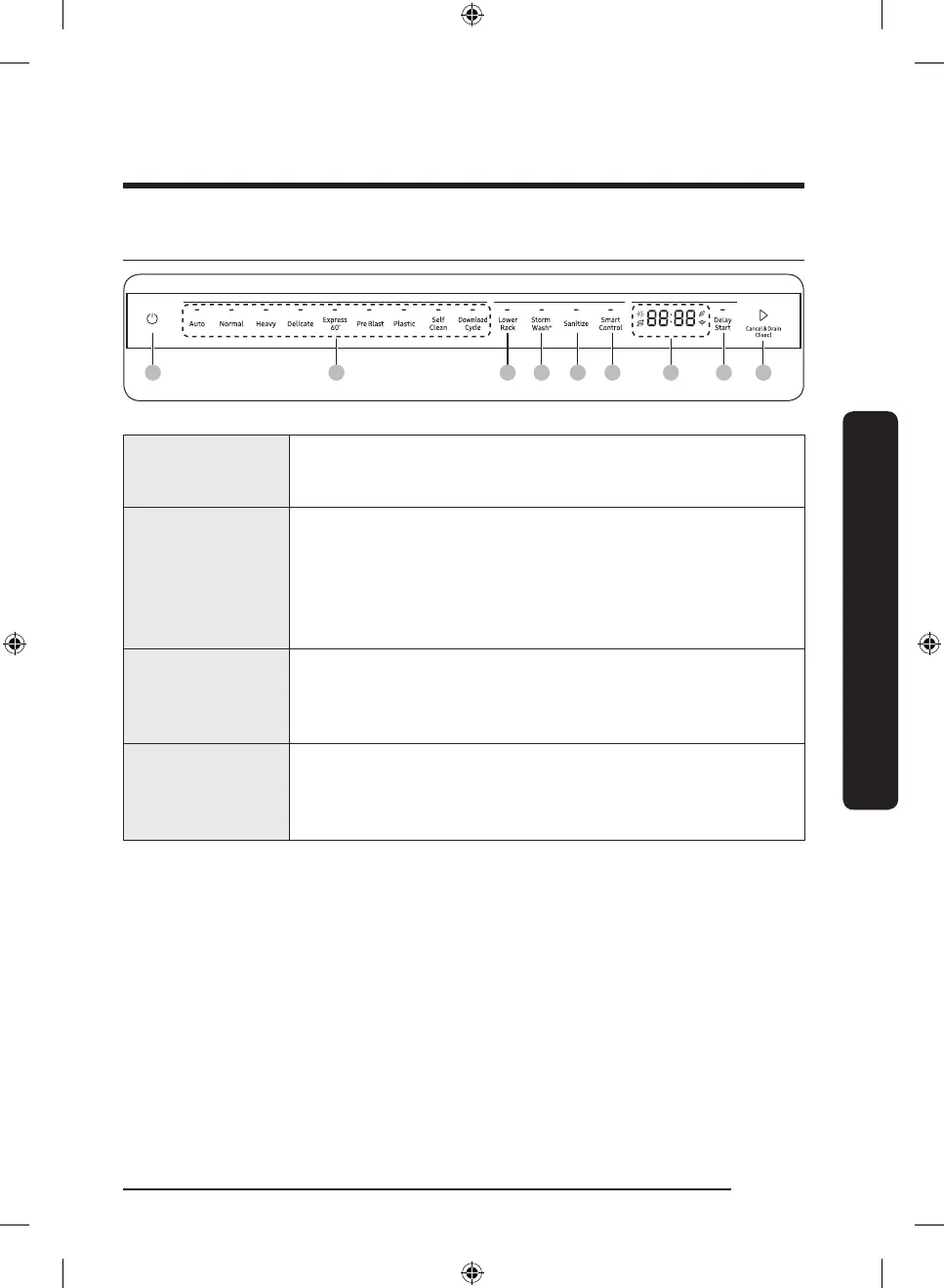
Control panel
01 02 03 04 07 090805 06
01 Power
When you press the Power button, the Cycle On light for the
most recently started cycle turns on. When the selected cycle is
complete, the dishwasher powers off automatically.
02 Cycle Selector
Select the appropriate wash cycle depending on the soil level of
your dishes. After you select a cycle, the Cycle On light for that
cycle lights.
If you want to change the cycle once it has started, press the
Power button. Then, turn on the dishwasher again and select a
new cycle.
03 Lower Rack
If selected, only the lower rack nozzle is activated to reduce both
the cycle time and power consumption. Use this cycle to wash a
small load of dishes or glasses in the lower rack. To wash heavily
soiled items, select the Storm Wash
+
option.
04 Storm Wash
+
Use this option when you want to wash pots and pans, durable
serving bowls, and other large, very dirty, hard to clean dishes.
To use Storm Wash
+
, place the dishes face down in the storm wash
nozzle up area in the lower basket.
English 53
Operations
DD68-00250L-00_IB_DACOR_DW8700B_EN.indd 53 2024-01-11 3:09:41
Bekijk gratis de handleiding van Dacor DDW24G9000AP, stel vragen en lees de antwoorden op veelvoorkomende problemen, of gebruik onze assistent om sneller informatie in de handleiding te vinden of uitleg te krijgen over specifieke functies.
Productinformatie
| Merk | Dacor |
| Model | DDW24G9000AP |
| Categorie | Wasmachine |
| Taal | Nederlands |
| Grootte | 8683 MB |