
Dacor DDW24G9000AP handleiding
Handleiding
Je bekijkt pagina 33 van 88
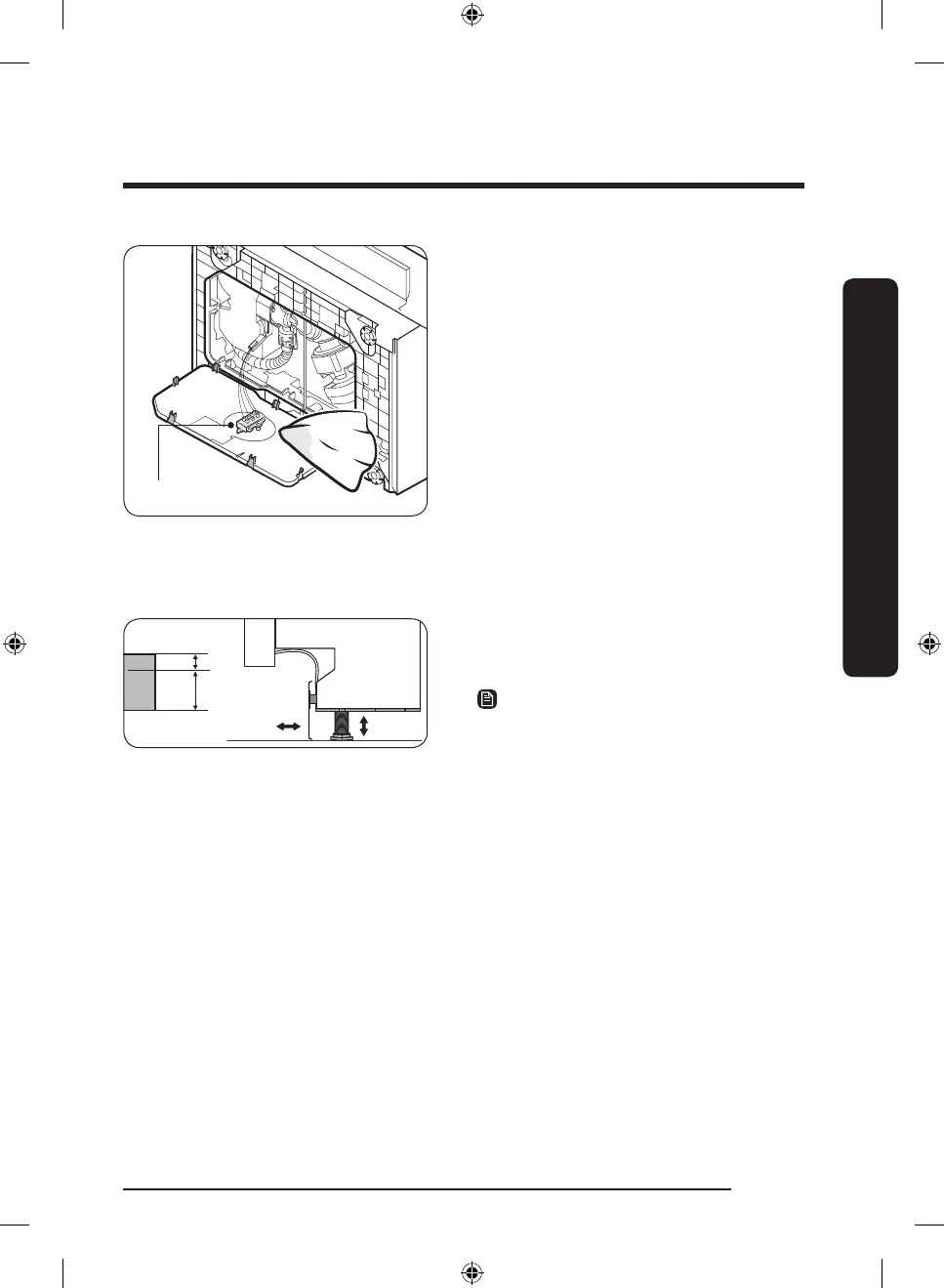
Water leakage sensor
3. Once the leak is stopped, lay down
the dishwasher as shown, and wipe
out moisture from the water leakage
sensor.
4. Plug in the dishwasher. Then, open the
water valve and start a cycle.
5. If the LC information code continues
to appear, contact a local Dacor service
center.
Kick plate
If you want to install the kickplate, follow these instructions.
Big
Small
1. Turn the front legs of the dishwasher to
adjust the height so that the kick plate
ts in.
NOTE
• For dishwasher models without the
adjustable legs, turn the kick plate
upside down so that the kick plate ts
in.
• Dishwashers whose height is under 34"
(864 mm) do not support installation of
the kick plate. Use the furniture plate
instead.
English 33
Installation
DD68-00250L-00_IB_DACOR_DW8700B_EN.indd 33 2024-01-11 3:09:32
Bekijk gratis de handleiding van Dacor DDW24G9000AP, stel vragen en lees de antwoorden op veelvoorkomende problemen, of gebruik onze assistent om sneller informatie in de handleiding te vinden of uitleg te krijgen over specifieke functies.
Productinformatie
| Merk | Dacor |
| Model | DDW24G9000AP |
| Categorie | Wasmachine |
| Taal | Nederlands |
| Grootte | 8683 MB |