Handleiding
Je bekijkt pagina 14 van 24
1414
Special Features & Functions
Auto Blend
The Auto Blend function automatically senses the consistency of food in
the jar and applies the appropriate speed and runtime to produce a fully
blended mixture. To use, simply add your ingredients to the blending
jar, turn the knob to Auto Blend and press BLEND. Three dashes on the
display will light up sequentially as the unit detects what is in the jar.
Once the appropriate blending speed and runtime are determined, the
speed may change and the dashes on the display will begin to run in a circle.
When the blending cycle is complete, the blender will automatically turn off.
If the mixture is blending without problems, for best results, we recommend
letting the program run. But if necessary, you can pause blending to scrape or
add liquid by pressing the STOP button. When you are ready to begin blending
again, press BLEND and the Auto Blend function will resume where it left off
(occasionally it may sense that an adjustment is needed, and restart with a
different blending speed and/or runtime). When paused, the unit’s circling
animation will pause. The blender will stay in this state for a few minutes
before returning to standby. To exit this pause state earlier, simply rotate the
dial out of Auto Blend.
Auto Blend is equipped with sophisticated algorithms to help blend very
dense mixtures, even when the food is so thick it becomes out of reach of the
blades. Auto Blend employs vigorous and dynamic pulsing patterns to knock
food down into the blade’s path. Don’t be afraid of the motor running at high
speeds (it will be loud) and seemingly not blending; allow Auto Blend to run
its course and you’ll be amazed at how it regains control of the mixture and
“obliterates” it.
Occasionally, the blender may sense that it can not work through a mixture.
This is likely due to thick and sticky foods or insufficient liquid. The Add Liquid
light will display. It is recommended to tamp the mixture and add liquid
as needed to continue efficiently blending. If needed, the program can be
paused to scrape food into the blade’s path. If the Auto Blend cycle ends but
the food is not fully blended, add liquid, tamp, then press BLEND again.
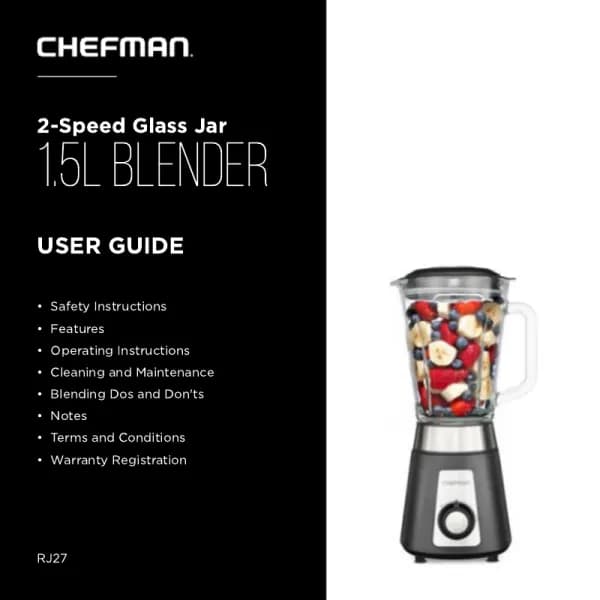
Bekijk gratis de handleiding van Chefman RJ27-T1, stel vragen en lees de antwoorden op veelvoorkomende problemen, of gebruik onze assistent om sneller informatie in de handleiding te vinden of uitleg te krijgen over specifieke functies.
Productinformatie
| Merk | Chefman |
| Model | RJ27-T1 |
| Categorie | Blender |
| Taal | Nederlands |
| Grootte | 1320 MB |