Brandt BT813HQA handleiding
Handleiding
Je bekijkt pagina 20 van 31
19
Child Lock
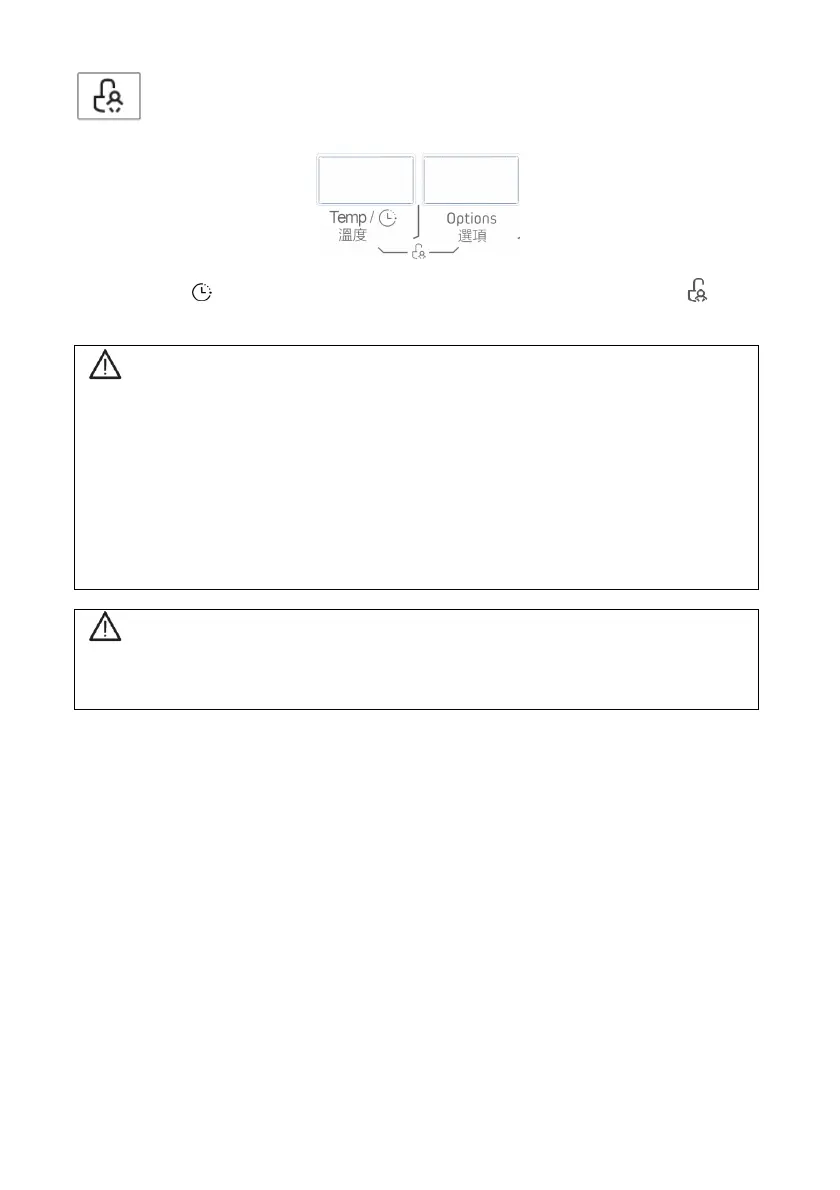
This function locks the buttons so that the current programme cannot
be changed especially if a child plays with the keys.
Press Temp / and Options at the same time for 3 seconds, until the icon
appears. The display alternately shows CL and the time remaining.
Warning!
To disable the Child Lock, press the same two buttons for three seconds. The
display alternately shows CL and the time remaining. At the end of the
cycle, “End” appears on the screen and the Child Lock LED stays on.
The “Child Lock” function will lock all of the buttons except the selector.
If you switch off the appliance, the Child Lock will be disabled.
The Child Lock function remains active when the washing machine restarts
after a power break.
Warning!
If a power break occurs when the washing machine is running, the internal memory
saves the selected programme. Once the power has returned, press the Start/Pause
button to resume the programme.
Bekijk gratis de handleiding van Brandt BT813HQA, stel vragen en lees de antwoorden op veelvoorkomende problemen, of gebruik onze assistent om sneller informatie in de handleiding te vinden of uitleg te krijgen over specifieke functies.
Productinformatie
| Merk | Brandt |
| Model | BT813HQA |
| Categorie | Wasmachine |
| Taal | Nederlands |
| Grootte | 3204 MB |