BEKO MWBMU31041B handleiding
Handleiding
Je bekijkt pagina 66 van 80
EN / 65
This is not a washing programme.
This is a maintenance programme.
Do not turn this programme on
when there is something inside the
machine. When you attempt to op-
erate, the machine automatically
senses that there is load inside, and
may quit or resume the programme
as per the model of your machine.
An effective cleaning is not
achieved if the programme is re-
sumed.
• Mix
Use to wash your cotton and synthetic
clothes together without sorting them.
• Cold Wash
Use to wash your medium dirty and durable
cotton/synthetic laundry. Thanks to the
washing algorithm specially developed for
the program, effective washing is ensured
without exposing the laundry to high tem-
peratures.
• Antimacchia
The machine has a special stain pro-
gramme which enables the removal of dif-
ferent types of stains in the most effective
way. Use this programme only for durable
colourfast cotton laundry. Do not wash del-
icate and pigmenting clothes and laundry in
this programme. Before washing, make
sure to check garment tags (recommended
for cotton shirts, trousers, shorts, t-shirts,
baby clothes, pyjamas, aprons, table
clothes, bed sheets, duvet covers, pillow-
cases, bath-beach towels, towels, socks,
cotton underwear that are suitable for
washing at high temperature and for a long
time). In the automatic stain programme,
you can wash 24 types of stains divided
into two different groups according to
"Quick wash" function selection. Depending
on the selected stain group, a special wash-
ing programme for which duration of rinse
hold, washing action, washing and rinsing
duration are modified.
You can see stain groups that can be
selected with the “Quick Wash” button.
When “Quick Wash” is not selected;
Butter, grass, mud, cola, sweat, collar dirt,
food, mayonnaise, salad dressing, make-up,
machine oil, baby food.
When “Quick Wash” is selected;
Blood, chocolate, pudding, eggs, tea, cof-
fee, juice, ketchup, red wine, curry, jam,
coal.
1. Select the stain programme.
2. Select the stain you want to clean by
locating it in the groups above and se-
lecting the related group with the quick
auxiliary function button.
3. Read the garment tag carefully and en-
sure that correct temperature and spin
speed are selected.
6.6 Temperature Selection
Whenever a new programme is selected,
after a certain period of time the recom-
mended temperature info for the pro-
gramme appears on the duration indicator.
It is possible that the recommended tem-
perature value is not the maximum temper-
ature that can be selected for the current
programme.
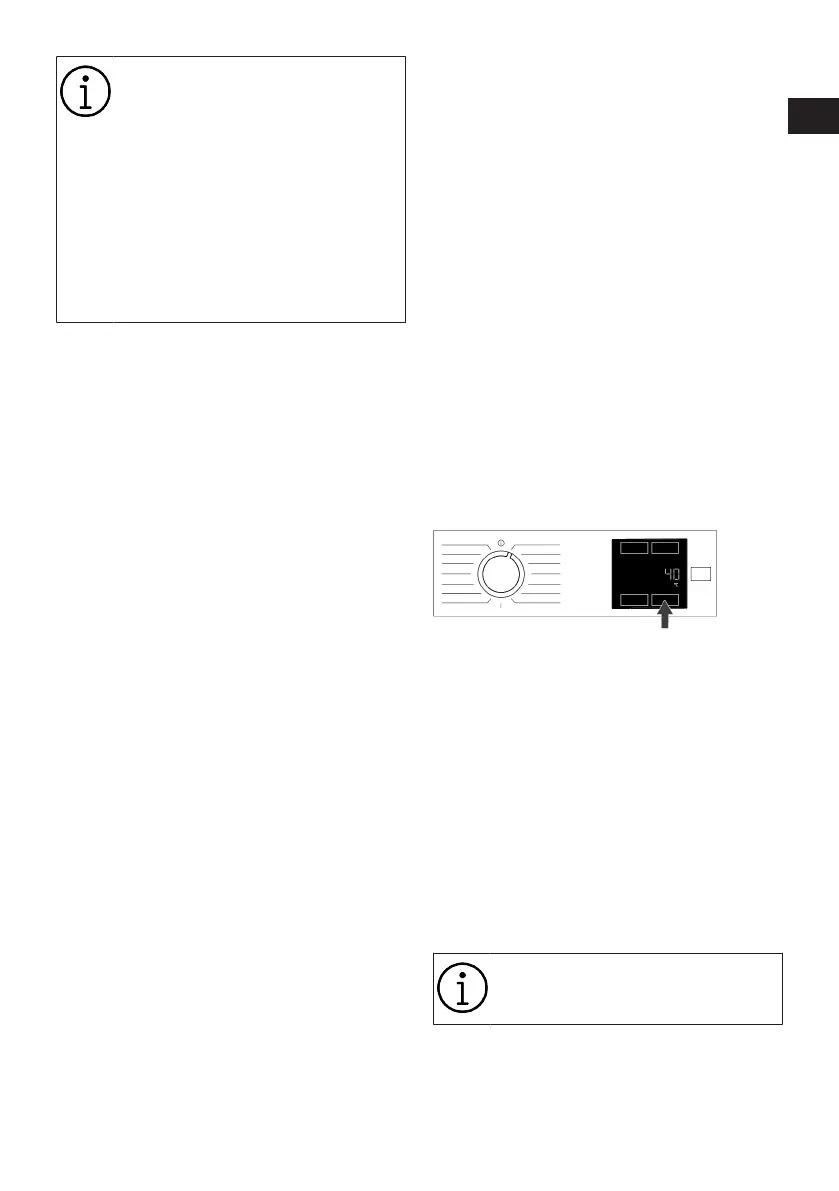
Press the Temperature Adjustment button
to change the temperature. Temperature
decreases gradually.
Press the Temperature Adjustment button
to see the currently selected temperature
value.
No change can be made in pro-
grammes where temperature ad-
justment is not allowed.
You can also change the temperature after
the washing starts. This change can be
made only if the washing steps allow it.
IT
EN
Bekijk gratis de handleiding van BEKO MWBMU31041B, stel vragen en lees de antwoorden op veelvoorkomende problemen, of gebruik onze assistent om sneller informatie in de handleiding te vinden of uitleg te krijgen over specifieke functies.
Productinformatie
| Merk | BEKO |
| Model | MWBMU31041B |
| Categorie | Wasmachine |
| Taal | Nederlands |
| Grootte | 7361 MB |