
Handleiding
Je bekijkt pagina 29 van 54
15 PAX-121 User Manual
Chapter 2 Installation
2.4 Positioning
Before setting up your workstation, prepare a suitable installation space. This should
be a stable, flat, dust-free surface with good surrounding ventilation. Position the
monitor screen away from direct sunlight. The glare caused by reflected sunlight may
render the onscreen difficult to read.
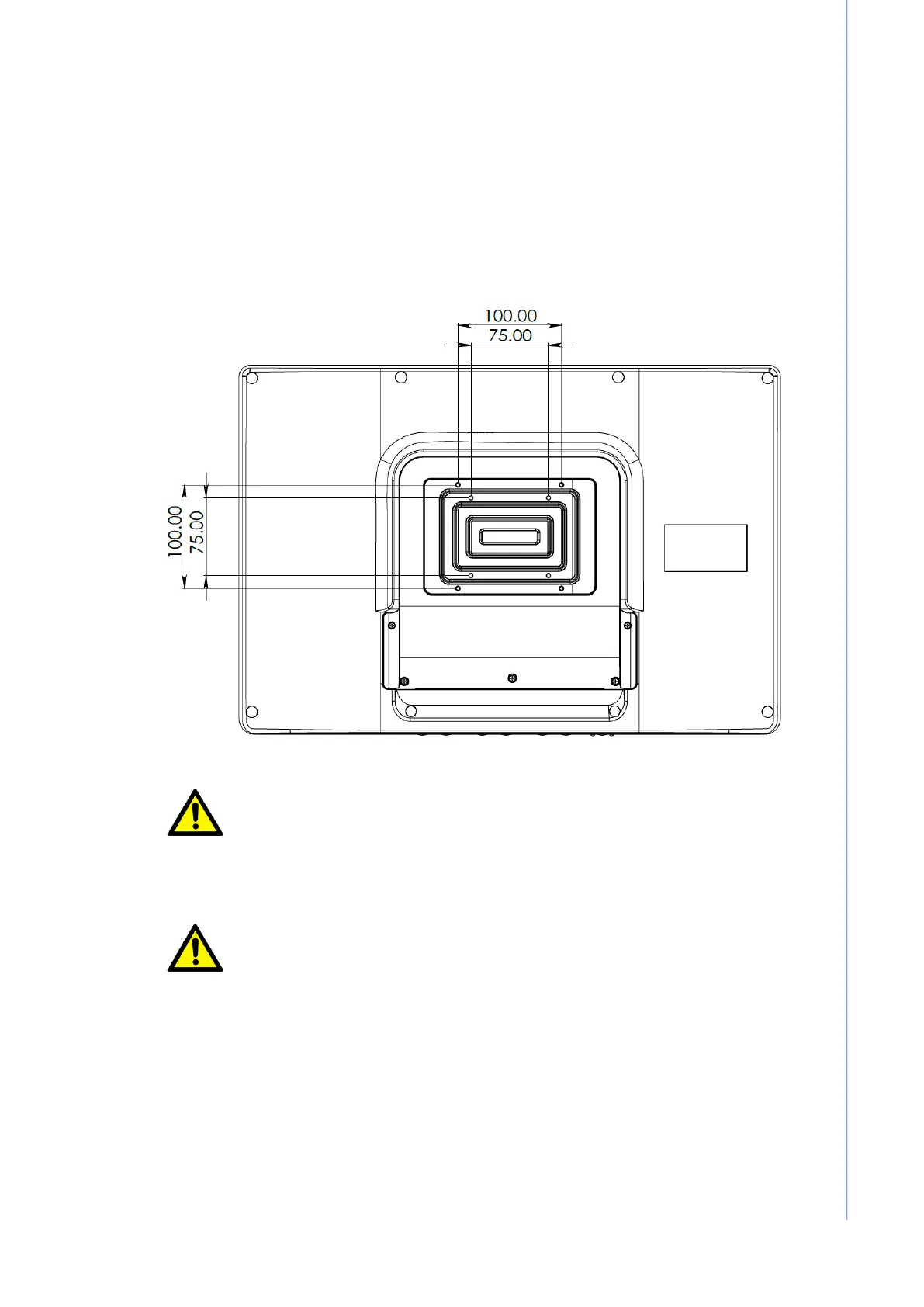
The stand is an optional accessory. If selected, be sure to use at least four of the
VESA mounting holes provided. PAX-121 is compatible with VESA 100X100 and
VESA 75x75mm stands. Using M4 screws with max length 10mm.
Caution!
When positioning the equipment, ensure that the main ports and
sockets are easily accessible.
Do not place the monitor close to a heat source.
Do not place the monitor in direct sunlight or near a window.
Exposed to direct sunlight or moisture can damage the monitor.
Prudence!
Lors du positionnement de l'équipement, assurez-vous que les
principaux ports et prises sont facilement accessibles.
Ne placez pas le moniteur à proximité d'une source de chaleur.
Ne placez pas le moniteur à la lumière directe du soleil ou près
d'une fenêtre. L'exposition directe au soleil ou à l'humidité peut
endommager le moniteur.
Bekijk gratis de handleiding van Advantech PAX-121, stel vragen en lees de antwoorden op veelvoorkomende problemen, of gebruik onze assistent om sneller informatie in de handleiding te vinden of uitleg te krijgen over specifieke functies.
Productinformatie
| Merk | Advantech |
| Model | PAX-121 |
| Categorie | Monitor |
| Taal | Nederlands |
| Grootte | 4532 MB |


